

The short answer, before anything else: pick Playwright when you can write the steps (known sites, high volume, no per-step model bill), and Browser Use when you can't (unfamiliar or constantly redesigned sites). Their failure modes are opposites: Playwright fails loudly with a stack trace; Browser Use can fail silently, hallucinating plausible data with no warning. A known task that needs your own logins suits neither, so hand it to ego (lite) when you drive it from Claude Code and Codex.
Here's a detail most Browser Use vs Playwright articles miss: Browser Use used to run on Playwright, and left. Since v0.6.0 (August 2025) it drives Chromium directly over CDP with its own typed bindings.
That migration is the comparison in miniature. Playwright is a deterministic code framework built for humans writing repeatable scripts; Browser Use is an LLM agent loop that needed lower-level, faster, more forgiving browser access than a testing framework wants to give.
What's the real difference in positioning?
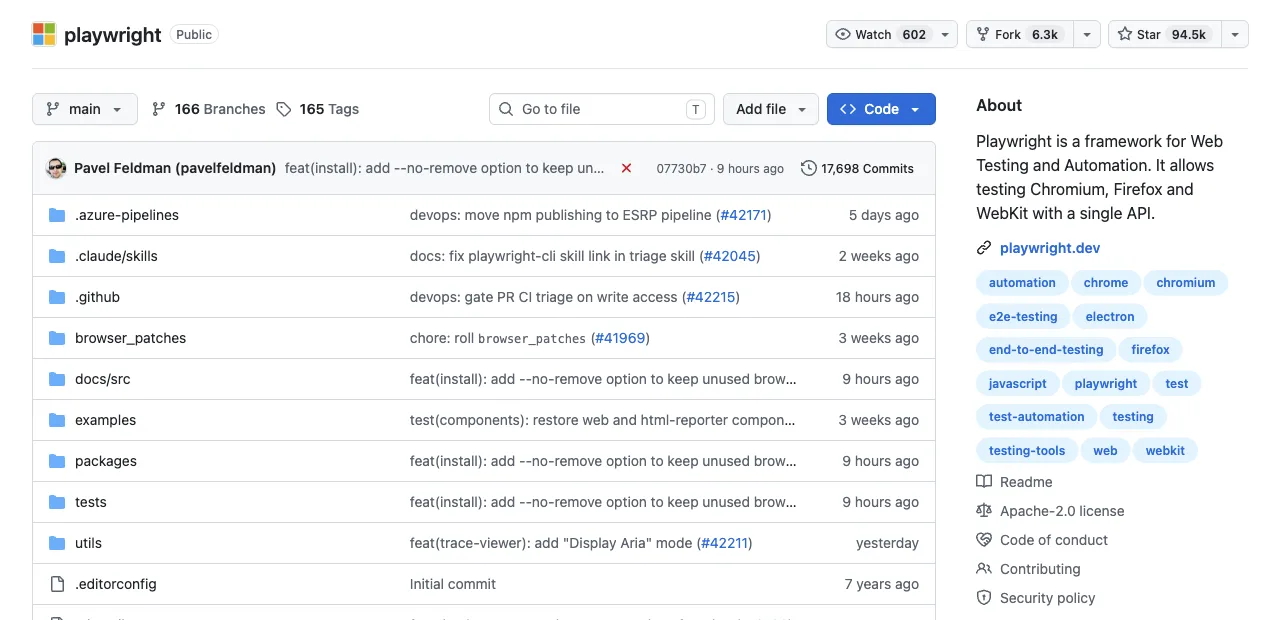
Playwright is scripted control: you (or your coding agent) write selectors and steps, the framework executes them identically every run, with auto-waiting smoothing the timing. Costs are compute and proxies; there's no per-step model bill. When the site changes a class name, the script breaks, visibly.
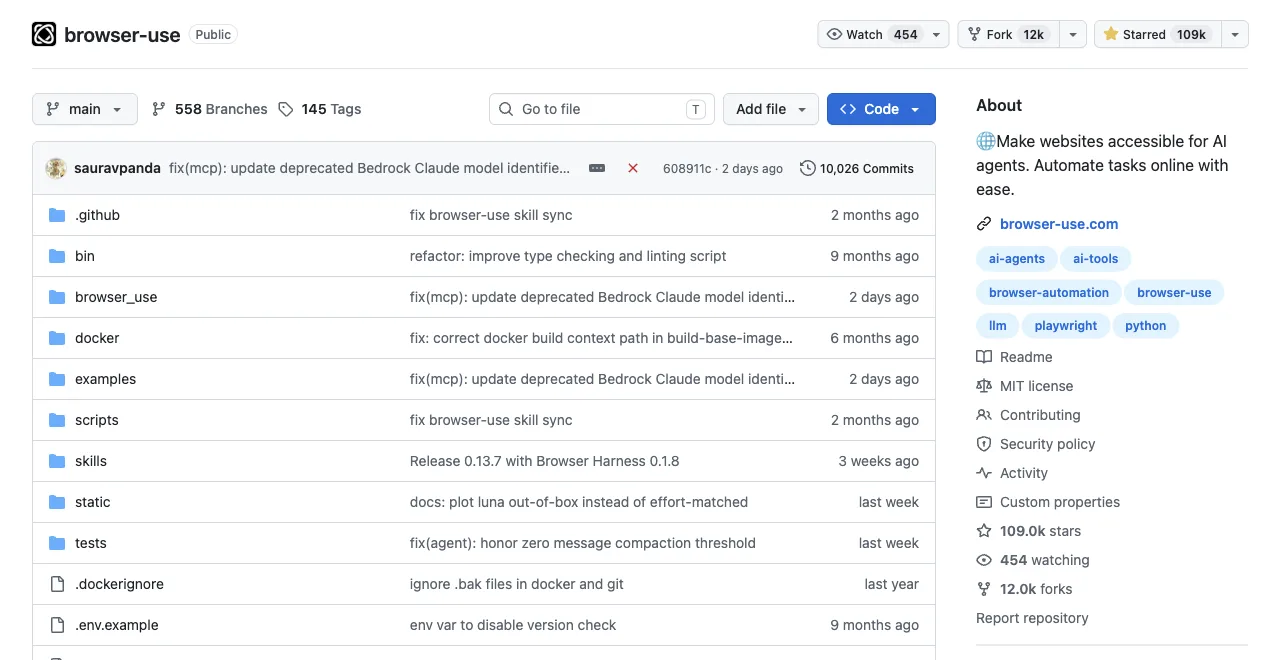
Browser Use is delegated control: Agent(task="find the three cheapest flights", llm=...) and the loop perceives, decides, and acts on its own. No selector research, tolerance for redesigned layouts, and a model round trip on every step: capture state, send to LLM, receive action, execute, repeat. Its cloud adds hosted models, proxies, and CAPTCHA handling on top.
Same foundation underneath, two different owners of the decision loop. Everything else in this comparison falls out of that.
The same job in both dialects makes it concrete:
// Playwright: you own the steps
const rows = await page.$$eval('.product', els =>
  els.map(e => ({ name: e.querySelector('h3')?.innerText,
                  price: e.querySelector('.price')?.innerText })))

# Browser Use: the loop owns the steps
agent = Agent(task="List every product name and price on this page",
              llm=llm, output_model=Products)
result = await agent.run()
Longer but transparent versus shorter but opaque, as the Scrapfly comparison put it. Both lines are true at once.
That's the API on paper. Here's the same task from two recorded sessions: a real Playwright script and a real Browser Use agent run, captured against the same page (Hacker News) a few minutes apart, so the two are directly comparable.
# Playwright: raw Python script, fresh headless Chromium, no login state
from playwright.sync_api import sync_playwright
import time

t0 = time.time()
with sync_playwright() as p:
    browser = p.chromium.launch(headless=True)
    page = browser.new_page()
    page.goto("https://news.ycombinator.com/", wait_until="load", timeout=20000)
    title = page.title()
    top_story = page.locator(".athing .titleline > a").first.inner_text()
    points = page.locator(".subtext .score").first.inner_text()
    print({"title": title, "url": page.url, "topStory": top_story, "points": points})
    browser.close()
print(f"elapsed_s: {round(time.time()-t0, 2)}")

# Real output:
{'title': 'Hacker News', 'url': 'https://news.ycombinator.com/', 'topStory': 'Qwen 3.8 27B', 'points': '414 points'}
elapsed_s: 1.8
# Browser Use: real Agent run, browser-use 0.13.7, gpt-4.1-mini via OPENAI_API_KEY
import asyncio
from browser_use import Agent, ChatOpenAI
async def main():
llm = ChatOpenAI(model="gpt-4.1-mini")
agent = Agent(
task="Go to https://news.ycombinator.com/ and tell me the exact title text of the #1 story on the front page, plus its points count.",
llm=llm,
)
history = await agent.run(max_steps=8)
print("FINAL RESULT:", history.final_result())
asyncio.run(main())
# Real output (trimmed to the meaningful lines):
INFO [Agent] Starting a browser-use agent with version 0.13.7, with provider=openai and model=gpt-4.1-mini
INFO [Agent] ▶️ navigate: url: https://news.ycombinator.com/, new_tab: False
INFO [tools] 🔗 Navigated to https://news.ycombinator.com/
INFO [Agent]
INFO [Agent] 📍 Step 1:
INFO [Agent] 👍 Eval: Successfully located the #1 story title and its points count on the Hacker News front page.
INFO [Agent] 🧠 Memory: Located the top story on Hacker News with title 'Qwen 3.8 27B' and points count '415 points'.
INFO [Agent] 🎯 Next goal: Report the exact title text and points count of the #1 story to the user.
INFO [Agent] ▶️ done: text: The #1 story on Hacker News front page is titled "Qwen 3.8 27B" with 415 points., success: True, files_to_display: None
INFO [Agent]
📄 Final Result:
The #1 story on Hacker News front page is titled "Qwen 3.8 27B" with 415 points.
INFO [Agent] ✅ Task completed successfully
FINAL RESULT: The #1 story on Hacker News front page is titled "Qwen 3.8 27B" with 415 points.The points count reads 414 in one recording and 415 in the other because Hacker News vote totals change in real time between runs a few minutes apart, not because either number is made up.
Why did Browser Use itself leave Playwright?
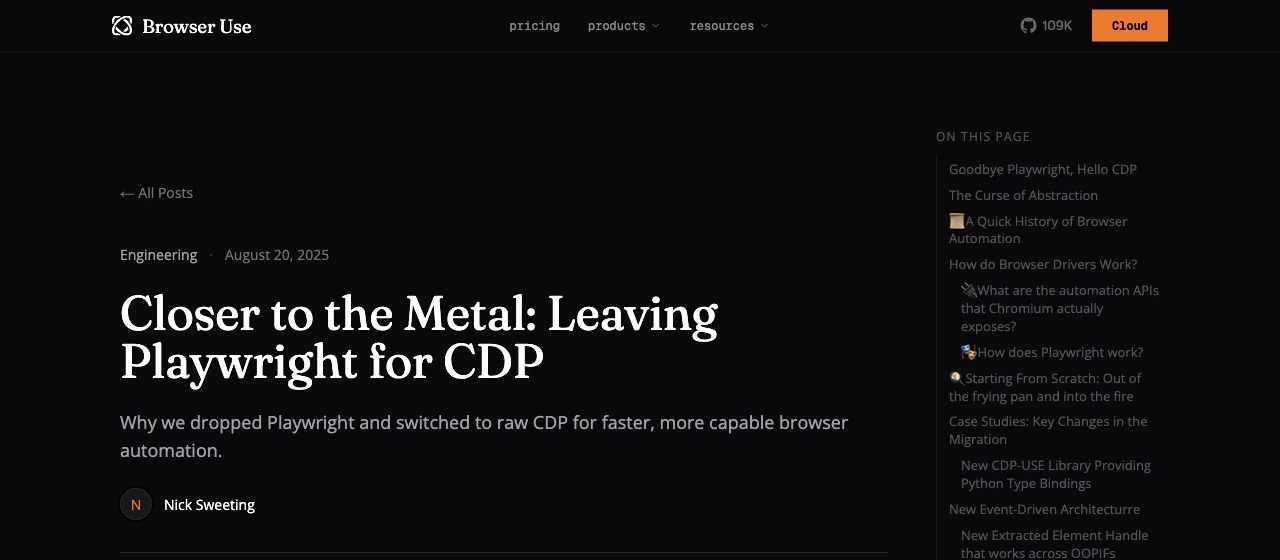
Their engineering post on the migration is unusually frank, and worth reading as a review of Playwright from its heaviest user. Three reasons stand out.
Latency: Playwright routes every command through a Node.js relay, which "incurs a meaningful amount of latency when we do thousands of CDP calls" per task.
State drift: with state split across browser, relay, and Python client, "the node.js process can hang indefinitely waiting for a browser reply," and the only fix was kill -9.
Sharp edges: full-page screenshots above ~16,000px "reliably crashes playwright," and of roughly 10 ways tabs crash, "Playwright handled about half of these well, and presented impassible barrier to solving the other half."
The honest reading cuts both ways. For agent infrastructure running thousands of steps per eval, Playwright's abstraction stopped paying for itself. For the rest of us writing dozens-of-steps scripts, those same abstractions (auto-waiting, unified API, cross-browser) are exactly the value, and none of those sharp edges bite at normal scale.
Infrastructure needs differ from user needs.
How do they fail differently?
This is the section that should decide your choice, because you'll spend more time on failures than successes in scraping.
Playwright fails loudly. A broken selector throws a specific, reproducible TimeoutError with a stack trace; you fix the line and the failure never lies to you. The price is brittleness: cosmetic site changes break scripts that were logically fine.
Browser Use fails quietly. The documented risk pattern: when the agent can't find real data, it may produce plausible-looking prices or names with no error or warning, and the field reports match (a user watching it invent "123 Main St" for a form field).
Scrapfly's analysis of the two tools lands on advice worth framing: treat agent output like untrusted user input, validating formats, names, URLs, and empty fields before anything downstream consumes them.
There is now measured data on exactly this split. Real-World Bench runs a 31-task suite, most tasks on live production sites (Expedia, Redfin, X, Amazon, government data portals) plus a deterministic local site for the stateful checkout flow, through five tools with the same model (gpt-5.6-sol), the same judge, and up to 6 binary rubrics per task (154 across the 31 tasks); a task counts as perfect only if every rubric passes. On the Browser Use side it measured Browser Harness, Browser Use's local version (the hosted cloud product was not benchmarked); on the Playwright side it measured playwright-cli, the official CLI route for agents, not a hand-written script.
Real-World Bench: tasks finished with every rubric passing (%)
31-task suite, 31 tasks, same model (gpt-5.6-sol) and same judge, run 2026-08-19
The interesting wrinkle is what partial credit hides. On average rubric score the two tie exactly: 88.9% for playwright-cli, 88.9% for Browser Harness. On tasks finished completely they diverge: 71.0% across 31 tasks versus 77.4% across 31 tasks. Both routes collect partial credit at the same rate; the loop closes out more tasks. The mechanism is visible in the turn counts: Browser Harness averaged 51.2 model turns per task, the most of the five tools measured, which is the retry-until-it-works behavior doing its job, and also the chattiness you pay for. Its $2.43 average cost per task becomes $2.43 divided by 77.4%, or $3.14 per completed task; playwright-cli's $3.42 becomes $3.42 divided by 71.0%, or $4.82, because a failed run isn't free.
Why do AI browser agents fail on unpredictable workflows?
An agent fails when it mistakes a partial page, stale state, or ambiguous instruction for a completed step. Long workflows multiply those uncertainties: navigation can finish before data renders, a modal can intercept a click, and an LLM can choose a plausible but wrong target. Reliable runs make state observable and define a success condition that can be checked independently.
Use bounded tasks, explicit URLs, content-specific waits, and validation after every irreversible action. Save a trace or structured log, cap retries and runtime, and stop on an unknown page. Playwright exposes a loud timeout that is easy to debug; Browser Use's flexible loop needs output validation because a fluent answer is not evidence that the page was read correctly.
How do you keep automation working when the DOM changes?
Prefer user-facing roles, labels, and stable test IDs over deeply nested CSS or generated class names. Keep selectors close to the behavior they represent, centralize them so a redesign has one repair point, and add a smoke test that detects a missing landmark before the full crawl starts.
An AI agent can help recover by re-reading the current page, but self-healing is not proof of correctness. Require it to explain the replacement target, compare the URL and visible outcome with the expected state, and open a review ticket when multiple candidates match. Record DOM or accessibility snapshots around the failure so maintenance is based on evidence rather than repeated guessing.
When should production scraping use deterministic scripts?
Use a deterministic Playwright script when the site, fields, and cadence are known. A recorded or hand-written flow can run without an LLM, keep a stable schema, retry a bounded network error, and fail loudly when a selector or contract changes. That makes it a better fit for scheduled production collection than paying an agent to rediscover the same path each time.
Use Browser Use or another agent for genuinely variable discovery, then graduate the proven path into code. For RAG, extract the smallest source-linked passages, preserve retrieval timestamps, and validate empty or duplicate records before indexing. Keep the site's terms, robots policy, and access controls in scope; production reliability does not justify bypassing them.
How do you reduce token cost in browser agents?
Token use follows observations and model turns, not just browser clicks. Scope snapshots to the relevant region, ask for specific fields, reuse an extracted result, and run deterministic pagination or parsing outside the model loop. A local model can change the provider bill, but it does not remove the need to measure latency, context size, and error rate on your own pages.
Set a maximum step count and time budget, stop after repeated identical failures, and log input/output tokens, cached input, retries, browser time, and proxy charges when available. Compare cost per completed task, not cost per attempt; a cheaper run that returns invalid data is not cheaper in production.
How should you handle bot detection without bypassing it?
CAPTCHAs, Cloudflare challenges, identity checks, and rate limits are stop signals. Pause the run, hand the browser to an authorized human, or use the publisher's documented API or export. Do not rotate fingerprints, spoof mouse movement, disable security controls, or keep retrying until a challenge gives way.
Use conservative concurrency, respect published terms, and identify your client where a site asks for it. A real browser profile may reduce unnecessary login friction, but it is not a stealth guarantee and does not grant permission to access private data. Record blocked URLs and leave them for review rather than silently dropping them.
How do you reduce flaky Playwright tests?
Most flakiness comes from uncontrolled state or timing: shared accounts, animations, network races, and selectors that match more than one element. Isolate fixtures, wait for an observable condition instead of sleeping, disable or freeze nonessential animation in test mode, and use trace, video, and network logs to classify each failure.
Retries can protect against a transient browser or network fault, but they should not hide a deterministic assertion failure. Run the same test repeatedly against a seeded environment, quarantine only with an owner and expiry date, and keep a separate smoke test for the critical user journey.
Is Playwright outdated for AI browser automation?
No. Playwright remains a strong execution layer for deterministic browser control, cross-browser coverage, isolation, tracing, and CI. AI agents change who writes the steps; they do not remove the value of a predictable runtime or a test that can be reproduced after the model is gone.
Its limits are real: selectors need maintenance, clean profiles do not contain your personal logins, and an LLM loop can be more forgiving on unfamiliar layouts. Treat that as a division of labor rather than an expiration date—use an agent for exploration or code generation, then keep the production path explicit and testable.
Can an LLM write Playwright scripts without losing determinism?
Yes, if the LLM is used before execution: provide the URL and acceptance criteria, let it draft the script, and review the locators, waits, assertions, permissions, and data handling. Once committed, the script runs deterministically and its failures remain visible to CI instead of becoming a new model decision on every step.
Ask the model to include a small fixture, a negative case, and a trace-friendly failure message, then run the generated code against a test account. Never accept a generated selector, URL, or extracted value without checking it against the live page; the model can accelerate authoring while the test contract stays yours.
Which tasks belong to which tool?
Choose Playwright when the site is known and stable, volume is high, and cost per run matters: production pipelines, monitoring, regression testing. Choose Browser Use when sites are unfamiliar or frequently redesigned, when the task is research-shaped ("check these 40 vendors for X"), or when nobody's available to write and maintain scripts.
Two boundary cases sharpen the line. A daily price check on one known page is Playwright even though it sounds agent-y: writing the four-line script once beats paying an LLM to rediscover the page daily. A one-time survey across 30 differently-built directory sites is Browser Use even if you're a Playwright expert: thirty scrapers for thirty one-time reads is the wrong trade.
And the fair word for Browser Use's core strength: autonomous navigation of unfamiliar pages is genuinely hard, it's the best-known open-source system for it, and that capability is real even where this article recommends scripts.
The combined option for logged-in work
Both defaults share a blind spot: your logged-in accounts. Playwright launches clean profiles; Browser Use connecting to a real Chrome profile has been reported unreliable, with the founder acknowledging the instability. Either way, tasks behind your own logins mean scripted auth and its maintenance.
ego (lite) is not a third framework; it takes the part each column gets right. It runs a full Chromium, so modern JavaScript apps, dynamically rendered pages, cross-origin iframes, shadow DOM, and embedded third-party components are handled natively, without special treatment.From Playwright it keeps explicit, code-written tasks (your agent writes the steps). What it adds is the thing neither column has: the browser is your real, signed-in one.
It ran the same Real-World Bench tasks as the two tools above: 93.5% finished perfectly across the 31-task suite, against Browser Harness's 77.4% and playwright-cli's 71.0%. It used 30.3 model turns per task where Browser Harness used 51.2, because the agent batches whole workflows into one script instead of deciding step by step. At $1.64 average cost per task, the honest billing number works out to $1.64 divided by 93.5%, or $1.75 per completed task, against $3.14 and $4.82 for the other two. In the separate heredoc-vs-REPL benchmark, that same batching cut execution rounds 44%, tool calls 35.5%, and cost 21.6% versus command-at-a-time execution. It was also the fastest of the five tools measured, at 398 seconds per task average.
The resulting split, stated as one sentence per tool: Playwright for known public sites at scale, Browser Use for unfamiliar-site autonomy, ego (lite) for explicit tasks behind your own logins.
See the full ego (lite) vs Browser Use comparison, or download ego (lite) for Mac, free.
How much does Browser Use cost, and how do you track token usage?
There is no single Browser Use token number. The open-source library, Browser Use Cloud Agents, and Browser Infrastructure are different products, and a cloud run can combine model tokens, browser time, proxy or network charges, and an orchestration fee. Your actual total depends on the model, provider, plan, and task—not on the number of Playwright-like browser actions alone.
Browser Use's public pricing documentation shows why the distinction matters: Cloud Agents list separate model and browser-time rates, while hosted models, BYOK, and older V2/V3 options use different billing rules. Those figures describe Browser Use's service, not ego (lite), and they can change; use the provider or account billing page as the source of truth.
To track browser-use token usage, capture the model/provider usage fields from each agent run and reconcile them with the account invoice. Log task ID, model, input and output tokens, cached input where available, browser time, retries, and proxy charges. Do not infer Browser Use token usage from an MCP snapshot or from DOM size. GitHub issue #170—closed as a duplicate of a cost-observability issue—shows that per-run token and API-call visibility is a real user need, not a guaranteed field in every local run.
FAQ
Is Browser Use built on Playwright?
Not anymore. It ran on Playwright until v0.6.0 (August 2025), then moved to direct CDP control with its own typed Python bindings (cdp-use), citing relay latency, cross-runtime state drift, and unhandleable edge cases at agent scale.
Which is cheaper to run?
For a hand-written script, Playwright, almost always: no LLM calls in the loop, so cost is compute and proxies. Browser Use pays a model round trip per step, with user reports around 50K tokens per step on DOM-heavy pages. Once an agent is driving both, Real-World Bench has measured numbers: playwright-cli averaged $3.42 per task at 71.0% completion ($4.82 per completed task), Browser Harness $2.43 at 77.4% ($3.14 per completed task). For non-agent runs, the Scrapfly advice stands: log tokens on your own representative task.
How do I track Browser Use token usage?
For Cloud Agents, use the run usage details together with your provider or Browser Use billing records. For the local library, instrument the model provider's response metadata and store it beside each task log; there is no universal Browser Use token count because you choose the model and provider. Include retries and browser time in your cost report, and treat missing usage fields as unknown rather than zero.
Is Browser Use cheaper than Playwright?
Not as a general rule. A hand-written Playwright script has no per-step LLM cost, while a Browser Use agent trades engineering time for model calls and may add cloud, browser-time, proxy, or orchestration charges. Compare both on the same representative workflow: total dollars, successful completions, maintenance effort, and review time.
Is there a benchmark that compares Browser Use and Playwright directly?
Yes, with two caveats about what was measured. Real-World Bench (the ego-browser-benchmark-framework repo on GitHub) ran a 31-task suite against live sites through five tools with the same model and an independent judge scoring up to 6 binary rubrics per task (154 across the 31 tasks). The Browser Use side was Browser Harness, Browser Use's local version, not the cloud product; the Playwright side was playwright-cli, the official CLI for agents, not a hand-written script. Results: Browser Harness finished 77.4% of 31 tasks perfectly, playwright-cli 71.0% across 31 tasks, and the two tied at 88.9% average rubric score, meaning they collect partial credit equally and differ on finishing.
Can I combine Browser Use and Playwright?
Yes, and hybrid is a documented pattern: scripted steps for the predictable parts (login, pagination), the agent for variable-layout extraction, then script-side validation of what the agent returns. It also concentrates the LLM bill on only the steps that need judgment.
Does Browser Use handle CAPTCHAs and bot detection?
Its cloud tier advertises CAPTCHA handling and stealth browsers, while community threads continue reporting CAPTCHA problems as a live issue, so treat it as mitigation rather than a solved problem. On your own accounts, reusing a session you opened in a real browser avoids most of these walls without any stealth machinery.
Which should an AI coding agent like Claude Code use?
If you have a coding agent, it can write the steps, which removes Browser Use's main advantage for explicit tasks: have it write Playwright for public sites, or use ego (lite) when the task needs your logged-in sessions. Reserve autonomous loops for genuinely unknown territory.