





ego (lite) बस एक ब्राउज़र है, ego आपके सभी डिवाइस पर आपका पर्सनल एजेंट है।
वेटलिस्ट में शामिल हों
ego lite vs Browser Harness

The Best Browser Harness Alternative

Browser Harness is Browser Use's local version: a Python agent loop you run on your own machine with your own LLM API key, launching its own browser and calling the model again at every step to plan the next move.

ego lite needs no framework: the coding agent you already run drives your real, logged-in browser directly, batching actions instead of narrating them one at a time. Across 31 live-site jobs it finishes 96.8% of tasks with a perfect score to Browser Harness's 83.9%, on 41% fewer model round trips.

इनके डेवलपर्स भरोसा करते हैं
GoogleAmazonShopifyTikTokHarvardStanfordUSCUCLA

Browser automation benchmark: ego lite vs Browser Harness

This is live browser automation, not a sandbox demo. ego lite and Browser Harness, Browser Use's local version, ran the same 31 multi-step tasks on real websites: several pages, several decisions, often a login you already have. The hosted cloud product was not part of this run. Local against local, same jobs, scored the same way.

agent: pimodel: ChatGPT 5.6 Solthinking: max31 tasks

Task completion rate

How often the agent finished the job. Stuck at login, skipped a step, or returned the wrong result: that task is a fail. Higher is better.

ego lite96.8%30 of 31 tasks perfect
Browser Harness (Browser Use local version)83.9%26 of 31 tasks perfect

Cost per completed task

What one finished job costs in model spend. Failures still get billed, so they push this number up. Lower is better.

ego lite$1.98
Browser Harness (Browser Use local version)$3.04

Model turns per task

How many times the model had to look at the page and choose the next action. Extra looks mean extra tokens, extra waiting, and extra places to stall. Lower is better.

ego lite30.3
Browser Harness (Browser Use local version)51.2

Average task time

How long a job took from start to finish, on average, including time spent waiting on the model. Lower is better.

ego lite8m 38s
Browser Harness (Browser Use local version)9m 58s

We ran every tool twice and kept the better score. A failed task still counts against it.

Check the numbers, or rerun the tasks yourselfThe 31 tasks, the grading checklists, and the raw results are open source. If a number looks off, open the repo.ego-browser-benchmark-framework

Why ego lite is better than Browser Harness

With Browser Harness, the browser agent is something you build: a Python project, an LLM API key, a loop that calls the model every step. With ego lite, it's something you already have. Run /ego-browser inside Claude Code, Codex, or Cursor and your agent gets your actual browser, logins and all. (Browser Use's hosted cloud product is a different category; the local-versus-local matchup is this page.)

96.8% of tasks done perfectly. No other tool tops 84%.

Browser Harness's agent loop calls the LLM at every step: read the page, decide the next batch of actions, wait, repeat. It turned in the most careful runs of any competitor on those 31 jobs, and paid for the care in round trips: 51.2 model calls per task, the most of the five tools measured, each one re-sending page state just to plan the next few clicks.

In ego lite, every page reaches your agent as a compressed Snapshot it can act on immediately, several actions per JavaScript turn, no separate model loop deciding a step at a time. The result on the same 31 tasks: 96.8% perfect to Browser Harness's 83.9%, on 41% fewer round trips and 35% less model spend per completed task.

Time to finish a task, shorter is better
518 sego (lite)
598 sbrowser harness
Data source - Task: finish an average live-site job
पैरेलल मल्टीटास्किंग, तेज़ी से एग्ज़ीक्यूट करें

Browser Use's own docs mark parallel Browser Harness runs experimental: developers note agents can conflict when they share resources, and real isolation means standing up a separate browser instance per task yourself.

ego lite में Spaces की कोई लिमिट नहीं: हर एक अपना टास्क एक साथ चलाता है, अपनी इम्पोर्ट की गई Chrome प्रोफ़ाइल पर। इनमें से कोई भी आपका टैब नहीं छीनता, और आप किसी भी Space को कभी भी देख सकते हैं या टेकओवर कर सकते हैं।

अब कोई बार-बार आना-जाना नहीं कम टोकन खर्च

Browser Harness's loop calls the model at every step and carries the page state along, and on longer tasks that cost compounds fast enough that users ask the Browser Use maintainers how to avoid burning tokens on a task that runs the same way every time.

ego lite में आपका एजेंट आगे बढ़ते रहने के लिए नई मॉडल कॉल का इंतज़ार करने के बजाय, हर टर्न में कुछ लाइन JavaScript में कई एक्शन बैच कर देता है। Snapshot इनपुट के साथ मिलकर, वही टास्क कुल मिलाकर कहीं कम टोकन में पूरा होता है।

Claude Code · ego lite
>/ego-browser Add the first product to the cart, then check checkout loads
Bash(
ego-browser nodejs <<'EOF' await openOrReuseTab('localhost:3000') await click('.product-card') await click('.add-to-cart') await click('a[href="/checkout"]') cliLog('checkout loaded') EOF
)
Output:
[t=4480ms] checkout loaded
Done. Both steps work.
─── 1 tool call · 1.1k tokens ───
Browser Harness · agent.run()
>$ python run_task.py 🎯 Task: Add the first product to the cart, then check checkout loads
📍 Step 1:
👍 Eval: Page loaded successfully
🧠 Memory: On demo store homepage, need to find a product
🎯 Next goal: Open first product and add it to cart
📍 Step 1: Ran 3 actions in 2.1s: ✅ 3
3.4k tokens sent so far
📍 Step 2:
👍 Eval: Product added to cart
🧠 Memory: Item in cart, now check checkout
🎯 Next goal: Navigate to checkout and confirm it loads
📍 Step 2: Ran 2 actions in 1.9s: ✅ 2
7.1k tokens sent so far
📍 Step 3:
👍 Eval: Checkout page did not load on first click
🧠 Memory: Link required a second click, retrying
🎯 Next goal: Retry the checkout link and wait for the form
📍 Step 3: Ran 1 action in 2.3s: ✅ 1
10.8k tokens sent so far
📍 Step 4:
👍 Eval: Payment form is present
🧠 Memory: Task complete
🎯 Next goal: done
📍 Step 4: Ran 1 action in 1.4s: ✅ 1
13.6k tokens sent so far
─── 4 model calls · 13.6k tokens ───
The same task, the same model. Left: one batched JavaScript call in ego lite, 1.1k tokens total. Right: Browser Harness's agent loop, a fresh model call per step, tokens climb to 13.6k.

वही Chrome, एजेंट-नेटिव

Browser Harness launches its own Chromium over the DevTools protocol, and the Browser Use GitHub issues are full of developers hitting profile-lock errors pointing it at their real Chrome: the --profile flag copies the live profile into a temp directory, and on Windows that copy fails outright while Chrome holds the file locks.

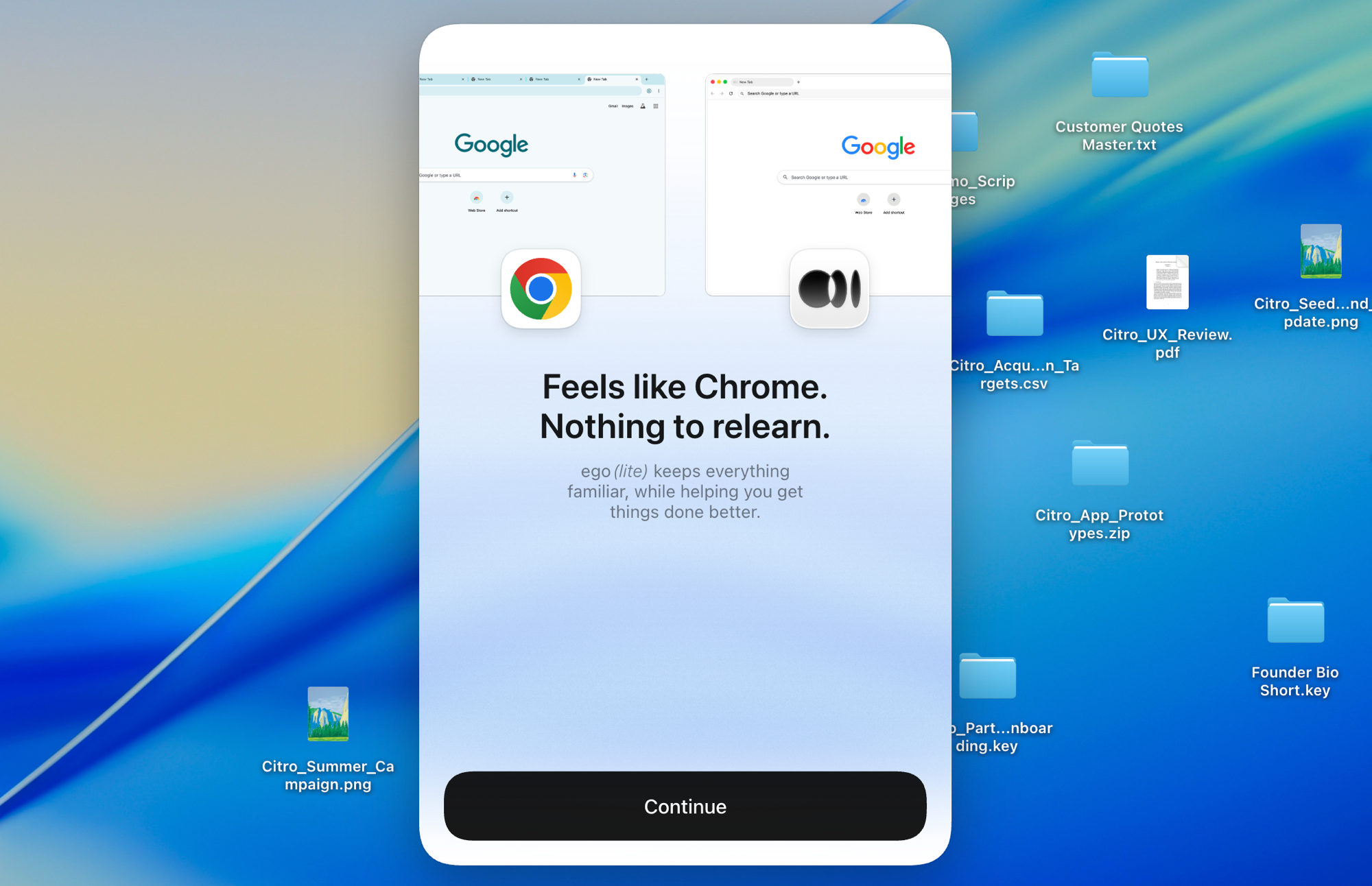
Chromium पर बना ego lite, एक क्लिक में आपका पूरा Chrome सेटअप इम्पोर्ट कर लेता है, लाइव, बिना पहले कुछ बंद किए। आपके एजेंट्स को असली लॉगिन बिना कभी अटके मिल जाते हैं।

ego lite Chrome प्रोफ़ाइल इम्पोर्ट: आपके सभी लॉगिन के साथ वन-क्लिक सेटअप

ego lite vs Browser Harness

Feature comparison between ego lite and Browser Harness.
फ़ीचरego liteBrowser Harness
मॉडल कौन देता हैआपका कोडिंग एजेंट (Claude Code, Codex, Cursor)आप, एक LLM API key लाएं और प्रति टोकन पेमेंट करें
सेटअपऐप इंस्टॉल करें, अपने एजेंट में /ego-browser चलाएंPython प्रोजेक्ट, pip install, मॉडल कॉन्फिग, टास्क कोड
लॉग-इन साइट्स (SSO, 2FA)वन-क्लिक Chrome प्रोफ़ाइल इम्पोर्ट, डिफ़ॉल्ट रूप से साइन-इनलॉन्च किया गया Chromium; प्रोफ़ाइल रीयूज़ मैनुअल है, कुछ शर्तों के साथ
एक्शन कैसे एग्ज़ीक्यूट होते हैंहर टर्न में JavaScript में कई एक्शन बैच किए जाते हैंएजेंट लूप हर स्टेप पर मॉडल को कॉल करता है
प्रति टास्क टोकन लागतकम: Snapshot इनपुट प्लस बैच्ड एक्शन, प्रति टास्क मापा गयाज़्यादा: हर स्टेप मॉडल के ज़रिए पेज स्टेट दोबारा भेजता है
Browser automation on live sites (31 tasks, same model)96.8% perfect, $1.98 per completed task, 30.3 round trips83.9% perfect, $3.04 per completed task, 51.2 round trips
पैरेलल टास्कSpaces एक ही दिखने वाले ब्राउज़र के अंदर टास्क को आइसोलेट करते हैंएक्सपेरिमेंटल; कई एजेंट इंस्टेंस, या पेड क्लाउड
आपके रोज़ के ब्राउज़र का भी काम करता हैहां, आप अपने Space में ब्राउज़ करते हैं, एजेंट्स अपने Space में काम करते हैंनहीं, एक ऑटोमेशन लाइब्रेरी और होस्टेड ब्राउज़र्स
रीयूज़ेबल स्किल्स (जल्द आ रहा है)सफल रन को रीयूज़ेबल स्किल्स में बदल देता है; एजेंट के दोहराने पर कॉम्प्लेक्स टास्क पर 5 गुना तक तेज़ (लिमिटेड बीटा)कोई बिल्ट-इन इक्विवैलेंट नहीं
कीमतमुफ़्त, कोई सब्सक्रिप्शन नहींओपन सोर्स मुफ़्त; क्लाउड और LLM इस्तेमाल पेड है
आखिरी बार अपडेट किया गया 20 अग॰ 2026

इसे एक सहज ट्रांज़िशन बनाएं

If you set up Browser Harness to automate your own browsing (research, form filling, logged-in chores) rather than to ship a product, the switch removes the whole project layer.

  1. ego (lite) डाउनलोड करें

    Download ego lite and import your Chrome profile in one click. The logins you were configuring Browser Harness to reach come along automatically.

  2. /ego-browser के साथ अपना पहला टास्क चलाएं

    अपने एजेंट में पेस्ट करें

    /ego-browser ego.app खोलें और वेटलिस्ट जॉइन करें

    Claude Code, Codex, या Cursor में /ego-browser चलाएं। कोई Python एनवायरनमेंट नहीं, कोई मॉडल सिलेक्शन नहीं, कोई API key नहीं।

  3. इसे काम करते देखें
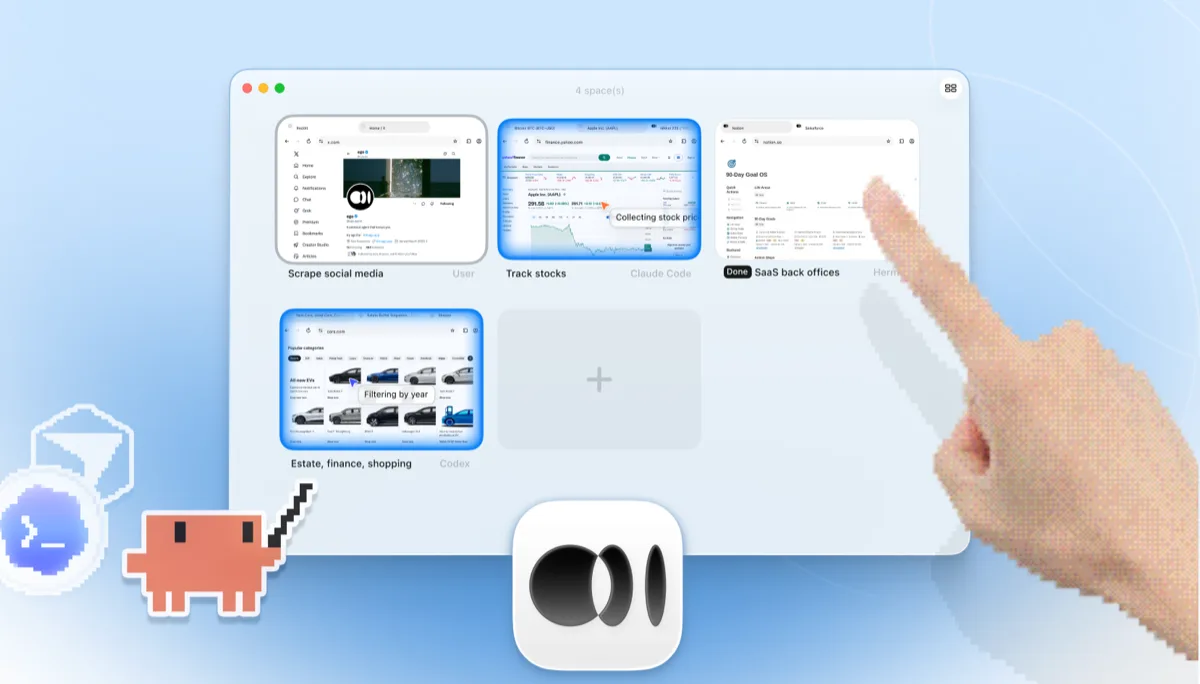
    ego lite Spaces का ओवरव्यू, चार ब्राउज़र टास्क साथ-साथ चल रहे हैं: Yahoo Finance पर Apple स्टॉक ट्रैक करता Claude Code, cars.com पर साल के हिसाब से कार फ़िल्टर करता Codex, एक SaaS back-office टास्क पूरा करता Hermes, X स्क्रैप करता एक यूज़र, और एक और Space खोलने के लिए + दबाता एक हाथ

    टास्क अपने ही Space में चलता है, ना कि किसी हेडलेस Chromium इंस्टेंस में जिसे आप सिर्फ लॉग्स से अंदाज़ा लगा सकें। इसे लाइव देखें या कभी भी टेकओवर करें, और नतीजा वापस आपके एजेंट के CLI में पहुंच जाता है।

Keep Browser Harness where it belongs: inside Python products and pipelines you're building for others. ego lite covers the agent browsing you do yourself.

हर टूल का इस्तेमाल कब करें

ego (lite) चुनें जब

  • आप चाहते हैं कि कोई एजेंट Python में कुछ भी बनाए बिना आपका खुद का ब्राउज़र काम (रिसर्च, फॉर्म, लॉग-इन काम) करे।
  • आप पहले से Claude Code, Codex, या Cursor चला रहे हैं और अपने अलग API-key बिल वाला दूसरा एजेंट लूप नहीं चाहते।
  • टास्क को आपके असली लॉगिन चाहिए: वन-क्लिक प्रोफ़ाइल इम्पोर्ट, मैनुअल Chromium प्रोफ़ाइल कॉन्फ़िगरेशन से बेहतर है।
  • आप चाहते हैं कि टास्क पैरेलल Spaces में चलें, एक हेडफुल ब्राउज़र में जिसे आप देख सकें या टेकओवर कर सकें।

Choose Browser Harness when

  • You're building a custom automation product or pipeline in Python. Browser Harness is a library designed to be embedded.
  • आप अपने ही कोड में एजेंट लूप का पूरा कंट्रोल चाहते हैं: मॉडल चुनें, प्रॉम्प्ट्स तय करें, हर स्टेप कंट्रोल करें।
  • You need automations deployed to the cloud, running on Browser Use's hosted browsers when your laptop is closed.
  • आप दूसरों के लिए ब्राउज़र ऑटोमेशन शिप कर रहे हैं। ego lite एक एंड-यूज़र ब्राउज़र है, कोई SDK नहीं।

अपने एजेंट को एक असली ब्राउज़र दें

मुफ़्त, आपके Mac पर चलता है, एक क्लिक में आपकी Chrome प्रोफ़ाइल इम्पोर्ट करता है। Claude Code, Codex, Cursor, और कोड लिखने वाले किसी भी CLI एजेंट के साथ काम करता है।

Still weighing your options? See how Browser Harness compares with the other tools in the same space.

FAQ

Browser Harness is Browser Use's local version. Browser Use is one of the most popular open-source AI browser agent projects: an MIT-licensed Python agent loop that lets an LLM control a browser, launching its own Chromium over the DevTools protocol and deciding actions step by step against the page state. You bring your own model API key and run it on your own machine. Browser Use's paid cloud product runs hosted browser agents with stealth and captcha-solving features, which is a different category from a local browser, so this page compares the harness: local against local. For developers building custom automation products and pipelines in Python, it's a strong, actively developed foundation, and of the five local tools we measured it posted the best completion rate of any competitor.

If you want an agent to do browser work for you, yes. ego lite plugs your existing coding agent into your real logged-in browser with no Python project and no API-key billing, and across 31 live-site jobs it finished 96.8% of tasks perfectly to Browser Harness's 83.9%, at $1.98 per completed task against $3.04. If you're building a browser-automation product or pipeline in Python, Browser Use is the better fit: it's a library designed to be embedded, and ego lite isn't an SDK.

Browser Use is the project; Browser Harness is its local version, the open-source Python agent loop you run on your own machine with your own LLM API key. Browser Use also sells a cloud product that runs hosted browser agents on their infrastructure. ego lite is a local browser, so the apples-to-apples comparison on this page is against Browser Harness; if you're weighing hosted browser infrastructure, see our Browserbase page instead.

We ran both tools on the same 31 browser automation tasks on live websites, driven by the same pi agent with the same model (gpt-5.6-sol, thinking effort max) and graded by the same written checklist. Each tool keeps its better of two full runs, so a failed task still counts. ego lite finished 30 of 31 tasks perfectly (96.8%) at $1.98 per completed task on 30.3 model turns; Browser Harness finished 26 of 31 (83.9%) at $3.04 on 51.2 turns, the best completion rate of any competitor measured. Browser Use's hosted cloud product was not part of the run; the comparison is local against local. The tasks, the checklists, and the raw results are open source in the ego-browser-benchmark-framework repository on GitHub, so every number can be audited or reproduced.

Browser Harness can, with manual configuration, and it's a common source of friction. The --profile flag copies your live Chrome profile into a temp directory, and on Windows that copy fails outright while Chrome is running and holding file locks, so the workaround is closing Chrome first. Connecting to an already-running Chrome over CDP works too, but Chrome 136 and later blocks CDP on your default profile, so most setups end up on a separate, non-default one. In ego lite, the real profile is the starting point: one-click import of logins, cookies, sessions, and extensions, shared safely with your own browsing through separate Spaces.

नहीं। फंड करने के लिए कोई अलग मॉडल लूप नहीं है। इंटेलिजेंस उसी कोडिंग एजेंट से आती है जो आप पहले से चला रहे हैं, चाहे वह Claude Code हो, Codex, Cursor, Gemini CLI, या OpenCode। ego lite खुद मुफ़्त है, बिना किसी सब्सक्रिप्शन के।

दोनों LLM-driven ब्राउज़िंग के लिए ओपन-सोर्स टूल हैं, लेकिन Browser Use एक Python एजेंट फ्रेमवर्क है जो एक ऑटोनॉमस लूप के इर्द-गिर्द बना है, जबकि Stagehand, Browserbase का TypeScript-first SDK है जिसमें hybrid code-plus-AI ऑटोमेशन के लिए act/extract/observe प्रिमिटिव हैं। दोनों code-first हैं: आप एक प्रोजेक्ट स्कैफोल्ड करते हैं और मॉडल एक्सेस देते हैं। तुलना के उस पहलू के लिए हमारा ego lite बनाम Stagehand पेज देखें।

ये दोनों अलग-अलग लेयर सॉल्व करते हैं। Browser Use एजेंट फ्रेमवर्क है; Browserbase वह क्लाउड ब्राउज़र इंफ्रास्ट्रक्चर है जिस पर फ्रेमवर्क चलते हैं। टीमें अक्सर प्रोडक्शन स्केल के लिए एक एजेंट लाइब्रेरी को होस्टेड ब्राउज़र्स के साथ जोड़ती हैं, और क्लाउड फ्लीट्स के लिए यह वाकई फायदेमंद है। ego lite इनमें से किसी भी लेयर पर नहीं बैठता: यह एक लोकल, हेडफुल ब्राउज़र है उस एजेंट काम के लिए जो आप अपनी ही मशीन पर, अपने ही अकाउंट्स के साथ करते हैं।

Browser Harness's agent loop calls the model at every step, and each call carries a fresh serialized snapshot of the page just to plan the next batch of clicks. Users running recurring or long-horizon tasks have asked the maintainers how to cut that cost, since the same task run the same way still pays full model price every time. On those 31 jobs that loop averaged 51.2 model round trips per task, the most of the five tools measured, against ego lite's 30.3. ego lite reduces the round trips themselves: the agent batches several actions in one JavaScript execution and reads pages as compressed Snapshots, so the savings compound over a whole task.

ego-browser शेल, जो एजेंट्स को ब्राउज़र से जोड़ता है, MIT-लाइसेंस वाला ओपन सोर्स है। ego lite ब्राउज़र खुद macOS के लिए एक मुफ़्त ऐप है, कोई सब्सक्रिप्शन नहीं, और आपका डेटा लोकल ही रहता है।