





ego (lite) はブラウザそのもの、ego は端末を横断して動くあなた専属のエージェントです。
順番待ちリストに参加する
ego lite vs Playwright MCP

最高のPlaywright MCP代替

Playwright MCPは、ブラウザ自動化のためのMicrosoft製MCPサーバーです。navigate、click、snapshotをMCPツールとして公開しており、MCPに対応したエージェントならテストスクリプトを書かずにブラウザを操作できます。

ego lite drives your real Chrome directly, batching multiple actions into one JavaScript call instead of one MCP tool call per step. Across 31 live browser automation jobs, ego lite finishes 96.8% of tasks with a perfect score; agent-driven Playwright finishes 71%.

導入している開発者の所属先
GoogleAmazonShopifyTikTokHarvardStanfordUSCUCLA

Browser automation benchmark: ego lite vs Playwright MCP

This is agent-driven browser automation on live websites, not a snapshot-and-click loop on a fixture page. Both tools ran the same 31 multi-step tasks: several pages, several decisions, many behind a login. That is the work that turns one MCP tool call per action into a long, expensive chain. Both ran the identical set, so the bars below compare the same jobs.

agent: pimodel: ChatGPT 5.6 Solthinking: max31 tasks

Task completion rate

How often the agent finished the job. Stuck at login, skipped a step, or returned the wrong result: that task is a fail. Higher is better.

ego lite96.8%30 of 31 tasks perfect
playwright-cli71.0%22 of 31 tasks perfect

Cost per completed task

What one finished job costs in model spend. Failures still get billed, so they push this number up. Lower is better.

ego lite$1.98
playwright-cli$4.61

Model turns per task

How many times the model had to look at the page and choose the next action. Extra looks mean extra tokens, extra waiting, and extra places to stall. Lower is better.

ego lite30.3
playwright-cli42.8

Average task time

How long a job took from start to finish, on average, including time spent waiting on the model. Lower is better.

ego lite8m 38s
playwright-cli11m 33s

We ran every tool twice and kept the better score. A failed task still counts against it.

We measured Playwright through playwright-cli, not the MCP server. MCP uses the same engine and adds one extra round trip per action.

Check the numbers, or rerun the tasks yourselfThe 31 tasks, the grading checklists, and the raw results are open source. If a number looks off, open the repo.ego-browser-benchmark-framework

ego liteがPlaywright MCPより優れている理由

すでにClaude CodeやCodexにPlaywright MCPを追加しているなら、あのループはご存知のはずです。スナップショット、クリック、待機、またスナップショット。すべてのステップがモデルを介した往復になります。ego liteはこのループを、オープンソースの ego-browserシェルを通じてコーディングエージェントが操作するエージェントネイティブなブラウザに置き換えます。

96.8% of tasks done perfectly. No other tool tops 84%.

Playwright MCP re-reads the page through a tool call at every step, the browser sits idle while the model thinks, and every extra round trip is another chance for a long task to fall apart. On those 31 jobs, agent-driven Playwright ends 29% of tasks short of a perfect score.

In ego lite, every page reaches your agent as a Snapshot: a compressed accessibility tree with stable @N refs it can act on instantly, several actions per JavaScript turn. The agent spends its time doing the task, not parsing pages: 96.8% of the same 31 tasks end perfect, at the fastest average task time of the five tools measured.

Time to finish a task, shorter is better
518 sego (lite)
693 splaywright-cli
Data source - Task: finish an average live-site job
並列マルチタスクで、より速く実行

1つのPlaywright MCPサーバーが動かせるブラウザセッションは1つだけなので、並行作業には複数のサーバー設定を同時にやりくりする必要があります。

ego liteでは、同じブラウザ内にいくつSpaceを開いても上限はありません。それぞれが独自に取り込まれたChromeプロファイル上で、同じエージェントでも別のエージェントでも、自分のタスクを同時に実行します。今使っているタブが奪われることは一切なく、どのSpaceもいつでも見学したり引き継いだりできます。

何度も往復する必要はもうなし トークン消費も削減

Playwright MCPの動作は1つずつが個別のツール往復となり、そのたびにモデルへコンテキストを送り直します。

ego lite内のエージェントは、1ターンにつき数行のJavaScriptで複数の動作をまとめて実行します。Snapshot入力と組み合わさることで、同じタスク全体をはるかに少ないトークンで完了できます。

Claude Code · ego lite
>/ego-browser Add the first product to the cart, then check checkout loads
Bash(
ego-browser nodejs <<'EOF' await openOrReuseTab('localhost:3000') await click('.product-card') await click('.add-to-cart') await click('a[href="/checkout"]') cliLog('checkout loaded') EOF
)
Output:
[t=4480ms] checkout loaded
Done. Both steps work.
─── 1 tool call · 1.1k tokens ───
Claude Code · Playwright MCP
>Add the first product to the cart, then check checkout loads
playwright - browser_navigate (MCP)(url: "localhost:3000")
Page Snapshot
… +224 lines (ctrl+o to expand)
1.6k tokens sent so far
Storefront rendered. Opening the first product.
playwright - browser_click (MCP)(ref: "e18")
Page Snapshot
… +198 lines (ctrl+o to expand)
3.1k tokens sent so far
Product page is up. Now the Add to cart button.
playwright - browser_click (MCP)(ref: "e42")
Page Snapshot
… +205 lines (ctrl+o to expand)
4.9k tokens sent so far
Added. Heading to checkout.
playwright - browser_navigate (MCP)(url: "localhost:3000/checkout")
Page Snapshot
… +231 lines (ctrl+o to expand)
6.8k tokens sent so far
Refs are stale after the navigation. Taking a fresh snapshot.
playwright - browser_snapshot (MCP)
Page Snapshot
… +238 lines (ctrl+o to expand)
9.2k tokens sent so far
Now waiting for the payment form to render.
playwright - browser_wait_for (MCP)(text: "Payment")
Page Snapshot
… +229 lines (ctrl+o to expand)
11.2k tokens sent so far
Confirming the form is actually there.
playwright - browser_evaluate (MCP)(expression: "!!document.querySelector('form#payment')")
Page Snapshot
… +25 lines (ctrl+o to expand)
13.6k tokens sent so far
─── 7 tool calls · 13.6k tokens ───
同じタスク、同じモデル。 左: ego liteで1回のバッチ処理されたJavaScript呼び出し、合計1.1kトークン。 右: Playwright MCP、7回の往復、トークンは13.6kまで増加。

同じ Chrome を、エージェントに最適化

Playwright MCPサーバーは空のブラウザを起動するため、SSOや2FA、CAPTCHAで詰まってしまいます。

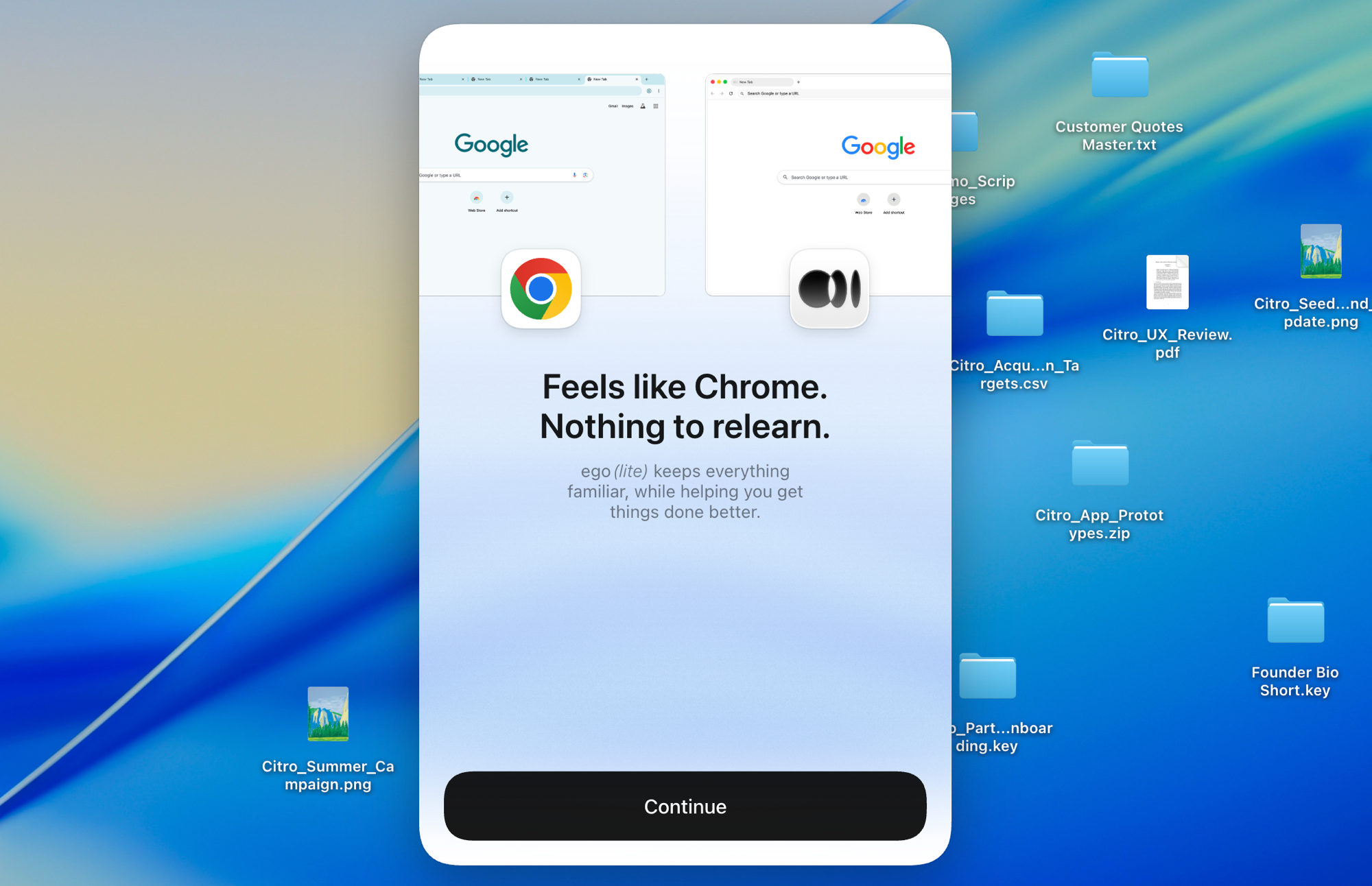
Chromiumをベースにした ego liteは、ワンクリックでChromeの設定をまるごと取り込みます。使い方はChromeと同じなので、普段のブラウジング習慣を変える必要はありません。デフォルトブラウザとして使えば、AI エージェントがCAPTCHAや2FA、SSOリダイレクトで詰まることもなくなります。

ego lite の Chrome プロファイルインポート:ワンクリックで全ログイン情報をセットアップ

ego lite vs Playwright MCP

ego liteとPlaywright MCPの機能比較。
機能ego litePlaywright MCP
エージェントがページをどう操作するか1ターンで複数の動作をまとめるJavaScriptを書く動作ごとに1回のMCPツール呼び出し、そのたびにモデルとの往復が発生
タスクあたりのトークンコスト低い:Snapshot 入力とバッチ化されたアクションにより、タスク単位で計測高い: ステップごとにMCPループを通じてコンテキストを送り直すため
Browser automation on live sites (31 tasks, same model)96.8% perfect, $1.98 per completed task, 30.3 round trips71% perfect, $4.61 per completed task, 42.8 round trips (measured via playwright-cli)
実際のChromeログインをそのまま使い回すはい、ワンクリックでChromeプロファイルを取り込みます(Cookie、セッション、拡張機能)いいえ。まっさらなブラウザを起動するため、認証はサイトごとに手動設定が必要です
セットアップアプリをインストールし、エージェントで /ego-browser を実行Claude CodeやCodexの各エージェントのMCP設定にPlaywright MCPを追加し、サーバーのライフサイクルを自分で管理する
タスクを並行して分離はい、Spaceが1つのブラウザ内でタスクを並行して実行しますサーバー1つにつきセッション1つ。並行処理には複数のサーバーインスタンスが必要
普段使いのブラウザとしても利用可能はい。あなたは自分のSpaceで閲覧し、エージェントは自分たちのSpaceで作業しますいいえ、自動化専用のブラウザインスタンスです
再利用可能なスキル (近日公開)成功した実行を再利用可能なスキルへと蒸留し、エージェントが繰り返すほど複雑なタスクで最大5倍高速化 (限定ベータ)標準機能としては非搭載
価格無料、サブスクリプションなし無料、オープンソース
最終更新 2026年8月20日

移行をシームレスに

すでにClaude CodeやCodexにPlaywright MCPを組み込んでいますか?切り替えは数分で完了し、既存の設定を削除する必要はありません。

  1. ego (lite) をダウンロード

    ego liteをダウンロードして、ワンクリックでChromeプロファイルを取り込みます。ログイン情報もCookieも拡張機能もそのまま引き継がれます。

  2. /ego-browserで最初のタスクを実行

    エージェントに貼り付ける

    /ego-browser ego.appを開き、コンソールエラーがないかページを確認する

    Claude Code、Codex、Cursorのいずれかに一文を貼り付けてEnterを押すだけ。MCPサーバーの設定もJSONの編集もテストスクリプトも不要です。

  3. 動作を見る
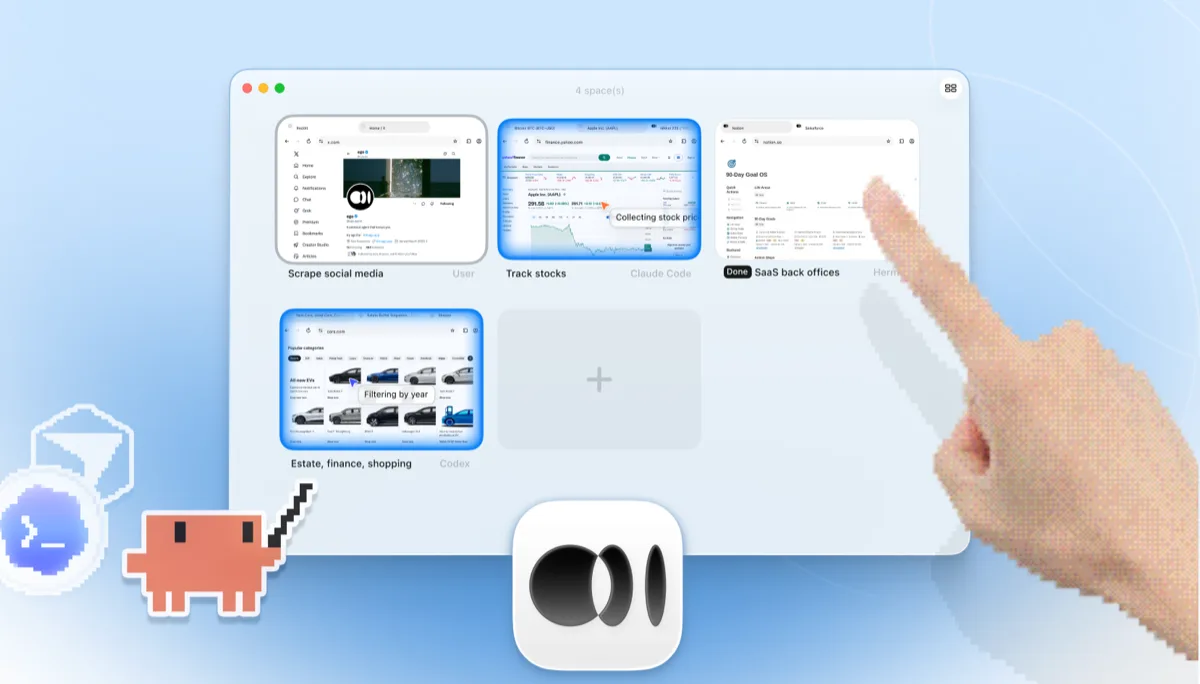
    4つのブラウザタスクを並べて表示する ego lite Space の概要:Claude Code が Yahoo Finance で Apple 株を追跡し、Codex が cars.com で年式ごとに車をフィルタリングし、Hermes が SaaS のバックオフィス業務を仕上げ、ユーザーが X をスクレイピングし、手が + をタップして新しい Space を開いている

    タスクは専用のSpaceで実行されるため、あなたのタブには触れません。ブラウザウィンドウは本物なので、ライブで見ることもいつでも引き継ぐこともできます。結果はエージェントのCLIに戻ってきます。

CIのテストスイートにはそのままPlaywright MCPを使い続けて構いません。ego liteが置き換えるのは対話的なエージェントのブラウジングループであり、すでに書かれたPlaywrightのテストコードではありません。

それぞれのツールを使うべき場面

ego (lite) を選ぶべきケース

  • タスクがログインが必要なサイトを扱う場合。ダッシュボード、バックオフィス、SSOや2FAの背後にあるものすべて。
  • タスクあたりのトークンコストを抑えたい場合。Snapshot入力とバッチ処理されたJavaScriptは、動作ごとに1回のツール呼び出しより効率的です。
  • 同じブラウザを使い続けながら、タスクを並行するSpaceで実行したい場合。
  • MCPサーバーの設定を丸ごと省きたい場合。アプリをインストールして/ego-browserを実行すれば完了です。

Playwright MCPを選ぶべき場合

  • すでにMCPエコシステムに深く関わっていて、多くのツールで共通の標準プロトコルを使いたい場合。
  • 自動化がCIやデスクトップブラウザを使えないリモートサーバー上で、ヘッドレスで動く場合。
  • FirefoxやWebKitのカバーが必要な場合。ego liteはChromiumのみに対応しています。
  • 確定済みのPlaywrightテストコードを生成しており、エージェントにも同じAPIを使わせたい場合。

AI エージェントに本物のブラウザを

無料で Mac 上で動作し、ワンクリックで Chrome のプロファイルをインポートできます。Claude Code、Codex、Cursor、コードを書くあらゆる CLI エージェントに対応しています。

まだ検討中ですか?Playwright MCPが同じ領域の他のツールとどう違うかを見てみましょう。

よくある質問

Playwright MCPは、Playwright自動化フレームワーク向けのMicrosoft公式MCPサーバーで、playwright-mcpという名前で公開されています(mcp-playwrightやplaywright-mcp-serverと表記されることもあります)。navigate、click、type、snapshotといったブラウザ操作をMCPツールとして公開しており、MCPに対応したエージェントならテストスクリプトを書かずにブラウザを操作できます。ページはスクリーンショットではなくアクセシビリティツリーのスナップショットとして読み取り、Playwright MCPブリッジと呼ばれるChrome拡張機能も提供していて、実行中のChromeのタブにサーバーを接続できます。「コーディングエージェントにブラウザを持たせるにはどうすればいいか」という問いに対する定番の答えであり、メンテナンスも行き届いていて無料、Playwrightチームがバックについています。

エージェント主導のブラウジングにおいてはそうです。Playwright MCPは、まっさらなPlaywrightブラウザの上に被せた薄いMCPブリッジにすぎません。ego liteは本格的なエージェントブラウザで、実際のChromeプロファイル、並行動作するSpace、そしてタスクあたりのトークンを削減するバッチ処理されたJavaScript実行を備えています。目的がCIで繰り返し実行する確定済みのテストスクリプトであれば、素のPlaywrightが今でも適切な選択肢です。その比較については、ego lite vs Playwrightのページをご覧ください。

We measured the matchup through playwright-cli, the leaner of Microsoft's two agent interfaces. The MCP server shares the same Playwright engine and adds an MCP tool-call round trip on top of each action. On 31 live-site browser automation tasks, with the same pi agent, the same model (gpt-5.6-sol, thinking effort max), and the same written checklist, ego lite finished 30 of 31 tasks perfectly (96.8%) on 30.3 model turns at $1.98 per completed task; agent-driven Playwright finished 22 of 31 (71%) on 42.8 turns at $4.61. The tasks, the checklists, and the raw results are open source in the ego-browser-benchmark-framework repository on GitHub, so every number can be audited or reproduced.

よくある方法は、claude mcp addでClaude CodeにPlaywright MCPを追加し、Playwright MCPサーバーを起動したままにしておくことです。もっと近道があります。ego liteをインストールして、Claude Code内で/ego-browserを実行するだけです。エージェントはページへのSnapshotアクセスを得て、ブラウザ内でJavaScriptを実行できます。MCPサーバーの設定も設定ファイルの編集も不要です。

どちらも対応しています。CodexはMCPサーバーに対応しているため、Playwright MCPのCodexセットアップも動作しますが、動作ごとに1回のツール呼び出しを行うループと空のプロファイルという制約は同じです。ego liteはClaude CodeやCursorに組み込むのと同じ方法でCodexにも組み込めます。/ego-browserを実行するだけで、エージェントが実際にログイン済みのブラウザを操作します。Gemini CLI、OpenCode、独自のエージェントでも同様に使えます。

公式のChrome拡張機能は、Playwright MCPサーバーを実行中のChromeの1つのタブに接続し、エージェントがそのタブのログイン状態を使い回せるようにします。これで1つのタブについては空プロファイル問題は解決しますが、ループ自体(動作ごとに1回のMCPツール呼び出し)は変わらず、分離もされません。エージェントはあなたが使っているのと同じウィンドウで作業します。ego liteはエージェントにプロファイル全体と専用のSpaceを与えるため、あなたのタブに触れることなくタスクを並行して実行できます。

Each browser action is a separate MCP tool call, and the model processes the result of every call before making the next one. Long tasks become long chains of round-trips, each carrying context. ego lite reduces the round-trips themselves: the agent batches several actions in one JavaScript execution and reads pages as compressed Snapshots, so the savings compound over a whole task. Across those 31 jobs, agent-driven Playwright averaged 42.8 model round trips per task to ego lite's 30.3, and that gap is most of the cost difference: $4.61 per completed task against $1.98.

そのままでは無理です。分離されたブラウザを起動する仕組みだからです。手動設定で永続プロファイルやCDPエンドポイントを指定することはできますが、それでもSSOや2FAでセッションが切れてしまいます。ego liteはChromeプロファイルを一度取り込むだけで、エージェントはあらゆる場所で実際のログイン状態を引き継ぎます。

はい。ego liteはサブスクリプション不要の無料で、ego-browserシェルはMITライセンスのオープンソースです。