1
Install ego (lite) and choose a browser context
Download ego (lite) for Mac, then pick a Chrome context you are authorized to use. Your Agent works with the same rendered pages you can open and stays inside that visible access boundary.
Point your coding Agent at Reddit, X, LinkedIn, or YouTube. ego (lite) opens every page in a visible browser on your Mac, reads the rendered posts, profiles, and comments, and writes a source-linked CSV or Markdown report you can audit.
Trusted by developers from













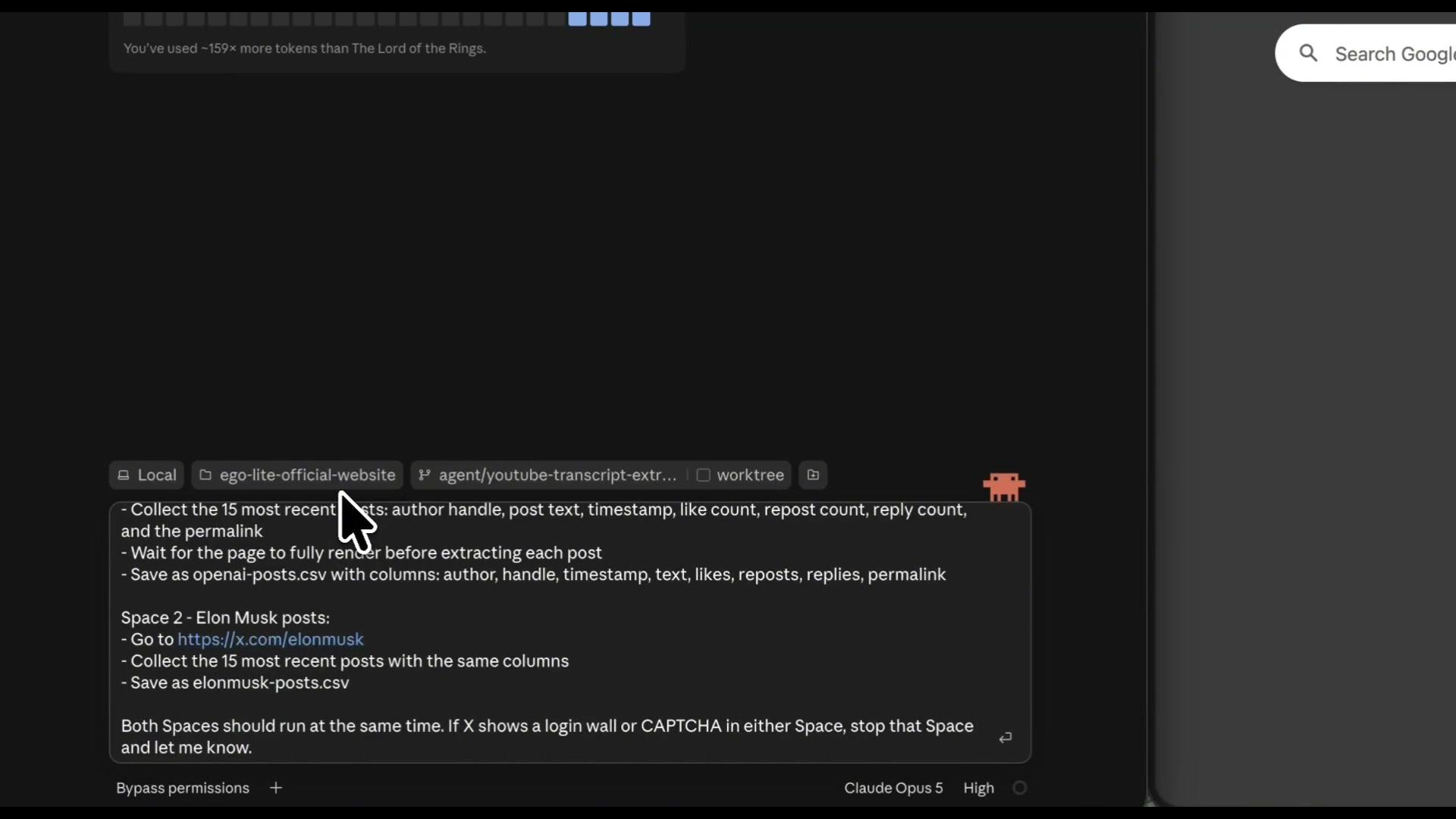
Give your Agent the target pages, required fields, and a clear result limit. For public lead research, name visible fields such as display name, role, company, public profile URL, and public contact link; ego (lite) opens each platform in a visible Space, keeps browser state separate, and pauses whenever a page needs your input.
Download ego (lite) for Mac, then pick a Chrome context you are authorized to use. Your Agent works with the same rendered pages you can open and stays inside that visible access boundary.
List the pages you want to read, the fields you need, and a maximum result count. One prompt covers Reddit threads, X profiles, LinkedIn job pages, and YouTube channels with the same columns: author, timestamp, text, engagement counts, and permalink. CSV or Markdown, you choose.
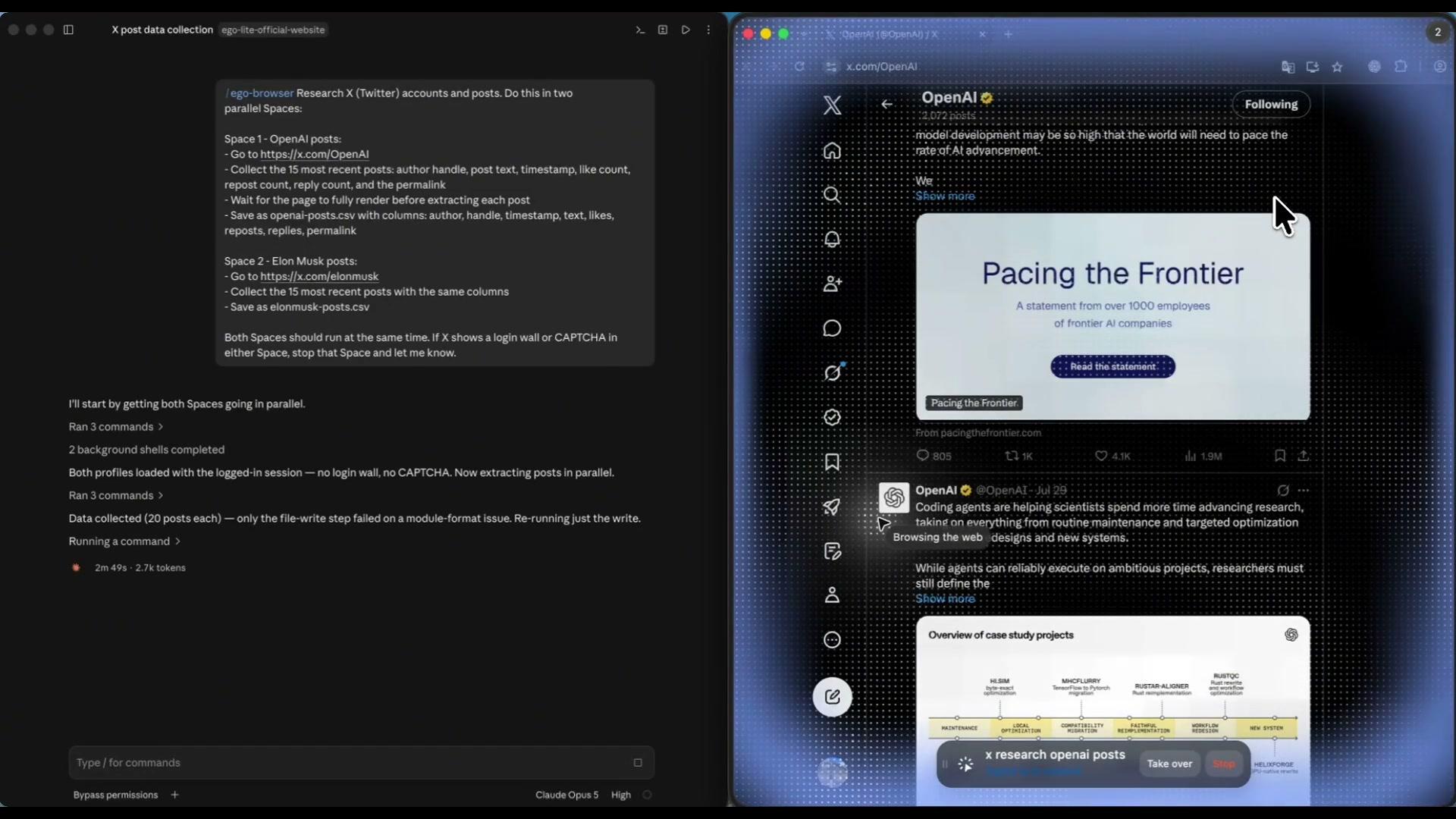
The Agent opens each page in its own Space and waits for the content to render. Both OpenAI and Elon Musk profiles load simultaneously, with no shared cookies or sessions. When a page asks for a login or CAPTCHA, the Agent stops and hands the Space back to you.
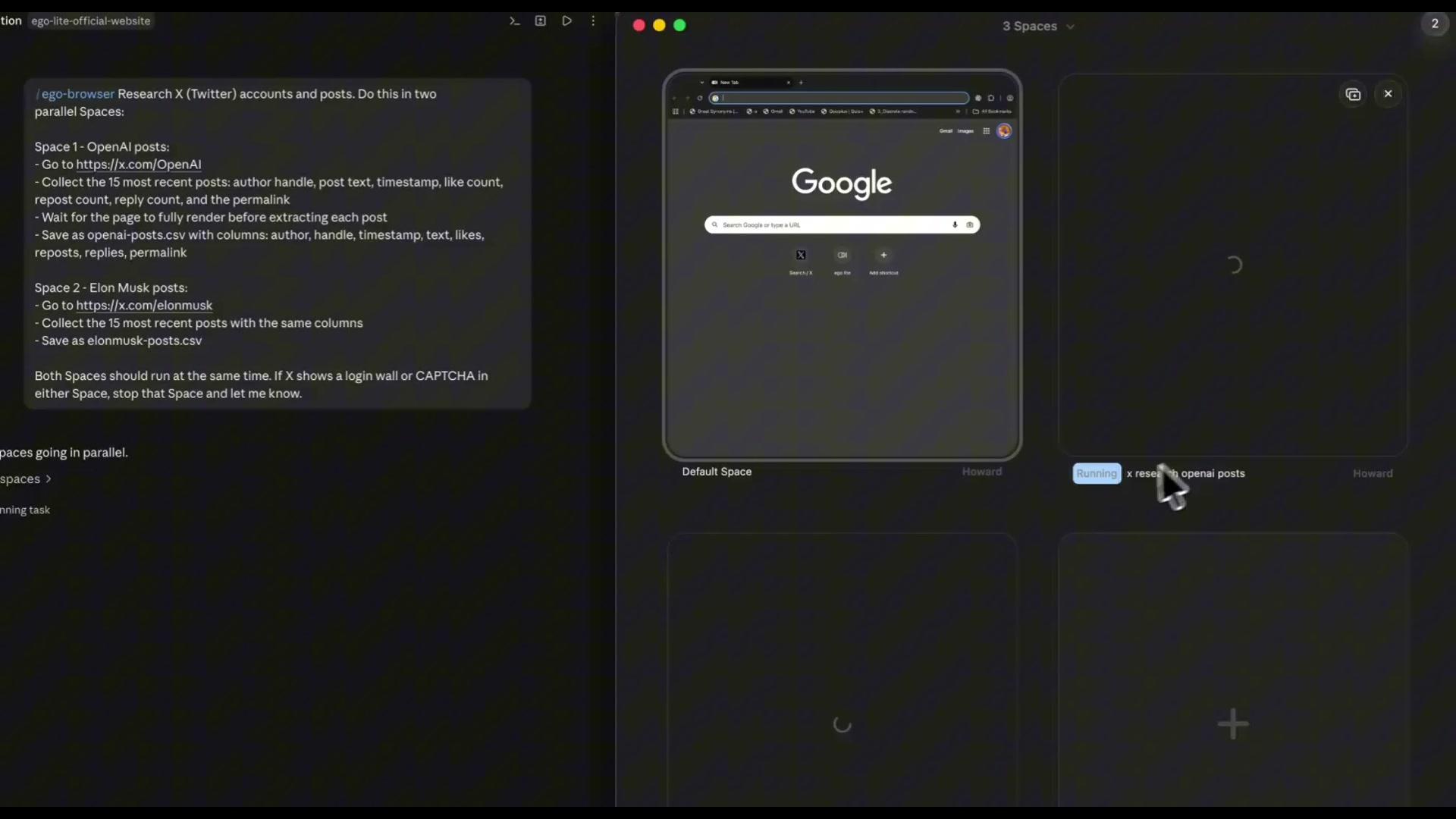
Give each platform or page group its own Space. Reddit threads run next to X searches and LinkedIn lookups without sharing cookies, sessions, or storage. One blocked page does not stop the others. You can open any Space to inspect progress or take over.
The Agent returns a CSV or Markdown report with one row per post, comment, or profile. Review the text, author, timestamp, engagement counts, permalink, check time, and access status before using the data in your next task.
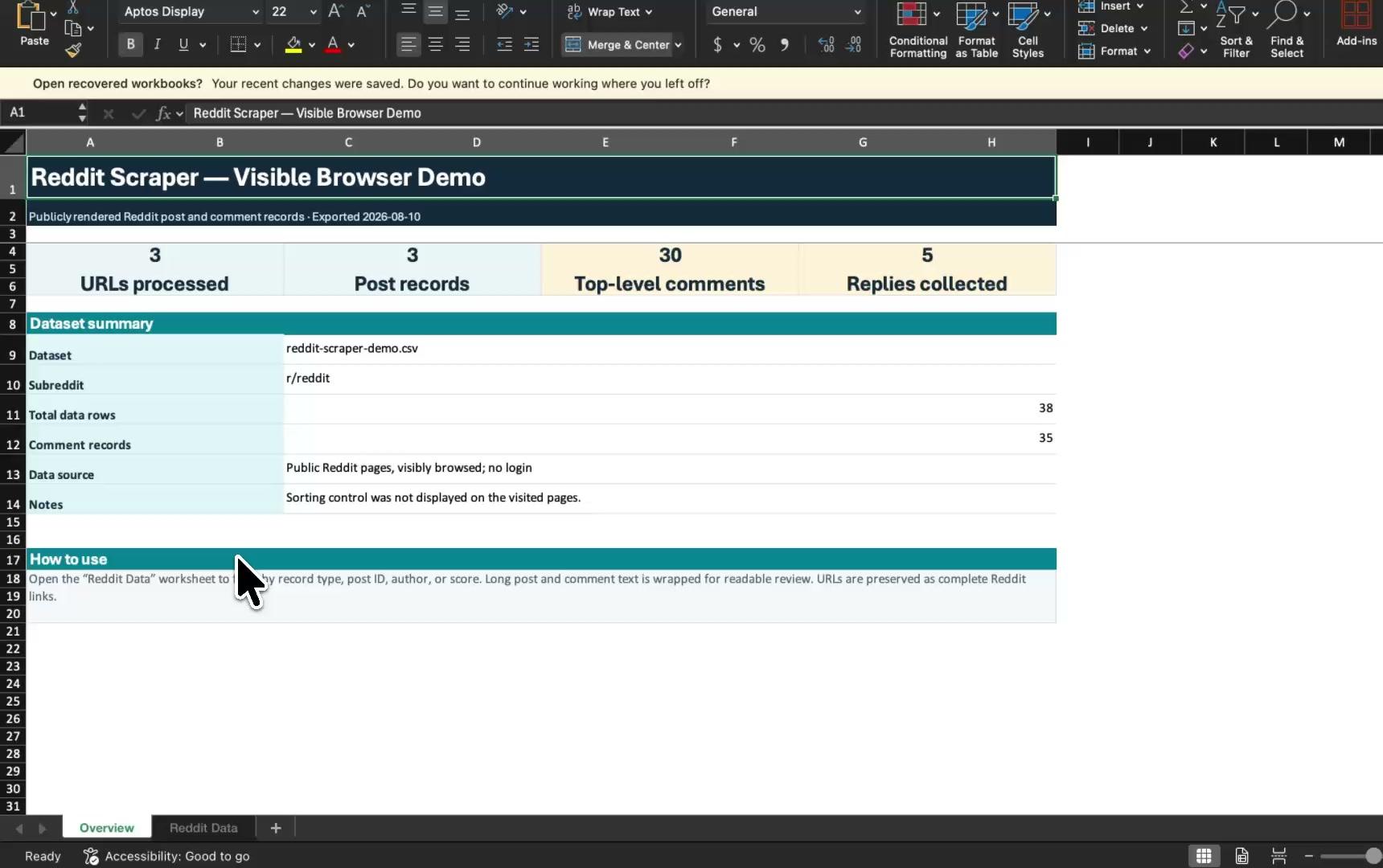
Scraping APIs fit teams that need millions of rows on a schedule. ego (lite) covers the other case: a bounded, reviewable batch from public pages you are authorized to view. No API keys, no subscription, no per-result metering.
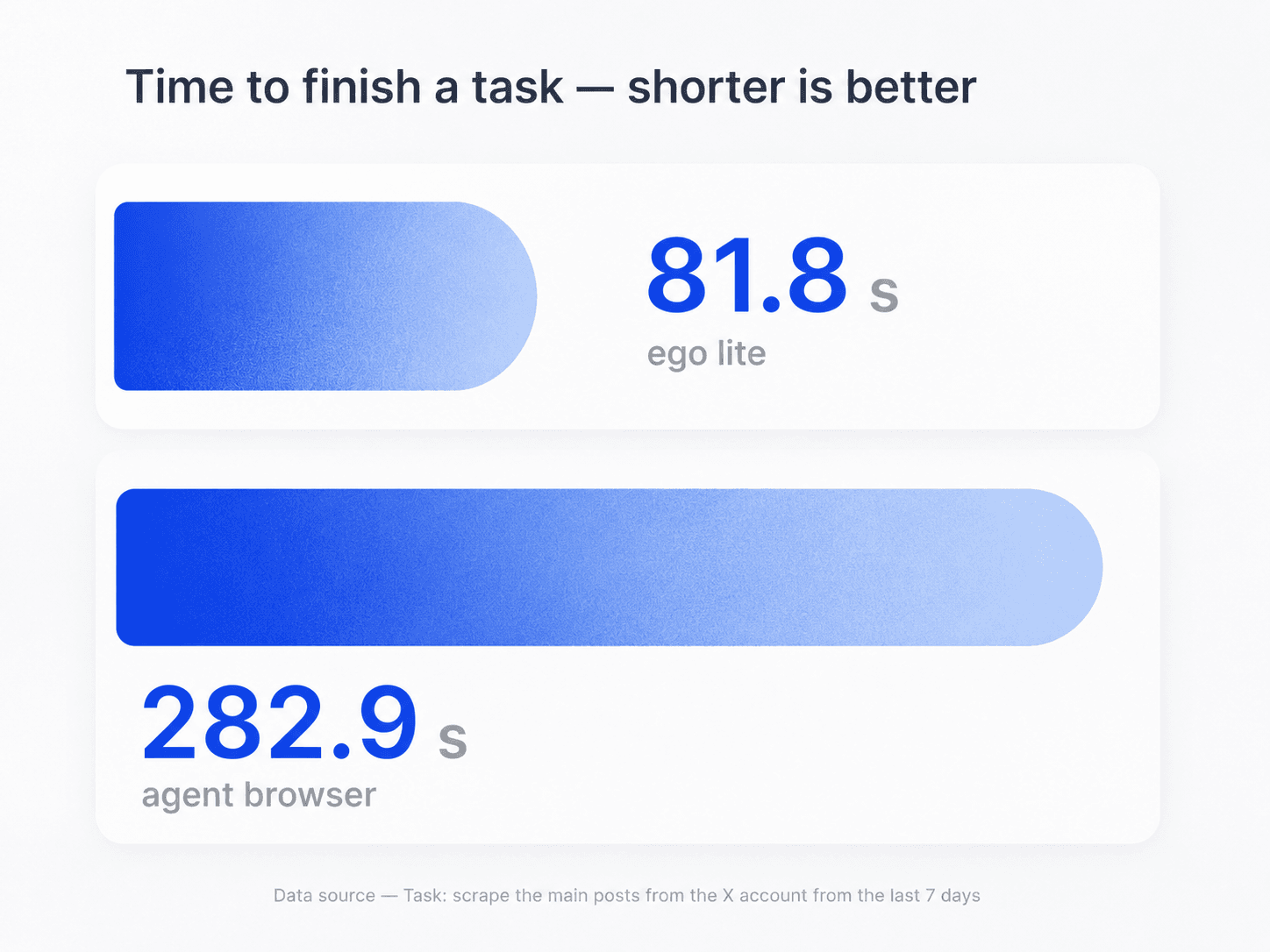
On the same scraping task, ego (lite) completed in 81.8 s while an agent browser took 282.9 s. Parallel Spaces run each platform at the same time with no per-platform API setup, so the Agent reaches the data faster and hands you a complete, deduplicated CSV before a conventional agent browser is halfway through.
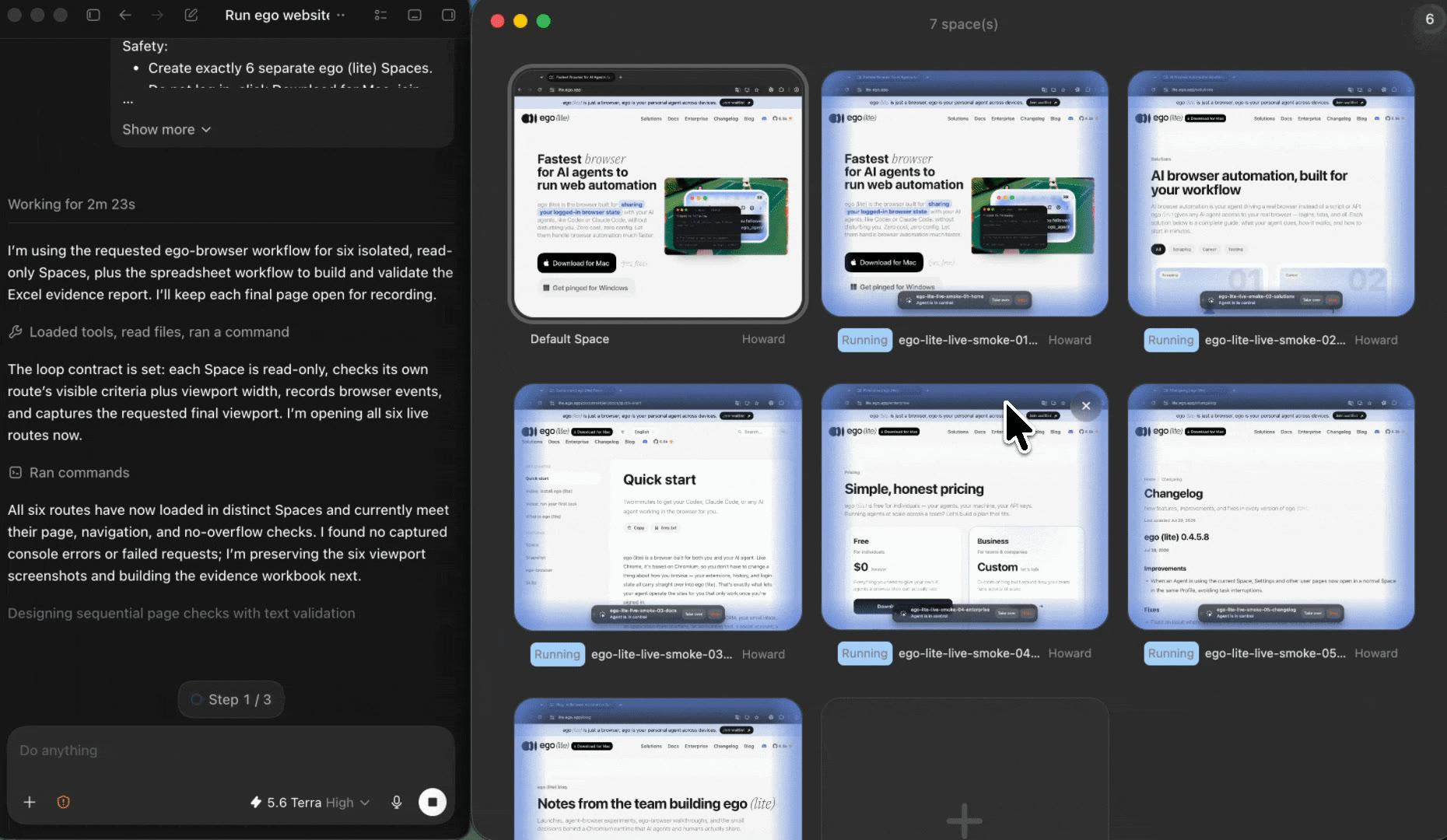
Give each platform its own Space. All of them run at the same time with the same columns and deduplication rules. A login wall on LinkedIn does not stop Reddit or YouTube from finishing. Every row keeps its source permalink, and you can open any Space while the others keep running.
Five scraping jobs can run at the same time, each in its own Space. Switch between them to monitor progress without pausing the others. Take over only when one hits a login, CAPTCHA, consent screen, or another human decision. Your Agent never tries to bypass those checks.
Import only the Chrome context you authorize. Your Agent reads the same rendered pages you can open in that session. Scraping stays local to your Mac, and every result stays tied to its source page.
Describe the topic, audience, or pain point you want to monitor and ask the Agent to classify matching public posts across the pages you provide. Keep the original quote, permalink, timestamp, and a short reason for the match so a semantic alert is reviewable instead of a black-box keyword score.
Ask for a stable schema such as platform, author, text, published time, engagement counts, permalink, check time, and access status. The Agent can merge the visible rows into CSV or Markdown for a downstream workflow; it is a local export, not a hosted scraping API with guaranteed freshness or uptime.
A visible browser can reduce false ‘empty result’ reports because you can see whether a page rendered content or returned a login, consent, rate-limit, or bot challenge. Record that access status and stop for human review; do not add CAPTCHA solving, proxy rotation, fingerprint spoofing, or fake accounts to force a result.
Provide public competitor profiles, posts, reviews, or discussion threads and ask the Agent to group recurring complaints, feature requests, and positioning claims. Keep quotes short, link every observation to the original page, and separate what the page states from your interpretation before using it in market research.
After collecting public mentions, ask the Agent to draft a response, a cross-platform rewrite, or a weekly summary. Keep publishing, replying, liking, following, and direct messages as explicit human actions; the scraper does not auto-interact with social accounts. A scheduled run should also include row counts, changed pages, and blocked sources.
This workflow reports public content that renders in the pages you provide to an authorized browser session. It does not become a bulk crawling service or an anti-bot evasion tool.
Public social content and useful context from the rendered pages in your list.
No private content, no bot-detection evasion, no unattended mass crawl.
Give your Agent the target pages and output columns. ego (lite) returns a reviewable CSV or Markdown report with visible browser work and a source permalink on every row.
Try the free social media scraperSocial media scraping means collecting public data from social platforms (posts, comments, profiles, and engagement counts) into a structured format like a spreadsheet. With ego (lite), your coding Agent opens the public pages in a visible browser on your Mac, reads the rendered content, and writes a source-linked CSV or Markdown report you can audit.
Install ego (lite), give your Agent the target pages, and specify the fields, result limit, and output format. The Agent opens each page in its own Space, records the visible content, and writes the final files. You can watch any Space while it works and take over if a page asks for a human decision.
Any platform whose public pages your authorized browser session can open. Reddit, X, LinkedIn, Instagram, YouTube, TikTok, Facebook, and smaller communities all work the same way because the Agent reads rendered pages instead of calling one API per platform. For platform-specific fields and examples, this site has dedicated Reddit, X, LinkedIn, Instagram profile, and YouTube scraper pages.
Not for a bounded, reviewable batch. Scraping APIs make sense when you need millions of rows on a schedule and can maintain a data pipeline. For fifty threads or twenty profiles, ego (lite) lets the Agent you already use read the rendered pages directly. No API keys, no subscription, no per-result metering, and every row stays tied to its source.
A crawler discovers pages by following links across a site. A scraper extracts structured fields from pages you already chose. This workflow is a scraper: you provide the list of public pages, and the Agent records the requested fields from each one. It does not wander a platform collecting everything it can reach.
Yes, for the profile fields that render publicly: display name, handle, bio, follower and post counts as displayed, and recent public posts. The Agent applies the same columns to every profile in your list, so the result is a consistent table rather than a pile of screenshots. It cannot read private profiles or contact details the platform does not show.
Only when you are authorized to view the content and choose an ego (lite) browser context that already has the required session. The Agent never asks for or enters your credentials. If the session lacks access, or the page shows a CAPTCHA or consent screen, the Agent stops and hands the visible Space back to you.
Rules differ by platform and jurisdiction. Platform terms restrict automated collection in different ways, and privacy laws such as GDPR can apply to personal data even when it is public. This workflow keeps you on the cautious side: it reads only rendered pages from an authorized session, respects every block instead of evading it, and records how each row was collected. Review the relevant platform's terms and your local rules before you collect.
Yes. Ask your Agent for CSV, Markdown, or both, with the same fields in each file. You can also request a short summary of page coverage, row counts per platform, and any page that was blocked or needs your review.
Yes, for a bounded list of public profiles, posts, or company pages and only the fields they visibly display, such as a name, role, company, profile URL, or public contact link. Ask for source_url, checked_at, access_status, and an evidence snippet beside each row. This is source-linked public lead research—not email finding, identity inference, purchased-data enrichment, or a way to reveal private contact details. Check the platform's terms and applicable privacy rules before collecting or using personal data.
Traditional scrapers depend on hand-written selectors that break when a platform changes its layout. An Agent reads the rendered page the way a person does, so the same prompt keeps working across platforms and layout updates without per-site parser code. The trade-off is scale: this suits supervised batches, not millions of unattended requests.
ego (lite) is free to download for Mac. The workflow uses the coding Agent you already run, Claude Code, Codex, or Cursor, so its token usage and any provider costs still apply. It is designed for visible, supervised batches rather than an unlimited unattended crawl.
Yes, for a bounded list of public pages or searches that your authorized browser can open. Ask for lead signals, the original quote, author, timestamp, engagement, permalink, and a reason for the match. Treat the output as research to review, not as permission to contact people automatically or as a substitute for a platform's official API at large scale.
An Agent can classify visible posts by a topic, intent, or pain point you describe rather than matching one exact word. Preserve the excerpt, source URL, timestamp, and explanation for each match, then sample false positives before turning the workflow into a recurring alert.
Ask for a stable CSV, Markdown, or JSON schema with platform, author, text, time, engagement, permalink, check time, and access status. That local file can be handed to another Agent or analysis script. It is not a hosted, real-time API and does not guarantee that every platform exposes the same fields.
Mark the row blocked or needs review, save the URL and visible reason, and stop that task. A challenge can be a login, consent, rate-limit, or bot-protection response; do not solve CAPTCHAs, rotate proxies, spoof fingerprints, or create accounts to force collection. A human can decide whether an approved, documented access path exists.
It can draft a reply or repurpose approved text for another channel, but keep posting, replying, liking, following, and direct messages human-reviewed. The workflow is designed to collect evidence and prepare a draft; it does not provide unattended social interaction or engagement automation.
Reuse a saved prompt with the target pages, date window, fields, and output schema. Ask for new or changed rows, counts by platform, semantic themes, source links, and blocked pages, then export CSV or Markdown for review. Schedule the prompt through your own approved task runner and re-check platform terms and data-retention requirements.