





ego (lite) 只是一款浏览器;ego 才是你跨设备的个人 Agent。
加入候补名单
ego lite 对比 agent-browser

最佳 agent-browser 替代方案

agent-browser 是一个驱动全新无头 Chromium 的 CLI:打开、Snapshot、点击、再 Snapshot,每一步都是一条命令,每条命令都要经过模型往返一次才能进入下一步。

ego lite drives the browser you already log into, batching actions in JavaScript instead of one command per step. Across 31 live-site jobs it finishes 96.8% of tasks with a perfect score; agent-browser finishes 74.2%.

开发者用户来自
GoogleAmazonShopifyTikTokHarvardStanfordUSCUCLA

Browser automation benchmark: ego lite vs agent-browser

This is browser automation on the live web, not a sandbox CLI demo. We gave ego lite and agent-browser the same 31 multi-step tasks on real sites: several pages, several decisions, often a login you already have. A fresh headless profile stalls on those sessions. A real browser does not. Both ran the identical set, so the bars below compare the same jobs.

agent: pimodel: ChatGPT 5.6 Solthinking: max31 tasks

Task completion rate

How often the agent finished the job. Stuck at login, skipped a step, or returned the wrong result: that task is a fail. Higher is better.

ego lite96.8%30 of 31 tasks perfect
agent-browser74.2%23 of 31 tasks perfect

Cost per completed task

What one finished job costs in model spend. Failures still get billed, so they push this number up. Lower is better.

ego lite$1.98
agent-browser$3.72

Model turns per task

How many times the model had to look at the page and choose the next action. Extra looks mean extra tokens, extra waiting, and extra places to stall. Lower is better.

ego lite30.3
agent-browser45.6

Average task time

How long a job took from start to finish, on average, including time spent waiting on the model. Lower is better.

ego lite8m 38s
agent-browser11m 02s

We ran every tool twice and kept the better score. A failed task still counts against it.

Check the numbers, or rerun the tasks yourselfThe 31 tasks, the grading checklists, and the raw results are open source. If a number looks off, open the repo.ego-browser-benchmark-framework

为什么 ego lite 比 agent-browser 更出色

这两款工具的出发点是一致的:编程 AI Agent 值得比 MCP 配置和原始 HTML 更好的方案。区别在于执行方式。agent-browser 在 Rust 守护进程背后启动一个全新的自动化会话来直接驱动 Chrome;ego lite 则让你日常使用的浏览器本身变得原生支持 AI Agent,任务运行在你的真实会话中,单次任务成本更低,过程也足够可见,让你随时可以接管。

96.8% of tasks done perfectly. No other tool tops 84%.

agent-browser's core loop is open, snapshot, click @e2, snapshot again: each step a command the model reads before deciding the next one, and every extra round trip is another chance to lose the thread. On those 31 jobs, one agent-browser task in four ends short of a perfect score.

ego lite reaches the page as a compressed Snapshot with stable @N refs, and the agent acts on several of them in one JavaScript turn. Fewer round trips leave fewer places to stall: 96.8% of the same 31 tasks end perfect, at the fastest average task time of the five tools measured.

Time to finish a task, shorter is better
518 sego (lite)
662 sAgent 浏览器
Data source - Task: finish an average live-site job
并行多任务,执行更快

agent-browser 的并行能力靠一组需要你自己管理的 --session 参数实现,默认无头运行,一旦弹窗卡住,你只能对着 CLI 输出干猜。为解决这个问题而设的 --headed 参数也有未解决的 bug 报告:要么被直接忽略,要么导致 Chrome 反复崩溃重启而不是弹出窗口。

在 ego lite 中,Spaces 数量没有上限:每个 Space 各自运行一个任务,默认有头显示,使用各自导入的 Chrome 配置文件。它们互不占用你的标签页,你可以随时查看或接管。

不再反复来回 消耗更少 Token

典型的 agent-browser 流程是打开、Snapshot、点击 @e2、填写 @e3、再 Snapshot:一条条独立的命令,每一步都要等模型读完往返结果才能决定下一步。它的 batch 模式可以排队多个步骤,但模型必须等整个批次返回后才能对 Snapshot 结果做出反应。

ego lite 的 AI Agent 只需写几行 JavaScript,就能在一轮操作中执行多个步骤,并以精简 Snapshot 的形式读取结果。两者叠加,让整个任务的开销远低于一步一命令的循环。

Claude Code · ego lite
>/ego-browser Add the first product to the cart, then check checkout loads
Bash(
ego-browser nodejs <<'EOF' await openOrReuseTab('localhost:3000') await click('.product-card') await click('.add-to-cart') await click('a[href="/checkout"]') cliLog('checkout loaded') EOF
)
Output:
[t=4480ms] checkout loaded
Done. Both steps work.
─── 1 tool call · 1.1k tokens ───
Claude Code · agent-browser
>Add the first product to the cart, then check checkout loads
$agent-browser open localhost:3000
stdout
Navigated to http://localhost:3000
1.6k tokens sent so far
Storefront loaded. Need a snapshot to find the first product.
$agent-browser snapshot -i
Snapshot
… +224 lines (ctrl+o to expand)
3.1k tokens sent so far
Found the first product card at @e18. Clicking it.
$agent-browser click @e18
stdout
Clicked @e18
4.9k tokens sent so far
Product page loaded, but refs are stale now. Snapshotting again.
$agent-browser snapshot -i
Snapshot
… +205 lines (ctrl+o to expand)
6.8k tokens sent so far
Add to cart button is @e7.
$agent-browser click @e7
stdout
Clicked @e7
9.2k tokens sent so far
Added. Heading to checkout.
$agent-browser click @e24
stdout
Clicked @e24
11.2k tokens sent so far
Confirming the checkout page actually loaded.
$agent-browser wait --url "**/checkout"
stdout
Matched http://localhost:3000/checkout
13.6k tokens sent so far
─── 7 tool calls · 13.6k tokens ───
同样的任务,同样的模型。 左边:ego lite 中一次批量 JavaScript 调用,总共 1.1k tokens。 右边:agent-browser 的 CLI,一步一命令,往返 7 次,token 消耗攀升到 13.6k。

同一个 Chrome,为 Agent 而生

让 agent-browser 用上你真实的 Chrome 需要额外配置:指定一个 profile 名称,会把你的配置文件复制成一份只读快照;或者使用持久化路径,理论上能让登录状态跨重启保留,但有未解决的报告称它在 Linux 上会保持空白。另一个方案是开放远程调试端口,但这会让本机任何进程都能完全控制浏览器。如果跳过这些配置,你得到的就只是一个全新的无头配置文件,一遇到验证码和 2FA 就会卡住。

ego lite 一键导入你的 Chrome 配置文件,实时生效。

ego lite 的 Chrome 浏览器配置文件导入:一键设置,保留所有登录状态

ego lite 对比 agent-browser

ego lite 与 agent-browser 的功能对比。
功能ego liteagent-browser
默认浏览器状态你导入的 Chrome 配置文件:登录状态、cookie、扩展程序全新的无头配置文件;复用真实 Chrome 需要 --profile 快照复制或手动建立 CDP 连接
AI Agent 如何操作页面每轮用几行 JavaScript 批量执行多个操作一步一条命令;batch 模式可以排队执行,但运行途中无法基于 Snapshot 分支判断
AI Agent 如何读取页面精简 Snapshot:带稳定 @N 引用的可访问性树类似方案:带 @e 引用的精简可访问性 Snapshot
Browser automation on live sites (31 tasks, same model)96.8% perfect, $1.98 per completed task, 8m 38s average74.2% perfect, $3.72 per completed task, 11m 02s average
查看或接管任务支持。默认有头窗口显示;点进去即可自己接手完成默认无头运行;需要单独加上 --headed 参数才能查看
并行任务Spaces 并排运行任务,不会碰到你的标签页通过 --session 参数创建多个隔离会话,在 CLI 中管理和监控
可复用技能(即将上线)将成功的运行过程提炼为可复用技能;Agent 重复执行复杂任务时最高可快 5 倍(限量测试中)没有内置的同类功能
设置安装应用,在你的 Agent 中运行 /ego-browser通过 npm、Homebrew 或 Cargo 安装,再运行 agent-browser install 下载 Chrome for Testing 版本
价格免费使用,无需订阅;ego-browser shell 采用 MIT 许可证开源免费,开源
最近更新 2026年8月20日

让切换无缝衔接

如果 agent-browser 已经让你相信编程 AI Agent 应该直接驱动浏览器,那么 ego lite 就是同样的理念,只是接上了你真实的浏览器。切换只需几分钟,也不需要卸载任何东西。

  1. 下载 ego (lite)

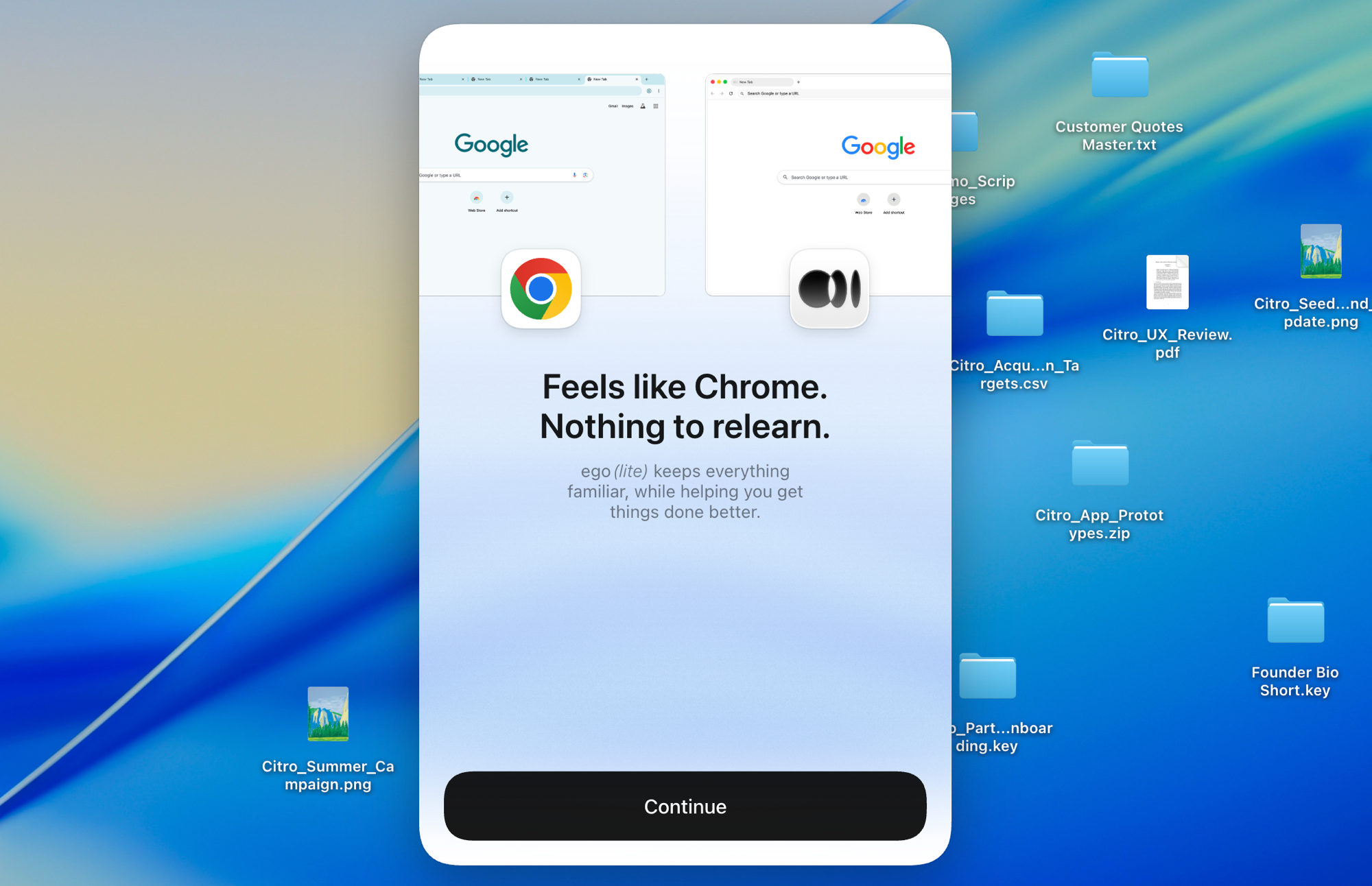
    下载 ego lite,一键导入你的 Chrome 配置文件。登录状态、cookie 和扩展程序都会一并带上,不需要 --profile 参数,也不用复制配置文件目录。

  2. 用 /ego-browser 运行你的第一个任务

    粘贴到你的 Agent 里

    /ego-browser 打开 ego.app,确认定价页面能正常加载

    在 Claude Code、Codex、Cursor 或 Gemini CLI 中粘贴一句话,回车即可。无需启动守护进程,无需开放 CDP 端口,也无需管理会话参数。

  3. 看它开始工作
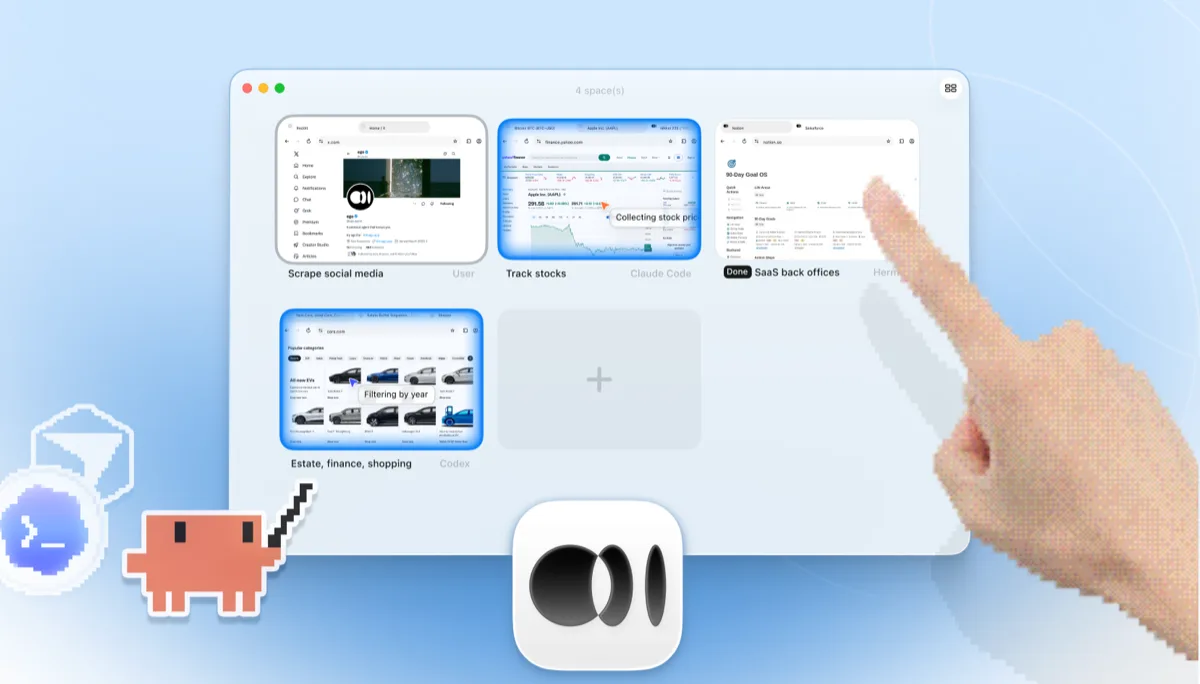
    ego lite Spaces 总览:四个浏览器任务并排运行、同时可见,不同于 agent-browser 无头的 --session 实例:Claude Code 在 Yahoo Finance 上追踪苹果股价,Codex 在 cars.com 上按年份筛选车辆,Hermes 在完成一项 SaaS 后台任务,一名用户在抓取 X 上的数据,还有一只手正点击 + 打开新的 Space

    任务在独立的 Space 中运行,不会影响你的标签页。浏览器窗口是真实存在的:可以实时查看,也可以随时接管。结果会返回到你的 AI Agent 的 CLI 中。

如果 agent-browser 已经接入了 CI 流水线,继续用它做无头检查即可。ego lite 则负责你自己机器和账号上的交互式工作。

各工具的适用场景

以下情况选择 ego (lite)

  • 你的任务会涉及真实账号:Gmail、各类仪表盘,以及任何 SSO 背后的系统,而你导入的配置文件早已实时登录,不需要复制配置文件,也不用手动开放 CDP 端口。
  • 你希望通过 Snapshot 输入叠加多操作 JavaScript 批处理,实现单个任务的 token 节省,而不是每个操作都要走一次 CLI 命令往返。
  • 你希望默认就能在并行的 Spaces 中以有头模式查看任务运行,并在需要人工介入时随时接管,不需要额外参数,也不用配置特定平台的显示环境。
  • 你希望自己日常使用的浏览器本身就是 AI Agent 浏览器:不需要管理守护进程,不需要会话参数,也不用搭建 CDP 连接。

以下情况请选择 agent-browser

  • 你运行在无头 CI 环境或 serverless 函数中,那里没有桌面浏览器可用,一次性会话正是重点所在。
  • 你正在 Vercel Sandbox 上构建应用,或者已经深度使用 Vercel 生态,希望用一个与之协同设计的工具。
  • 你希望在服务器上保持极简占用:Rust 编写的 CLI 和守护进程,不依赖 Playwright 或 Node.js 运行时,可通过 npm、Homebrew 或 Cargo 安装。
  • 你需要通过 WebDriver 覆盖 iOS Safari,而 ego lite 仅支持 Chromium,无法满足这一需求。

为你的 Agent 配备真实浏览器

免费使用,运行在你的 Mac 上,一键导入 Chrome 浏览器配置文件。支持 Claude Code、Codex、Cursor,以及任何能写代码的 CLI Agent。

还在权衡选择?看看 agent-browser 与同类工具的对比。

常见问题

agent-browser 由 Vercel Labs 打造,因此也被称为 Vercel agent-browser,是一款专为编程 AI Agent 打造的开源浏览器自动化 CLI:前端是 Rust CLI,背后是纯 Rust 编写的守护进程,通过 DevTools 协议直接驱动 Chrome,运行时不需要 Playwright 或 Node.js。它的 snapshot 命令会返回带有 @e 引用的精简可访问性树,让 AI Agent 可以基于稳定的引用进行点击和填写,而不是依赖容易失效的选择器;它还以 Skill 形式提供给 Claude Code、Codex、Cursor、Gemini CLI、GitHub Copilot 等大多数编程 AI Agent 使用,并将 MCP 服务器作为可选子命令提供,而非默认路径。它免费、设计精良,也被广泛采用。

是的,如果你关心的任务涉及真实账号,或者需要可见性带来的好处。两者都是通过 CLI 或 Skill 而非以 MCP 为先的方式,给编程 AI Agent 提供浏览器;而 ego lite 默认就实时接入你导入的 Chrome 配置文件,提供可随时接管的有头窗口、并行 Spaces,以及多操作 JavaScript 执行。对于脚本和 CI 中一次性的无头自动化,agent-browser 依然是简洁可靠的选择。

We ran both tools on the same 31 browser automation tasks on live websites, driven by the same pi agent with the same model (gpt-5.6-sol, thinking effort max) and graded by the same written checklist. Each tool keeps its better of two full runs, so a failed task still counts. ego lite finished 30 of 31 tasks perfectly (96.8%) at $1.98 per completed task, averaging 8 minutes 38 seconds per task; agent-browser finished 23 of 31 (74.2%) at $3.72, averaging 11 minutes 2 seconds. The tasks, the checklists, and the raw results are open source in the ego-browser-benchmark-framework repository on GitHub, so every number can be audited or reproduced.

可以,但需要额外配置,而且目前还不算完全可靠。指定一个 profile 名称后,agent-browser 会把该 Chrome 配置文件复制到一个临时目录,作为只读快照启动,这样它能带着你现有的登录状态运行,但会话期间产生的任何写入都不会同步回你的真实配置文件;在 Windows 上你还得先关闭 Chrome,因为配置文件文件可能被锁定。它还提供一种持久化配置文件模式,本意是让 cookie 和登录状态自动跨重启保留,但目前有未解决的 bug 报告称该配置文件目录会在多次运行之间保持空白。通过 CDP 连接到正在运行的 Chrome 也是可行的,但项目自己的文档也提到,这个端口会让本机任何进程都能完全控制浏览器。而在 ego lite 中,已登录的浏览器是默认状态:只需导入一次配置文件,之后每个 AI Agent 任务都会从这个实时状态开始,不需要任何额外参数。

The snapshot is only half of it. agent-browser's batch mode can fire a fixed list of commands in one process launch, but the model still can't act on what a snapshot returns until the whole batch finishes, so a task where each step depends on the last ends up as a long chain of command-then-model-reads-the-result cycles. ego lite lets the agent batch several actions in one JavaScript execution and reason about the result immediately, reading it as a compressed Snapshot. The savings come from the two stacked together, and they show up per task: across those 31 jobs, ego lite averages 30.3 model round trips to agent-browser's 45.6, which works out to $1.98 per completed task against $3.72.

不需要。这是两款工具共同的设计理念。agent-browser 的主要接口是 CLI,MCP 服务器只是作为可选子命令提供给有需要的客户端。ego lite 则是在你的 AI Agent 中运行 /ego-browser,通过 ego-browser shell 连接。两者默认都不需要编辑 MCP 配置文件。

可以。两者不会冲突。有些开发者会保留 agent-browser 用于 CI 或 Vercel Sandbox 上的无头检查,同时用 ego lite 处理所有交互式工作:需要登录的任务、并行研究,以及任何值得亲眼看看的场景。实际情况是,需要登录的任务往往占了大多数。

是的。ego lite 免费使用,无需订阅,你的 AI Agent 借以连接的 ego-browser shell 也是采用 MIT 许可证的开源项目。