





ego (lite) 只是一款浏览器;ego 才是你跨设备的个人 Agent。
加入候补名单
ego lite 对比 Playwright

最好用的 AI 版 Playwright 替代品

Playwright 是微软推出的脚本优先自动化框架:你要针对浏览器 context 编写 TypeScript 或 Python 代码,配置好 locator,然后每次网站改版都得回来修复它们。

ego lite skips the script. Your agent reads the page as a compressed Snapshot and writes its own JavaScript, already signed into your real Chrome. Across 31 live browser automation jobs it finishes 96.8% of tasks with a perfect score; agent-driven Playwright finishes 71%.

开发者用户来自
GoogleAmazonShopifyTikTokHarvardStanfordUSCUCLA

Browser automation benchmark: ego lite vs Playwright

This is agent-driven browser automation on live websites, not a scripted test suite you commit to CI. ego lite and Playwright ran the same 31 multi-step tasks end to end: several pages, several decisions, many behind a login. A locator recorded last month often dies on those pages. Both ran the identical set, so the bars below compare the same jobs.

agent: pimodel: ChatGPT 5.6 Solthinking: max31 tasks

Task completion rate

How often the agent finished the job. Stuck at login, skipped a step, or returned the wrong result: that task is a fail. Higher is better.

ego lite96.8%30 of 31 tasks perfect
playwright-cli71.0%22 of 31 tasks perfect

Cost per completed task

What one finished job costs in model spend. Failures still get billed, so they push this number up. Lower is better.

ego lite$1.98
playwright-cli$4.61

Model turns per task

How many times the model had to look at the page and choose the next action. Extra looks mean extra tokens, extra waiting, and extra places to stall. Lower is better.

ego lite30.3
playwright-cli42.8

Average task time

How long a job took from start to finish, on average, including time spent waiting on the model. Lower is better.

ego lite8m 38s
playwright-cli11m 33s

We ran every tool twice and kept the better score. A failed task still counts against it.

Playwright ran through playwright-cli, the CLI Microsoft ships for coding agents. Not a saved test script.

Check the numbers, or rerun the tasks yourselfThe 31 tasks, the grading checklists, and the raw results are open source. If a number looks off, open the repo.ego-browser-benchmark-framework

为什么 ego lite 比 Playwright 更好

Playwright 凭实力成为了现代测试框架的代表,如果你要在 CI 里跑严谨、确定性的端到端测试套件,它依然是最难被超越的工具。但当任务是交互式的:抓取这个仪表盘的数据、报一笔报销、午饭前检查三条流程,写脚本反而成了负担。ego lite 把这类任务交给你已经在用的编程 Agent,通过开源的 ego-browser 外壳来完成。

96.8% of tasks done perfectly. No other tool tops 84%.

A Playwright script survives about as long as the page it was recorded against. Codegen locators capture one DOM snapshot, and a redesign a few months later leaves you patching selectors instead of shipping. Even driven by an agent through Microsoft's own playwright-cli, 29% of those 31 live-site tasks ended short of a perfect score.

In ego lite, your agent reads the page as a compressed Snapshot with stable @N refs and writes the JavaScript itself, so it adapts when the page changes instead of breaking: 96.8% of the same 31 tasks ended perfect, at the fastest average task time of the five tools measured.

Time to finish a task, shorter is better
518 sego (lite)
693 splaywright-cli
Data source - Task: finish an average live-site job
并行多任务,执行更快

Playwright 的并行测试默认以无头(headless)模式运行。一旦切到有头(headed)模式,每个 worker 都会弹出一个独立的系统窗口,而且没法暂停某一个去接管操作,所以大多数团队还是选择用无头模式跑,事后再看 trace 文件。

在 ego lite 里,你能打开的 Space 数量没有上限:每个 Space 都在自己独立导入的 Chrome profile 上单独跑一个任务,谁也不会抢走你正在用的标签页。你可以随时实时查看,或者接管任意一个 Space。

不再反复来回 消耗更少 Token

就算让 Agent 通过微软自家的 playwright-cli 来操作 Playwright,你还是得一个动作发一条命令:snapshot、点击一个 ref、再 snapshot、读取结果、然后决定下一条命令。

在 ego lite 里,Agent 会把好几个动作打包进同一次 JavaScript 调用里执行,每一轮只调用一次,而且读取页面时用的是压缩后的 Snapshot,而不是完整的 accessibility dump。两者叠加起来,能把整个任务消耗的 token 总量大幅降低。

Claude Code · ego lite
>/ego-browser Add the first product to the cart, then check checkout loads
Bash(
ego-browser nodejs <<'EOF' await openOrReuseTab('localhost:3000') await click('.product-card') await click('.add-to-cart') await click('a[href="/checkout"]') cliLog('checkout loaded') EOF
)
Output:
[t=4480ms] checkout loaded
Done. Both steps work.
─── 1 tool call · 1.1k tokens ───
Claude Code · playwright-cli
>Add the first product to the cart, then check checkout loads
$playwright-cli open localhost:3000
stdout
Opened http://localhost:3000
1.6k tokens sent so far
Storefront loaded. Snapshotting to find the first product.
$playwright-cli snapshot
Snapshot
… +224 lines (ctrl+o to expand)
3.1k tokens sent so far
First product card is e12. Clicking it.
$playwright-cli click e12
stdout
Clicked e12
4.9k tokens sent so far
Product page is up, refs are stale. Snapshotting again.
$playwright-cli snapshot
Snapshot
… +205 lines (ctrl+o to expand)
6.8k tokens sent so far
Add to cart button is e8.
$playwright-cli click e8
stdout
Clicked e8
9.2k tokens sent so far
Added. Heading to checkout.
$playwright-cli click e21
stdout
Clicked e21
11.2k tokens sent so far
Confirming the checkout page actually rendered.
$playwright-cli snapshot
Snapshot
… +229 lines (ctrl+o to expand)
13.6k tokens sent so far
─── 7 tool calls · 13.6k tokens ───
同样的任务,同样的模型。 左边:ego lite 里一次打包的 JavaScript 调用,总共 1.1k tokens。 右边:通过 playwright-cli 驱动 Playwright,7 次往返,token 数涨到 13.6k。

同一个 Chrome,为 Agent 而生

一个全新的 Playwright context 是完全空白的,所以想要真实的登录态,就得自己写脚本登录、保存 storageState,然后祈祷这些 token 能撑到测试跑完。可一旦服务方轮换 refresh token(比如 Auth0 在开启 MFA 之后那样),保存的状态照样会失效。

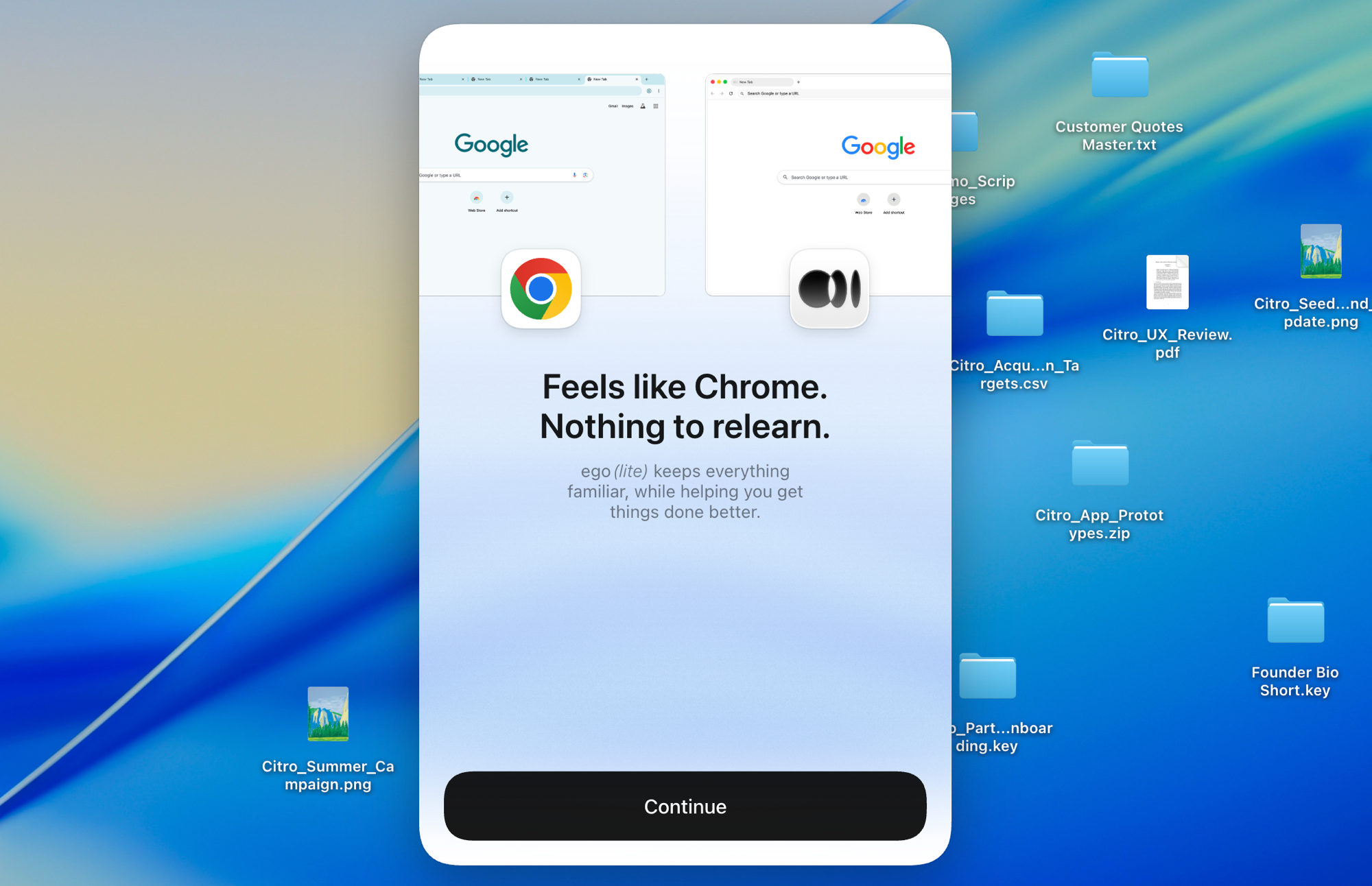
ego lite 一键导入你完整的 Chrome profile:cookie、会话和扩展全都一起带过来,所以 Agent 一启动,就已经在你登录过的所有地方保持登录状态。

ego lite 的 Chrome 配置文件导入:一键完成设置,自带你所有的登录状态,不需要 storageState 文件

ego lite 对比 Playwright

ego lite 与 Playwright 的功能对比。
功能ego litePlaywright
任务是怎么完成的描述任务,Agent 来操作浏览器编写并维护 TS/Python/Java/.NET 脚本
应对页面变化Agent 重新读取 Snapshot 并自动调整定位器失效后,需要你手动更新代码
已登录的网站(SSO、2FA)继承你真实的 Chrome 配置文件和会话状态空白上下文,得靠脚本登录、管理 storageState
设置安装应用,在你的 Agent 中运行 /ego-browserNode/Python 项目,安装浏览器,配置文件
AI Agent 支持专为它们打造:通过 ego-browser 支持 Claude Code、Codex、Cursor通过 codegen、playwright-cli,或者另外的 Playwright MCP 服务器
Browser automation on live sites (31 tasks, same model)96.8% perfect, $1.98 per completed task, 8m 38s average71% perfect, $4.61 per completed task, 11m 33s average (via playwright-cli)
并行任务Space 在一个可见的浏览器内隔离各个任务使用 Worker 和上下文,通常以无头模式运行
日常使用的浏览器是的,你在自己的 Space 里浏览,Agent 在它们各自的 Space 里工作不是,它是一个自动化库,不是你日常生活在其中的浏览器
CI 测试套件不是,它面向交互式的 Agent 任务,而不是提交到仓库里的测试代码是的,是目前最强的测试运行器和 CI 方案
可复用技能(即将上线)将成功的运行过程提炼为可复用技能;Agent 重复执行复杂任务时最高可快 5 倍(限量测试中)没有内置的同类功能
价格免费,无需订阅免费,开源
最近更新 2026年8月20日

让切换无缝衔接

你不需要把 Playwright 的测试搬到 ego lite 上,留着它们就好。真正该转移过来的,是那些你原本要在 CI 之外写脚本,或者一直没去写脚本处理的工作:一次性的、需要登录状态的、每周都在变化的浏览器任务。

  1. 下载 ego (lite)

    下载 ego lite,一键导入你的 Chrome 配置文件。那些测试上下文里从来没有的登录状态,也会一起带过来。

  2. 用 /ego-browser 运行你的第一个任务

    粘贴到你的 Agent 里

    /ego-browser 打开 ego.app,列出导航栏里的每一个链接

    在 Claude Code、Codex 或 Cursor 中运行 /ego-browser。不需要项目脚手架,也不需要 playwright.config。

  3. 看它开始工作
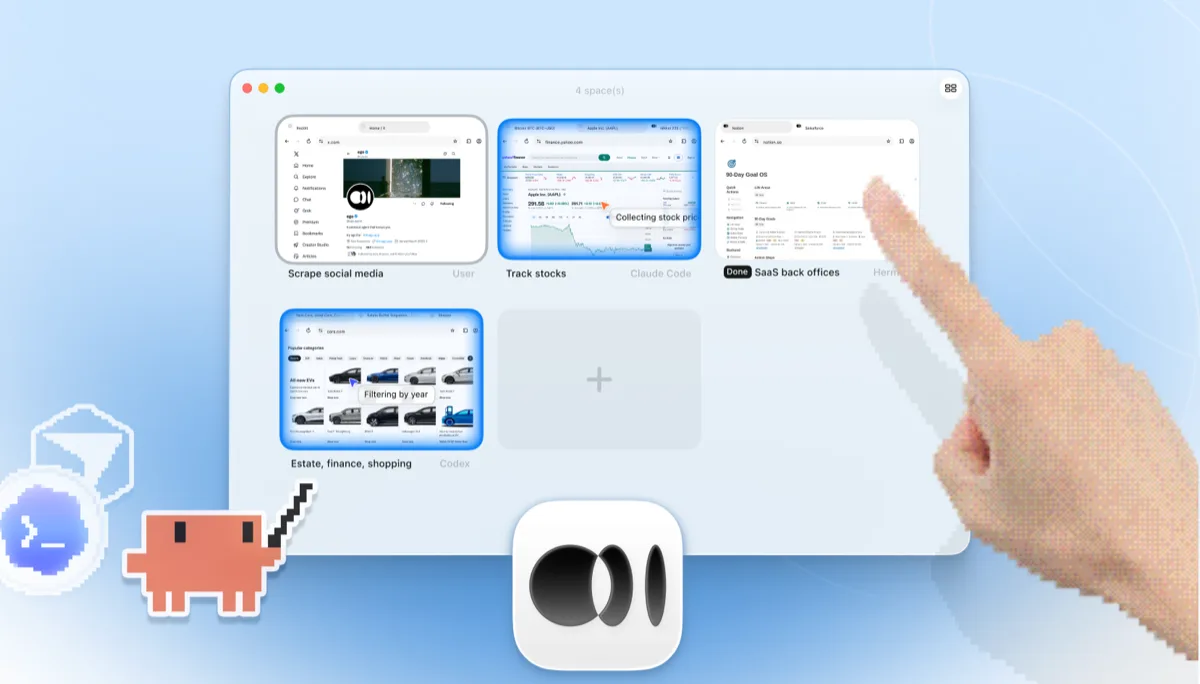
    ego lite 的 Space 概览,四个浏览器任务并排运行:Claude Code 在 Yahoo Finance 上追踪苹果股价,Codex 在 cars.com 上按年份筛选车型,Hermes 在完成一项 SaaS 后台任务,一位用户在抓取 X 上的数据,还有一只手正在点击 + 打开另一个 Space

    把你原本要写脚本才能完成的任务交给 Agent,比如从需要登录的仪表盘里提取数据,或者走一遍结账流程,只用一句话把任务描述清楚就行。

CI 里那些确定性的端到端测试套件,继续用 Playwright 就好。交互式的 Agent 任务交给 ego lite,两者并不是在抢同一份工作。

各工具的适用场景

以下情况选择 ego (lite)

  • 这些工作都藏在登录状态背后:仪表盘、管理后台、SSO,专门写脚本去管理 storageState 并不值得。
  • 你更愿意直接把任务描述给 Claude Code、Codex 或 Cursor,而不是搭建测试项目、维护定位器(locator)。
  • 你想在多个并行的 Space 里同时检查几条流程,同时还能在同一个浏览器里继续自己浏览。
  • 你关心单个任务的 token 成本:Snapshot 输入叠加批量 JavaScript,两者叠加起来能让整个任务的花费保持低廉。

什么情况下应该选择 Playwright

  • 你在构建需要提交进代码库、在 CI 中确定性运行的端到端测试套件。这正是 Playwright 的核心优势。
  • 你依赖它的测试运行器、自动等待(auto-waiting)、trace viewer 和代码生成(codegen),这些工具大多数竞品仍然没有。
  • 你需要覆盖 Firefox 和 WebKit。ego lite 只支持 Chromium。
  • 你的团队要同时用 TypeScript、Python、Java 或 .NET 工作,并且希望每种语言都有一流的绑定支持。

为你的 Agent 配备真实浏览器

免费使用,运行在你的 Mac 上,一键导入 Chrome 浏览器配置文件。支持 Claude Code、Codex、Cursor,以及任何能写代码的 CLI Agent。

还在权衡该选哪个?看看 Playwright 和同类其他工具的对比。

常见问题

Playwright 是微软开源的自动化框架,支持 Chromium、Firefox 和 WebKit,并为 TypeScript、Python、Java 和 .NET 提供一流的绑定支持。它的测试运行器、自动等待、trace viewer 和 CI 集成在同类工具中最强,对于需要提交进代码库、确定性运行的端到端测试套件来说,它是最难被超越的工具。微软还推出了 playwright-cli,这是 Playwright 团队为 Claude Code、Copilot 等编码 Agent 打造的、注重 token 消耗的配套 CLI 工具。本页讨论的是核心框架本身及其脚本化和 CLI 工作流;Playwright MCP 作为面向 Agent 的独立 MCP 服务器,有专门的对比页面。选择 Agent 驱动方案的开发者,也会同时权衡 Browser Use vs Playwright 和 Stagehand vs Playwright,因为这三者都是目前 LLM 驱动浏览器操作技术栈中的常见选项。

对于由 AI Agent 驱动的浏览器操作来说,是的:不用写脚本,直接用真实登录状态,还能开多个并行 Space,这让它成为少数专门为 Agent 打造、而不是让你写更多脚本的 Playwright 替代品之一。但对于要提交进 CI 的端到端测试套件来说,答案是不。Playwright 的测试运行器、trace 追踪和跨浏览器覆盖能力确实非常出色,这些场景你应该继续使用它。诚实地说,分工很清楚:需要提交的测试交给 Playwright,需要委托的任务交给 ego lite。

We ran both tools on the same 31 browser automation tasks on live websites, driven by the same pi agent with the same model (gpt-5.6-sol, thinking effort max) and graded by the same written checklist. Each tool keeps its better of two full runs. Playwright entered through playwright-cli, the companion CLI the Playwright team ships for coding agents, which is the strongest agent-facing way to run it today. ego lite finished 30 of 31 tasks perfectly (96.8%) at $1.98 per completed task; agent-driven Playwright finished 22 of 31 (71%) at $4.61. The tasks, the checklists, and the raw results are open source in the ego-browser-benchmark-framework repository on GitHub, so every number can be audited or reproduced.

这三者都是以脚本为核心的框架,无论你搜索的是 playwright vs puppeteer 还是 puppeteer vs playwright,答案都一样。新建测试套件时 Playwright 更占优:运行速度最快,有自动等待,支持 TS/Python/Java/.NET,还能覆盖三种浏览器引擎。如果你只用 Node 操作 Chrome,想要一个精简的 DevTools 级 API,Puppeteer 更合适。如果你看重 W3C WebDriver 标准、广泛的语言绑定,或者已经有企业级 Grid 在用,Selenium 更合适。ego lite 扮演的是完全不同的角色:由 AI Agent 来完成浏览操作,而不是靠脚本,没有代码需要维护,而且已经接入了你真实的登录态。

Selenium vs Playwright 归根结底是两边各有取舍。Playwright:执行更快,内置自动等待,测试运行器更现代,还配有 trace viewer、codegen 这类工具;代价是生态相对年轻。Selenium:拥有 W3C WebDriver 标准,语言绑定和老旧浏览器覆盖范围最广,还有二十年的企业级应用积累;代价是代码更冗长,等待逻辑需要更多手动处理。如果你今天要选一个测试框架,大多数团队会选 Playwright。如果工作是由 Agent 驱动而不是靠脚本完成,可以在我们的 Selenium 对比页面看看 ego lite 和 Selenium 的比较。

Both wrap a fresh Playwright browser for agent use, and both still run one command per action in a blank profile: Playwright MCP as MCP tool calls, playwright-cli as CLI invocations. ego lite instead batches multiple actions in JavaScript per turn, reads pages as compressed Snapshots, and starts from your real logged-in Chrome profile. Across those 31 live-site jobs that difference measures out to 96.8% of tasks perfect against 71%, at $1.98 per completed task against $4.61, with playwright-cli as the Playwright entrant. Full breakdown on the ego lite vs Playwright MCP page.

部分可以。你可以在脚本登录后保存 storageState,或者启动一个指向某个 Chrome 配置文件目录的持久化上下文(persistent context),但会话会过期,2FA 和 SSO 会打断脚本化登录,而且配置文件没法和正在运行的 Chrome 共用。ego lite 只需导入你的配置文件一次,之后 Agent 就会一直继承真实的登录状态。

是的。免费使用,无需订阅,数据本地存储。你的 Agent 连接的 ego-browser 外壳是基于 MIT 协议的开源项目。