
The core conclusion first, because most readers won't scroll: user-authorized work that depends on an existing login often belongs in an isolated real browser, while batch, stateless work (permitted public-page collection, PDF generation, CI checks) belongs in a headless one. Neither mode grants permission or reliably defeats anti-bot controls.
Permitted public-data collection at scale stays headless, where a rendered desktop adds cost without adding a supported access path. The real-browser lane instead has to answer where account state lives, and ego (lite) keeps it on your own machine rather than handing it to a hosted browser environment.
The terms, for anyone landing cold: a headless browser runs the same engine with no visible window, driven entirely by code. A real browser is the one a person actually uses, real profile and sessions included; in automation jargon it is headed (a window is rendered), but a headed automation browser with a fresh profile is not yet real.
Everything below is the evidence: the concrete tools on each side by name starting with the real-browser side, then the three deciding dimensions in depth (logins, detection, cost), and a task table you can pick from directly.
Match the browser to the task, not to a preference.
How do you decide: real browser or headless?
The question sounds binary and mostly is, but the boundary runs through the task, not the tooling. Both modes drive the same engines (Chromium, Firefox, WebKit) through the same automation protocols, so capability isn't the differentiator.
Three things are: whether your logins come along, how visible the automation is to a defending site, and what a running instance costs. The table below is the summary; the tools come next, and each dimension gets its own deep dive after them.
One clarification that saves confusion: headless is not a synonym for "detectable" and real is not a synonym for "safe." A real browser driven badly (impossible speeds, robotic paths) gets flagged, and a modern headless setup on public pages sails through. The modes set a baseline; behavior moves you off it in either direction.
The whole split in one look, before any detail. Find the row your task cares about most; the winner in that row is your browser.
| Dimension | Real (headed) browser | Headless browser |
|---|---|---|
| Logins and sessions | Already signed in: your real profile and sessions come along | Fresh state by default; authentication can be loaded or maintained separately |
| Detection baseline | Real fingerprint and display environment; the lowest baseline | New headless mode closes the old tells, but automation flags and environment signals still leak |
| Cost and parallelism | One desktop instance; a rendered window is not free | Cheap per instance, packs densely, parallelizes without a display |
| CI and servers | Not for headless CI; it needs a desktop | Native habitat: bare servers, pipelines, fleets |
| Best at | Login-walled tasks, hardened targets, daily agent work (ego (lite)) | Bulk public crawls, PDF generation, CI checks |
Do agents need a persistent computer, not a sandbox?
For a one-shot script, an ephemeral sandbox is usually the right boundary. For an agent that returns tomorrow, a persistent computer is the more useful mental model: it keeps a filesystem, installed packages, browser profile, and task state between runs. Cloudflare describes this distinction as giving each agent a computer rather than only a container, while LangChain makes the same case for a filesystem, shell, package manager, and persistent state. Cloudflare's explanation and LangChain's runtime perspective spell out the infrastructure trade-off.
Persistence is not a reason to remove isolation. The useful design is an isolated, user-authorized workspace whose state survives the task, with explicit reset and handoff controls. A sandbox protects the host from untrusted code; a persistent computer protects the agent's continuity. They solve different problems and can be layered together. CNCF's analysis of agent sandboxing makes the same point: execution isolation alone does not provide the durable environment an agent needs for multi-step work. Read the CNCF analysis for the isolation context.
| Environment | What survives | Best fit | Main question to ask |
|---|---|---|---|
| Ephemeral sandbox | Only the outputs you explicitly export | Untrusted code, CI, one-off jobs | What must be saved before teardown? |
| Persistent computer | Files, packages, memory, and browser state | Long-running, resumable agent workflows | Who can inspect, reset, or revoke it? |
| Isolated real-browser Space | An authorized profile and its live sessions | Account work that needs continuity and oversight | Is the action still user-approved? |
This is where a real browser differs from a generic cloud VM or a fresh headless context. In ego (lite), profiles, cookies, and logins stay on your own machine, so state carries across tasks without handing authenticated browser state to a hosted environment. It does not bypass authentication, CAPTCHA, or a site's access rules; you still authorize the session and remain the decision-maker for sensitive actions.
The real-browser tools, by name
The real-browser side has its own concrete roster, and it sorts into four families by how the agent reaches the browser: a shared-session browser built for the job, attach routes into the Chrome you already run, vendor extensions, and no-code recorders.
ego (lite)
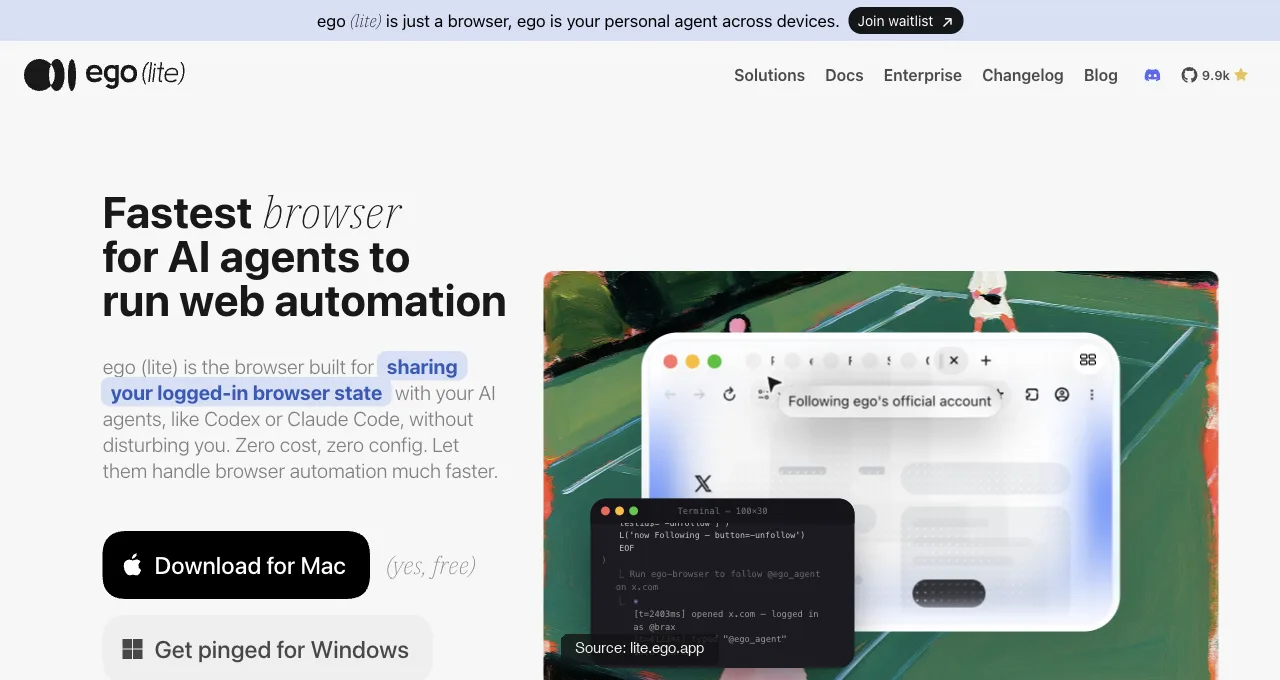
ego (lite) (free) is our own product, stated plainly: the agent runs in its own Space with its own tabs, so the window stays yours.
It's the only entry in this roster that gives the agent real sessions without giving it your window.
What that isolated Space actually returns, run today against a live page: a real ego-browser session opens a task, navigates, and comes back with only the fields asked for, no accessibility-tree dump attached.
const task = await egoBrowser.newTaskSpace('evidence-egobrowser-hn')
await task.page.goto('https://news.ycombinator.com/', { waitUntil: 'load', timeout: 20000 })
const title = await task.page.title()
const topStory = await task.page.locator('.athing .titleline > a').first().innerText()
const points = await task.page.locator('.subtext .score').first().innerText().catch(() => null)

{
  "taskSpaceId": 13
}
{
  "title": "Hacker News",
  "url": "https://news.ycombinator.com/",
  "topStory": "Qwen 3.8 27B",
  "points": "412 points"
}
Download ego (lite) for Mac, free, or see the full session model in the logged-in browser guide.
Chrome DevTools MCP auto-connect
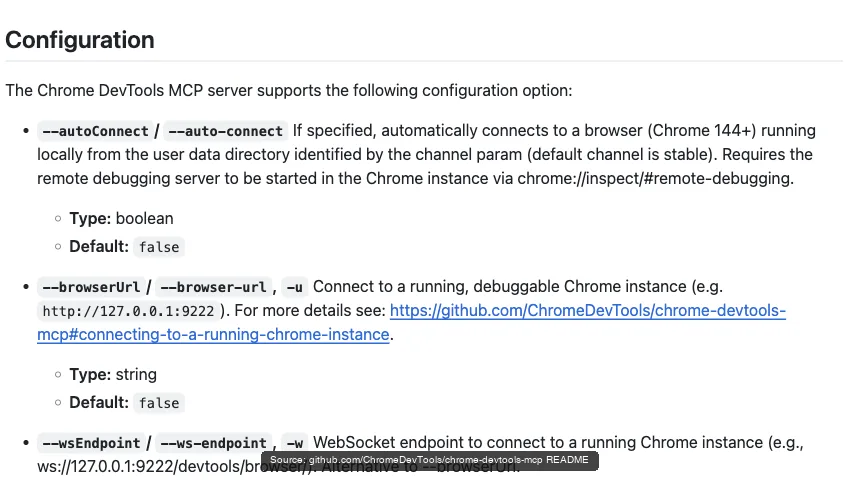
Chrome DevTools MCP auto-connect (Google, free) is the official attach route: on Chrome 144+, enable remote debugging at chrome://inspect, add the --autoConnect flag, and the agent operates inside your signed-in Chrome after a per-session permission dialog. Full sessions, real fingerprint, plus the debugging toolkit nothing else has; the cost is that it's your window being driven while it works.
Browser MCP
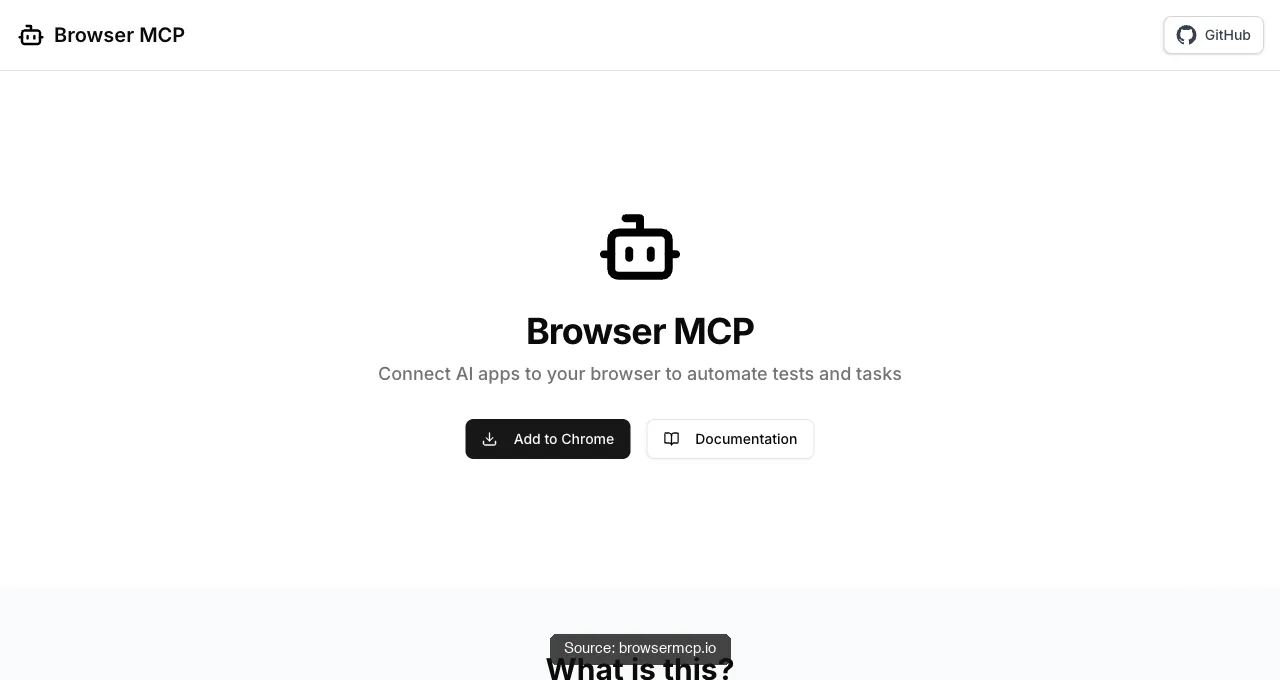
Browser MCP (browsermcp.io, free) is the community attach route: an extension-plus-server pair that connects Cursor, Claude, VS Code, and other MCP clients to your existing browser. Automation runs locally, uses your existing profile so your logins come along, and rides your real fingerprint; like every attach route, it drives the browser you're using, one task at a time.
Claude in Chrome and Codex for Chrome
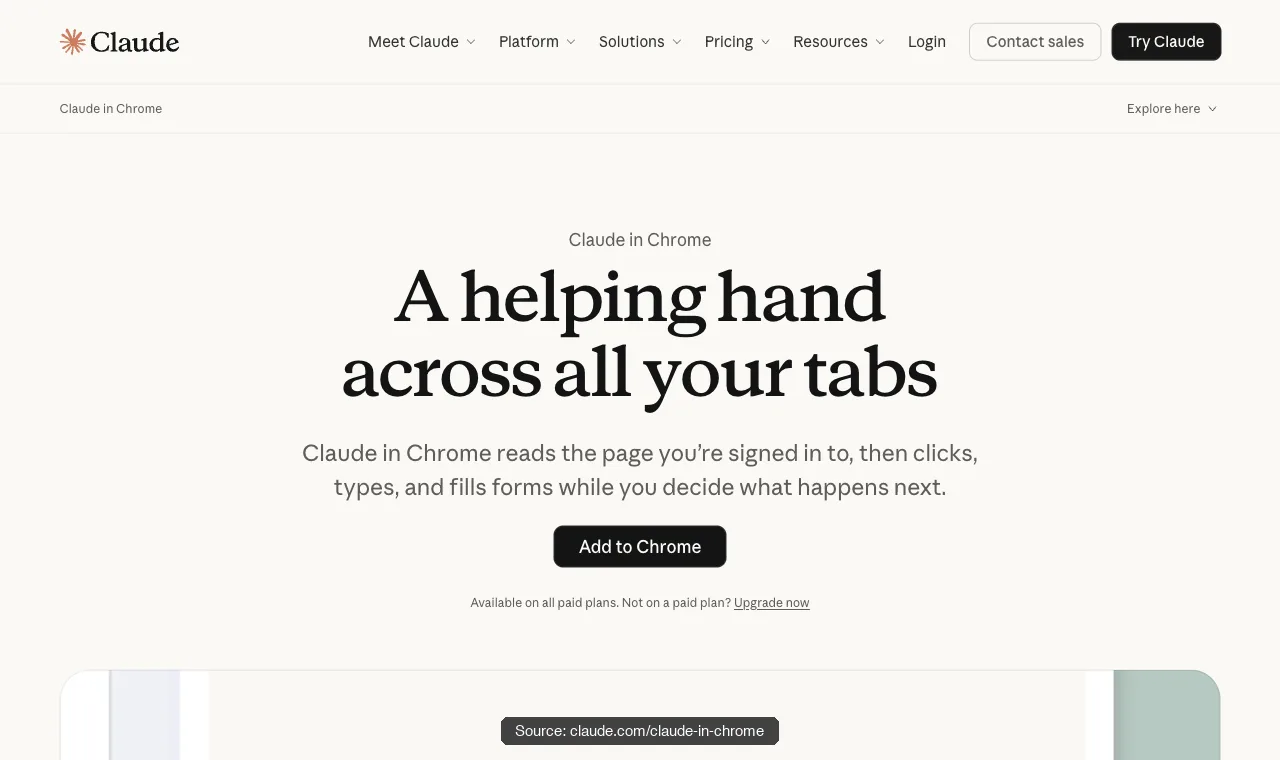
Claude in Chrome and Codex for Chrome are the vendor-extension family: Anthropic's reads the page you're signed in to, then clicks, types, and fills forms, on all paid Claude plans; OpenAI's acts on sites where you're already signed in (its docs name LinkedIn, Salesforce, Gmail) with tasks grouped into Chrome tab groups.
Zero technical setup, mature per-site permission prompts, and two shared costs: each serves only its own vendor's agent, and each works in your window.
Axiom, Browse AI, and Simplescraper
Axiom, Browse AI, and Simplescraper are the no-code family: point-and-click recorders that capture a login-and-extract flow in a real browser session and replay it on a schedule. For a non-developer pulling one table from one portal they're the fastest first result on this page; the trade is brittleness when the site redesigns, and a hosted runner carrying your session on someone else's infrastructure.
| Tool | How the agent reaches the browser | The trade |
|---|---|---|
| ego (lite) | Separate browser inherits your sessions; agent works in its own Space via CLI | Desktop only, no headless CI; free |
| Chrome DevTools MCP | Attaches to your live Chrome via --autoConnect (Chrome 144+) | Shares your window while it works; free |
| Browser MCP | Extension + MCP server into your existing profile | Your window, one task at a time; free |
| Claude in Chrome | Vendor extension in your signed-in Chrome | Claude only, paid plans, your window |
| Codex for Chrome | Vendor extension, tasks in Chrome tab groups | OpenAI ecosystem only, Chrome only, your window |
| Axiom / Browse AI / Simplescraper | Recorded point-and-click flows, replayed on schedule | Brittle on redesigns; session lives on their runner |
Read the trade column and the pattern is visible: everything except the first row either borrows your window or ships your session somewhere. That's the structural reason the shared-session family exists at all.
The headless tools, by name
"Go headless" is a category, not a decision, so here's the category by name. It splits into three tiers: libraries you script against, tools built for agents specifically, and cloud fleets you rent when one machine stops being enough.
Playwright
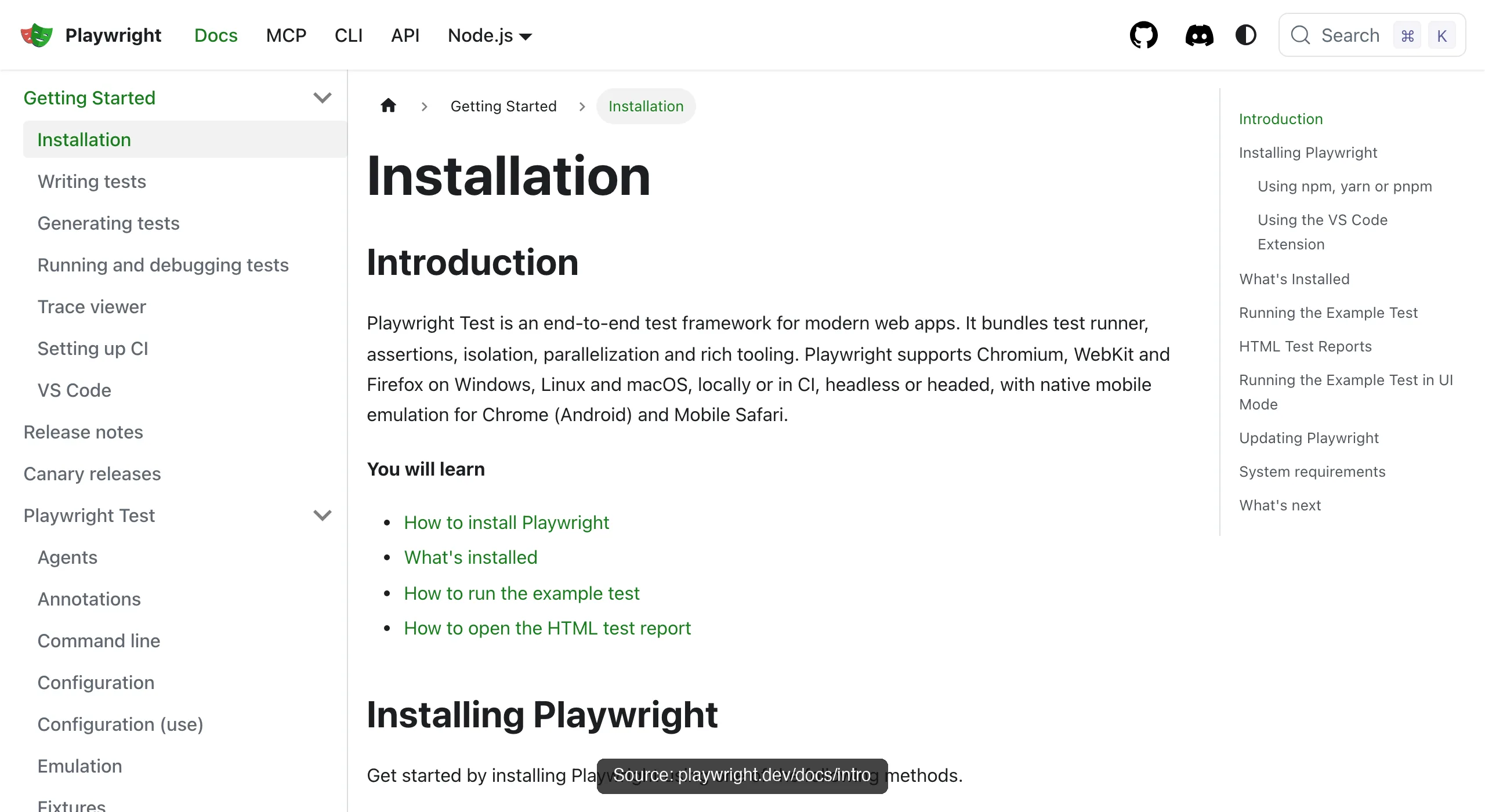
Playwright (Microsoft, 90K+ GitHub stars) is the default library tier answer. One API drives Chromium, Firefox, and WebKit with full parity. Its four official language families are Node.js (JavaScript/TypeScript), Python, Java, and .NET/C#, and auto-waiting actionability checks make scripts stable without hand-written sleeps.
Headless is its native habitat in CI, and for agent use there's Playwright MCP on top of the same engine.
Puppeteer
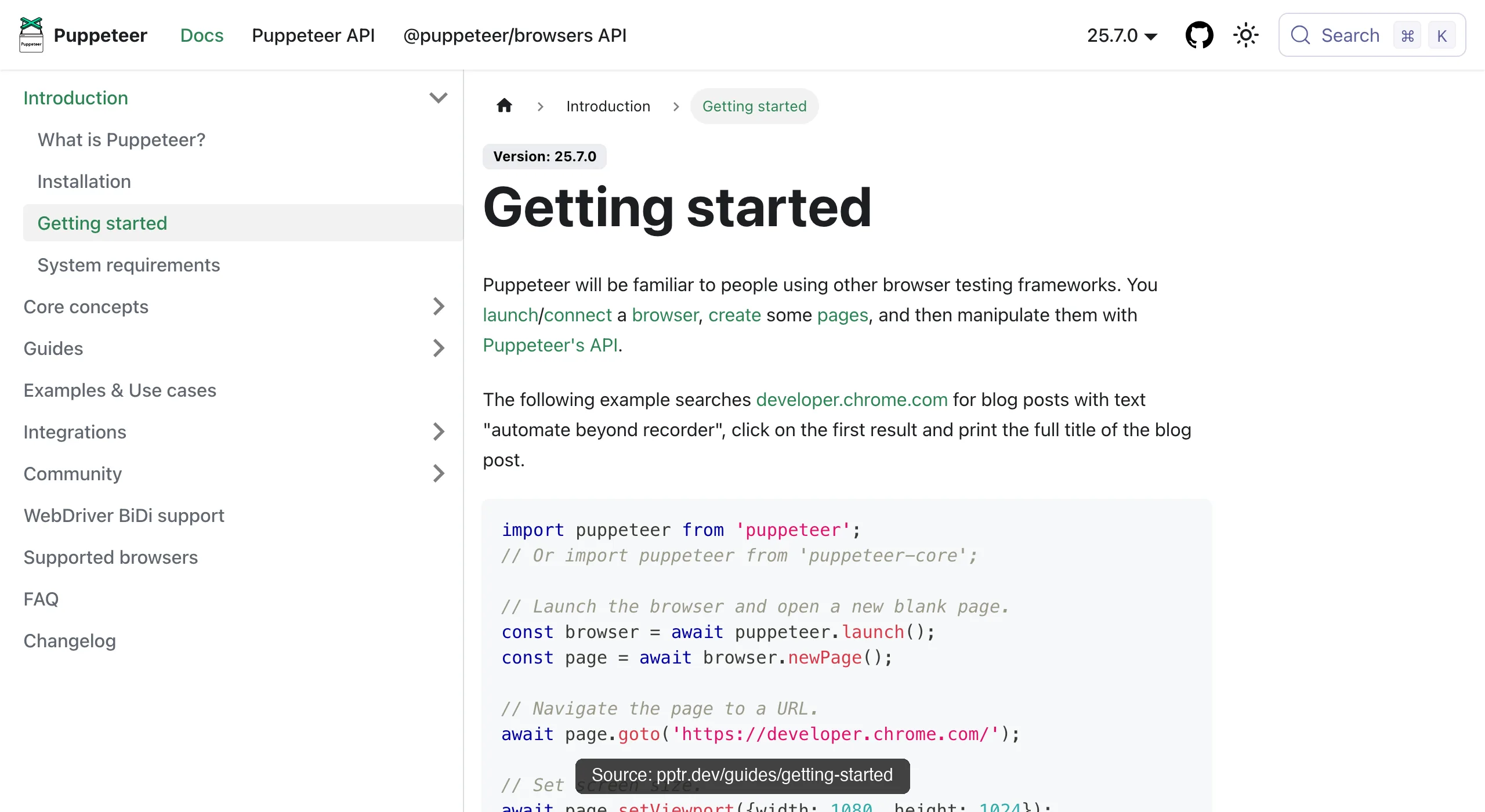
Puppeteer (Google's Chrome DevTools team, 95K+ stars) is the lean, Chrome-first alternative: JavaScript and TypeScript only, Firefox support in beta via WebDriver BiDi, no WebKit. Where it wins is simplicity per task: PDF generation, screenshots, and straightforward crawls with minimal overhead, which is why plenty of scraping fleets still standardize on it.
Selenium
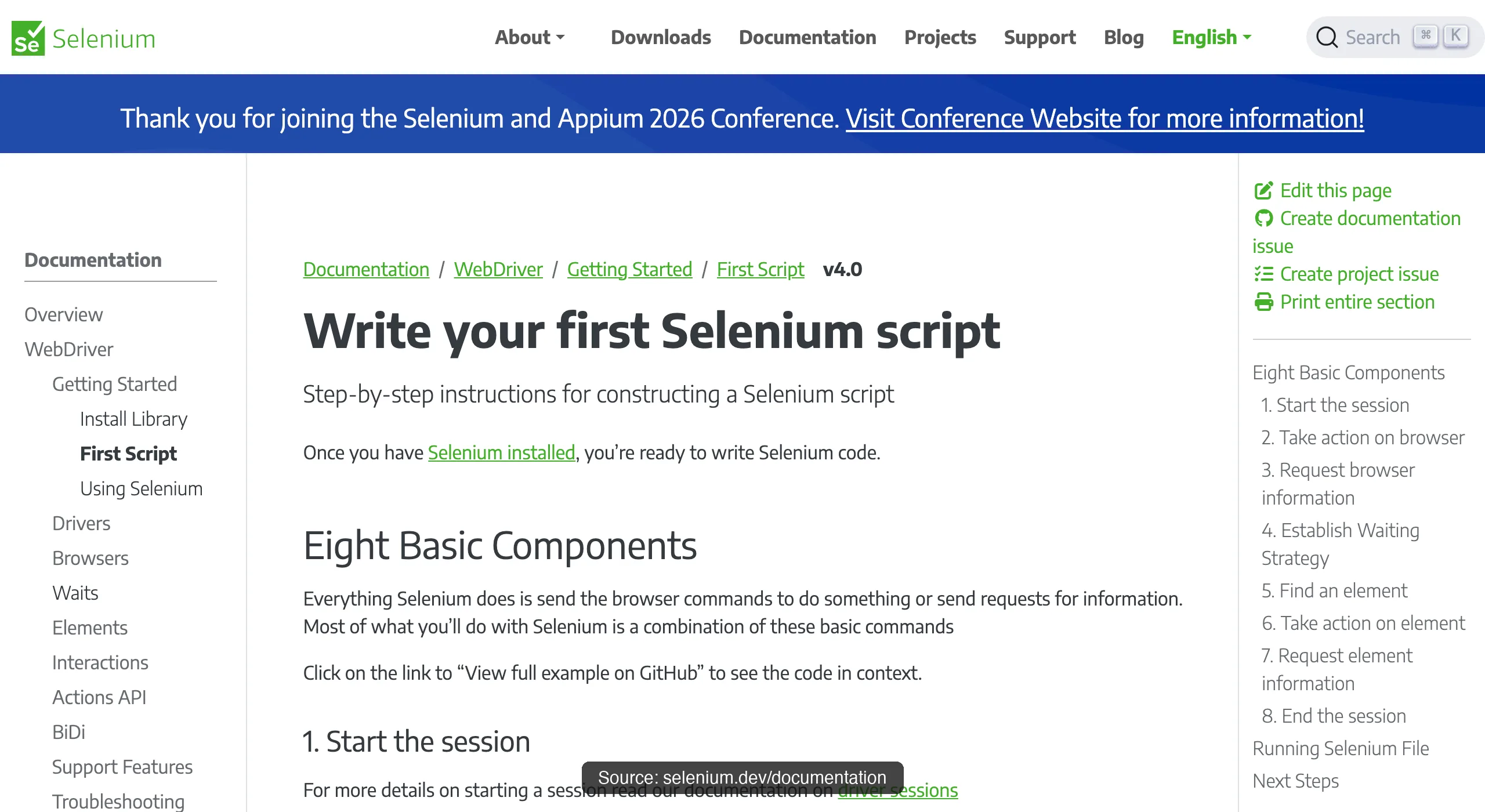
Selenium is the oldest survivor and the compatibility net. Its documentation lists five language bindings: Java, Python, C#, Ruby, and JavaScript. It also offers broad WebDriver coverage and Selenium Grid for distributing a suite across machines. Its WebDriver protocol adds an HTTP hop per command that the CDP-native tools skip, so it's rarely the pick for new scraping work, but nothing matches its reach across an existing test estate.
agent-browser
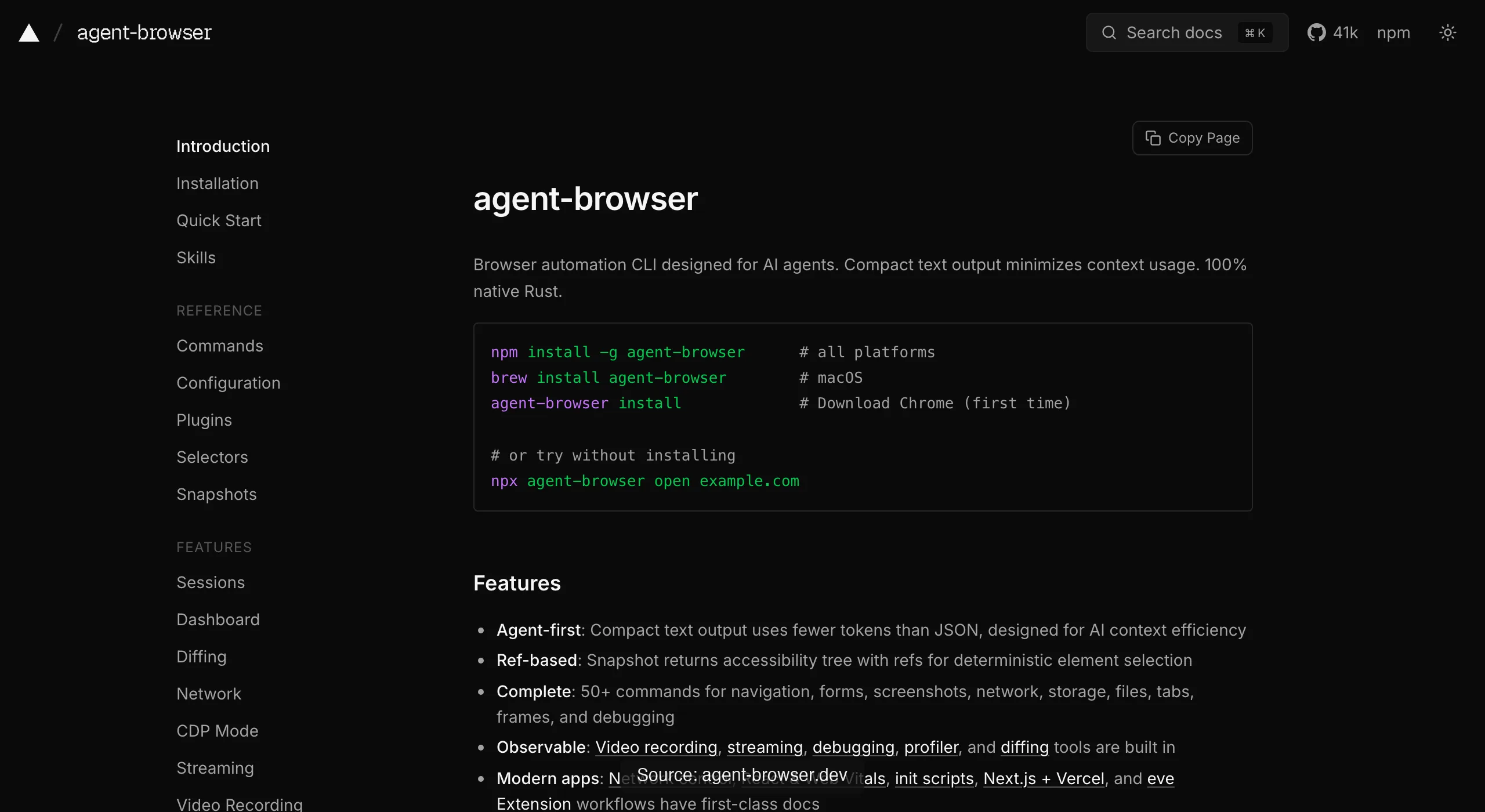
agent-browser (Vercel Labs, ~40K stars, Apache-2.0) is what the agent-native tier looks like: a Rust CLI with a daemon speaking raw CDP, driving a downloaded Chrome for Testing. The agent runs agent-browser snapshot to get an accessibility tree with refs like @e1, then acts on them with commands like click @e2. Sessions are deliberately isolated, output is filterable to stay token-lean, and the whole design assumes no human is watching.
Browser Use
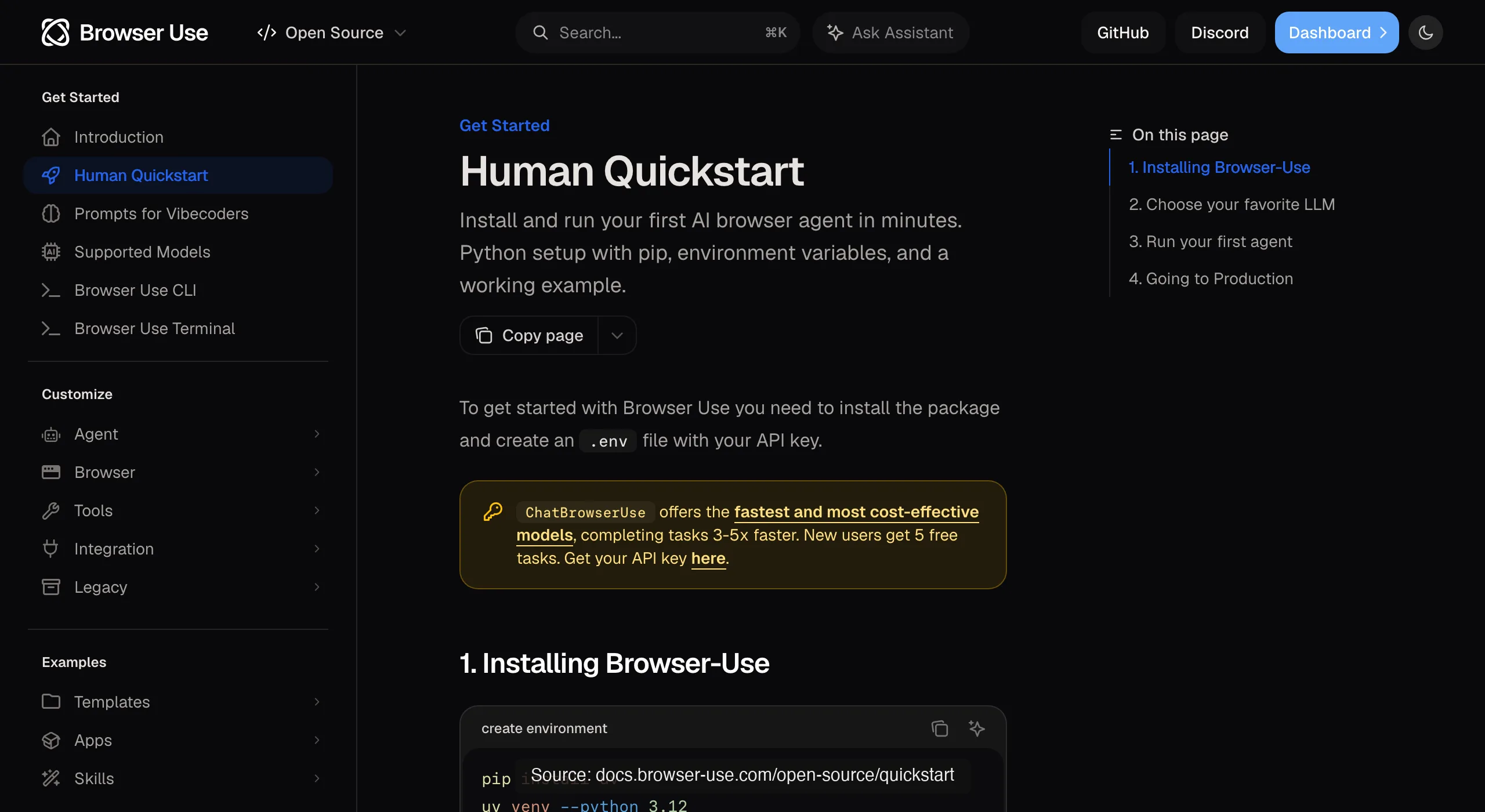
Browser Use (MIT, ~109K stars) belongs in this list with an asterisk: it's an autonomous Python framework rather than a browser, but it runs its perceive-decide-act loop over direct CDP in a browser it manages, and its headless toggle is exactly the switch this article is about. Run it headless for goal-driven scraping at scale; run it headed when the target fights back.
Here's that perceive-decide-act loop actually running: a real Agent (browser-use 0.13.7, gpt-4.1-mini via OPENAI_API_KEY) against a live page today, headless, real LLM tokens spent.
agent = Agent(
    task="Go to https://news.ycombinator.com/ and tell me the exact title text of the #1 story on the front page, plus its points count.",
    llm=llm,
)
history = await agent.run(max_steps=8)

INFO     [Agent] Starting a browser-use agent with version 0.13.7, with provider=openai and model=gpt-4.1-mini
INFO     [Agent]   navigate: url: https://news.ycombinator.com/, new_tab: False
INFO     [tools] Navigated to https://news.ycombinator.com/
INFO     [Agent] Step 1:
INFO     [Agent]   Eval: Successfully located the #1 story title and its points count on the Hacker News front page.
INFO     [Agent]   Memory: Located the top story on Hacker News with title 'Qwen 3.8 27B' and points count '415 points'.
INFO     [Agent]   Next goal: Report the exact title text and points count of the #1 story to the user.
INFO     [Agent]   done: text: The #1 story on Hacker News front page is titled "Qwen 3.8 27B" with 415 points., success: True
Final Result:
The #1 story on Hacker News front page is titled "Qwen 3.8 27B" with 415 points.
INFO     [Agent] Task completed successfully
Browserbase and Stagehand
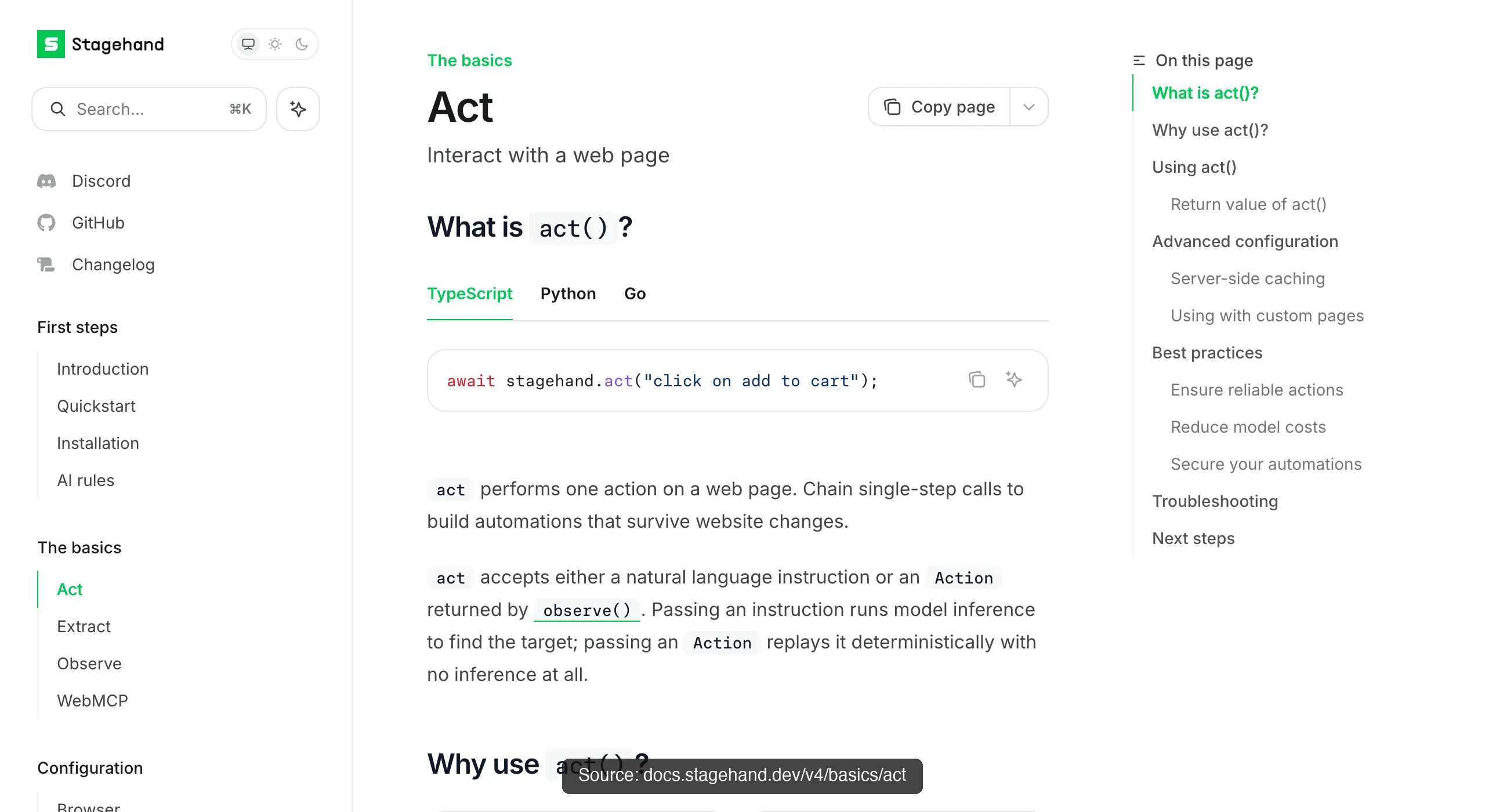
When the fleet outgrows your machine, the cloud tier takes over. Browserbase sells managed browser infrastructure at the scale of thousands of concurrent sessions (36.9M unique sessions in a March 2026 monthly count, 10,000+ companies), with Stagehand (23.7K stars) as its open-source SDK layering act, extract, and observe primitives over Playwright-style code.
Browserless
Browserless plays the same position with an API-first shape: REST endpoints for /screenshot, /pdf, /content, and /scrape, an /unblock endpoint for bot-detection handling, and BrowserQL for multi-step flows, callable from anything that can send an HTTP request, n8n workflows included.
The stealth layer
And one honest layer on top: the stealth ecosystem. Selenium has undetected-chromedriver and SeleniumBase; Puppeteer's puppeteer-extra-plugin-stealth is the mature classic, and playwright-extra can load its plugins; Camoufox and Patchright currently support only Playwright. Treat all of it as a moving target rather than a purchase: practitioners on r/webscraping report cases where a stealth fork got blocked while default Playwright passed.
| Tool | What it is | Where it fits headless work |
|---|---|---|
| Playwright | Cross-engine library, 4 official language families, auto-waiting | Default for CI, testing, and scripted scraping |
| Puppeteer | Chrome-first JS/TS library from the Chrome DevTools team | Lean PDF, screenshot, and crawl jobs |
| Selenium | WebDriver ecosystem, 5 documented language bindings, Grid distribution | Legacy estates and widest language/browser reach |
| agent-browser | Rust CLI + daemon, snapshot refs, isolated sessions | Agent-driven stateless automation, token-lean |
| Browser Use | Autonomous Python agent loop over direct CDP | Goal-driven scraping where steps can't be scripted |
| Browserbase | Cloud browser infrastructure; Stagehand SDK on top | Thousands of parallel sessions, managed ops |
| Browserless | Hosted browser API: REST endpoints + BrowserQL | HTTP-callable browser work from any pipeline |
Seven names, one shared operational cost: each defaults to fresh or separately managed browser state. Sessions can be injected or persisted, but they require setup, protection, refresh, and debugging. If that is the wall your tasks keep hitting, the real-browser roster above is the answer; if it isn't, these seven remain the lighter automation lane.
Which one has your logins?
Headless does not mean login-free. A fresh context starts empty, but Playwright can restore authentication through storageState or a persistent profile. The real difference is how much work it takes to prepare that state, reuse it, and recover after the server expires it.
On August 21, 2026, we ran each path five times against the same first-party login fixture on an M4 Mac. Playwright 1.59.1 used Chromium 147; ego (lite) was 0.4.7.1.
| State path | Reusable preparation | Median first usable | After server expiry | Security boundary |
|---|---|---|---|---|
| Fresh Playwright context | None saved; three-step login every run | 1.61s | Run login again, 0.19s | No auth file; credentials enter each run |
| Playwright storageState | Four steps, 1.81s | 1.60s | Log in and rewrite JSON, 0.26s | JSON contains session cookies and tokens |
| Playwright persistent context | Three steps, 2.39s | 1.42s | Log in inside the profile, 0.18s | Profile directory stores broader browser state |
| ego (lite) inherited session | Three steps once, 0.78s | 0.43s | Sign in once; new Spaces inherit it, 0.13s | The Space receives the account's active privileges |
All four paths completed five of five runs without a retry. With a session ready, a fresh ego (lite) Space reached the protected page in 0.43 seconds, versus 1.42 to 1.61 seconds for Playwright. Reusing any session also gives the agent that account's permissions.
Zillow stays a field observation
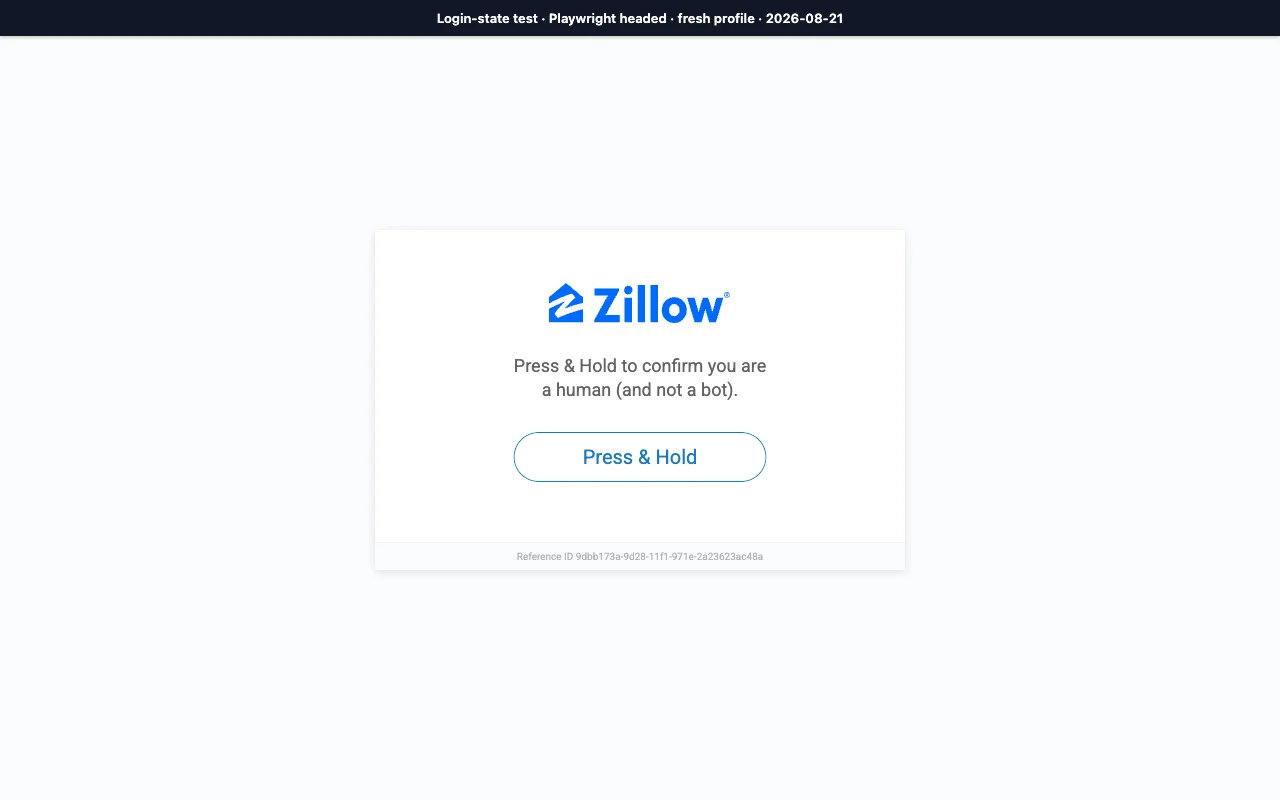
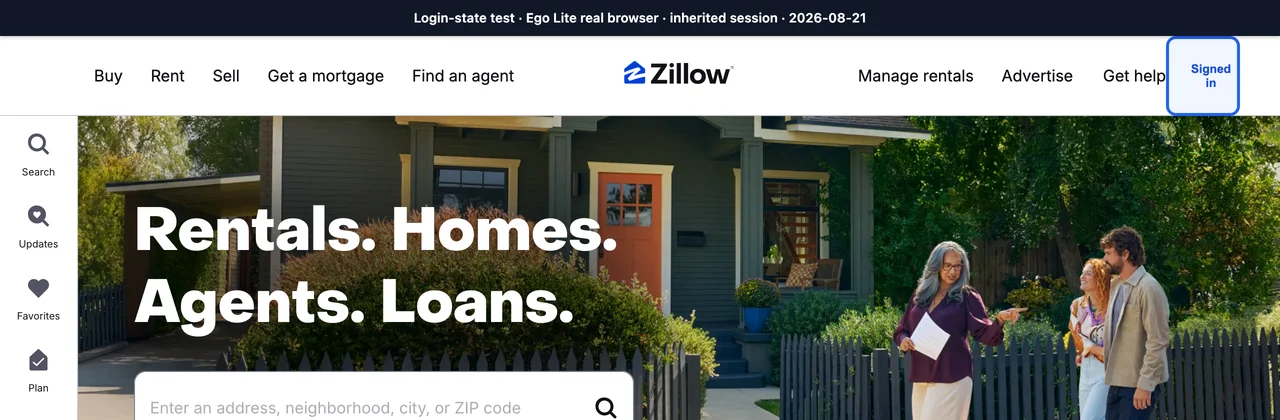
In a separate read-only run, fresh Playwright stopped at Zillow's Press & Hold screen, while ego (lite) with an inherited session reached the homepage and account menu. Read Zillow's current terms before automating. Login state, automation signals, defenses, and profile history changed together, so this remains a field observation rather than a causal benchmark.
How big is the detection gap?
Less different than it used to be, and the reason is a specific change. Chrome shipped a new headless mode (--headless=new) that runs the same browser binary as the visible one, replacing the old separate headless implementation that leaked obvious tells.
Under the old mode, sites caught headless instances on things like a HeadlessChrome token in the user agent, missing plugin and MIME arrays, and a stripped-down rendering path. The new mode closes most of those, because there's no longer a separate, thinner browser to catch.
What still leaks is subtler and rarely lives in the user agent. Automation flags (navigator.webdriver set true unless suppressed), the absence of a real display and its device-scale quirks, timing and interaction patterns no human produces, and connection signals from datacenter IPs all remain visible to a determined defender.
Detection in 2026 is a scoring problem, not a single check: no one signal condemns you, but a stack of them does. That's why the honest framing is baseline plus behavior, not headless-bad, real-good.
Our three-mode detection test
We also opened Sannysoft's public detector in three modes on the same Apple M4 Mac and network: Playwright 1.62.1 default headless Chromium, Playwright headed Chromium with a fresh profile, and ego (lite)'s persistent real browser. Each mode was repeated three times, and the visible signals below were stable across those repetitions.
| Visible signal | Playwright headless | Playwright headed, fresh | ego (lite) persistent |
|---|---|---|---|
| User agent | HeadlessChrome/151 | Chrome/151 | Chrome/150 |
| WebDriver | present (failed) | present (failed) | missing (passed) |
| Plugins | 0; PluginArray failed | 5; PluginArray passed | 5; PluginArray passed |
| Languages | en-US | en-US, en | en-US, en, zh-CN |
| WebGL renderer | SwiftShader | Apple M4 via Metal | Apple M4 via Metal |
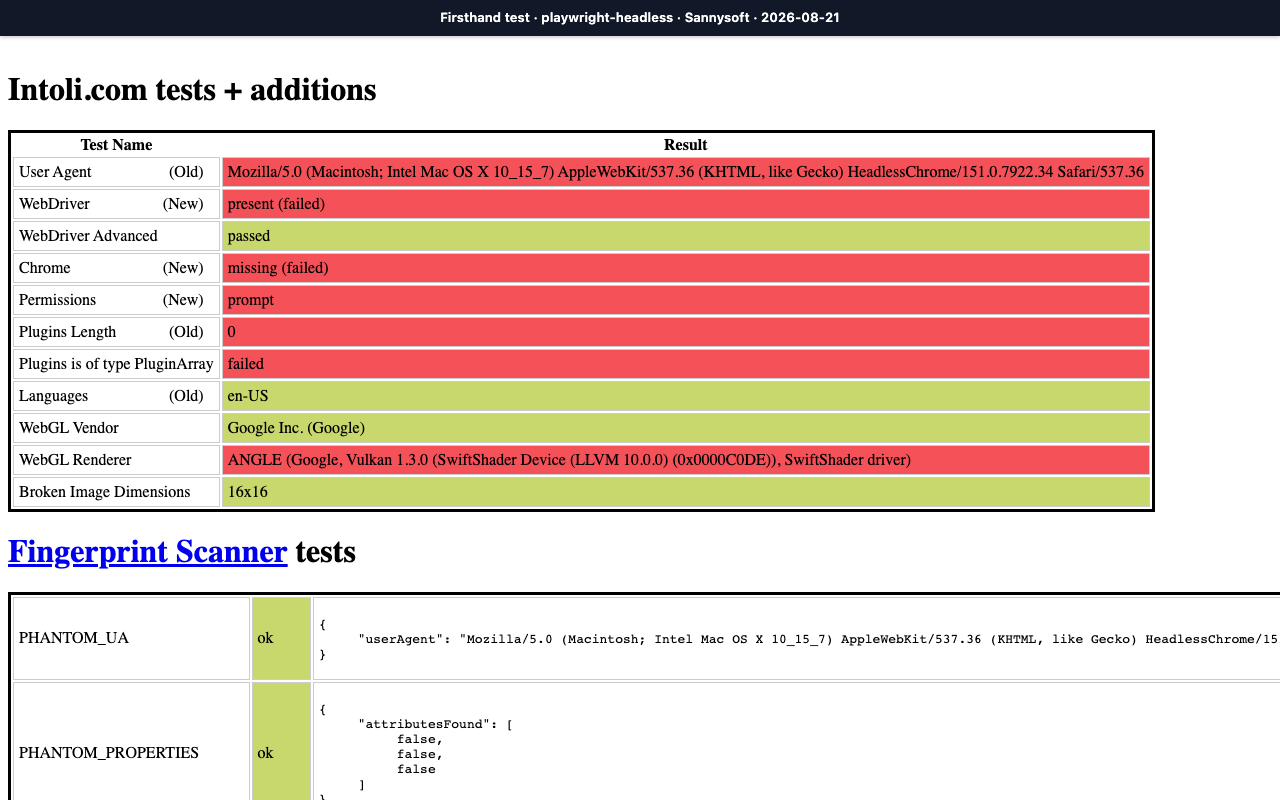
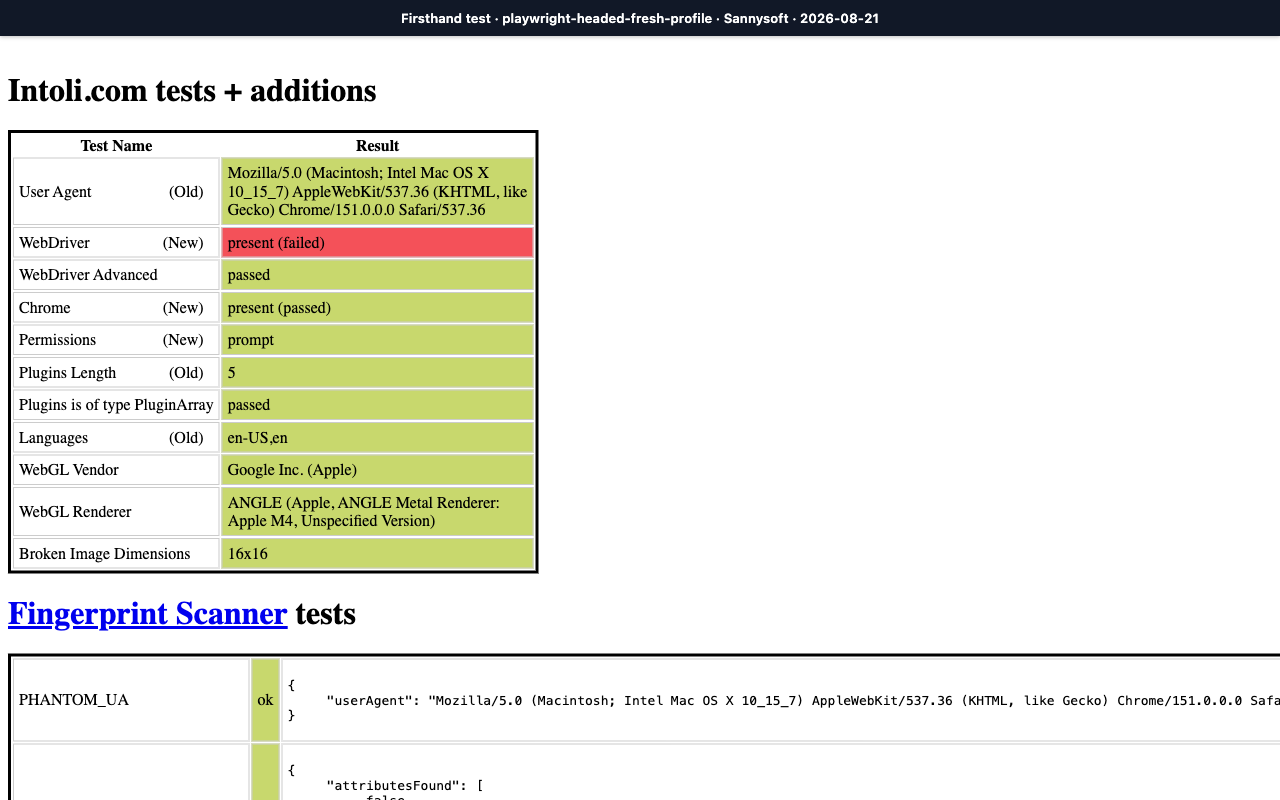
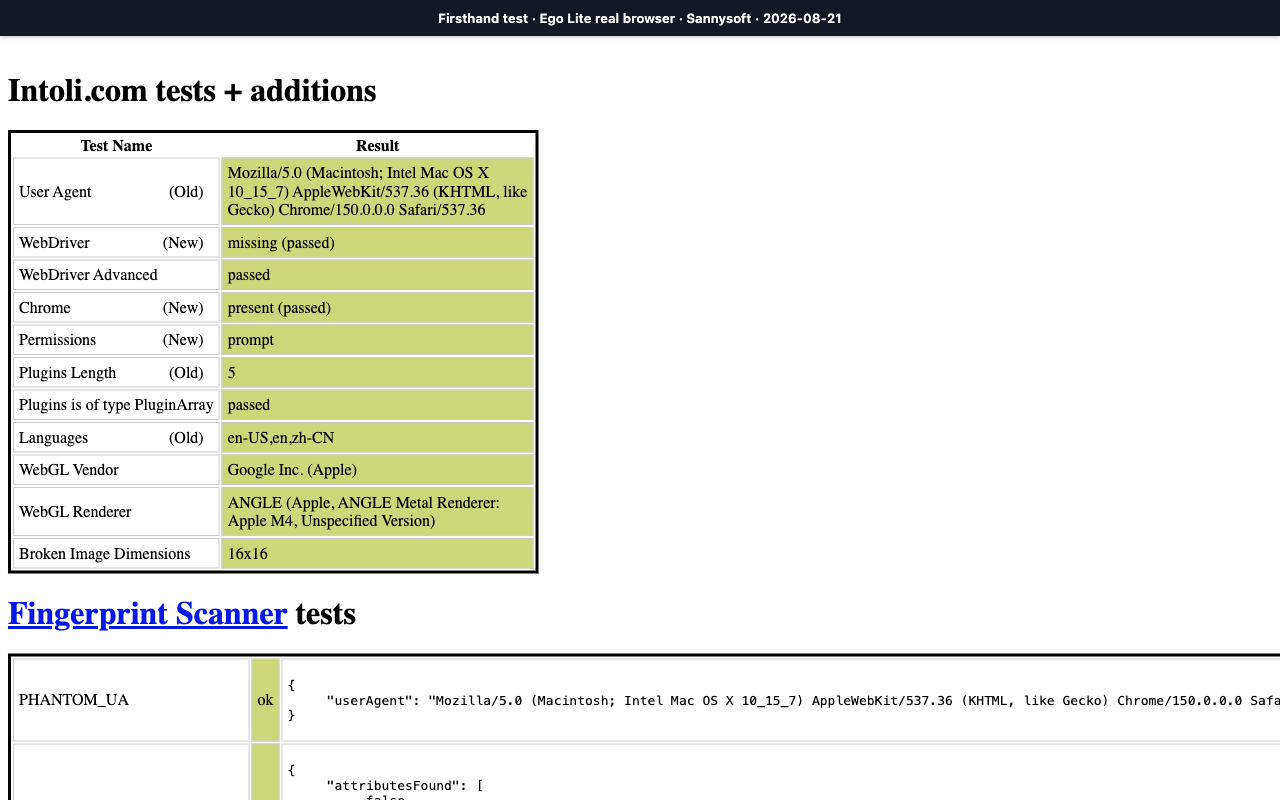
The practical result is narrower than ‘headed beats headless.’ Making Playwright visible removed several environment differences, but the fresh headed run still exposed WebDriver. The persistent ego (lite) run more closely matched the installed desktop environment on this page. A defending site can also use IP reputation, request patterns, interaction timing, account history, and private signals that this test never saw.
There is another important version detail: Playwright distinguishes its default Chromium headless shell from the newer headless mode available through the Chromium channel. Our default-headless result must not be generalized to every modern Chrome headless configuration. If detection matters, record the exact package, browser build, launch channel, flags, profile, network, and date.
What the tools felt like to run
Playwright was the cleaner choice for a controlled fresh-context test. The browser version and launch mode were explicit, the run could be repeated, and the screenshot was easy to capture at a fixed viewport. The friction appeared when the task crossed into account state: headed mode gave us a window, but the fresh profile was still fresh. We would need to authenticate, import state, or maintain a persistent profile before doing useful account work.
ego-browser took a different approach: it created an isolated Space and opened YC Hacker News inside ego (lite). The screenshot below shows the actual run, including the browser chrome, the agent's Browsing Hacker News cursor, and the live control panel. The agent works in its own tabs while the user can watch progress, take over, or stop the task at any time.
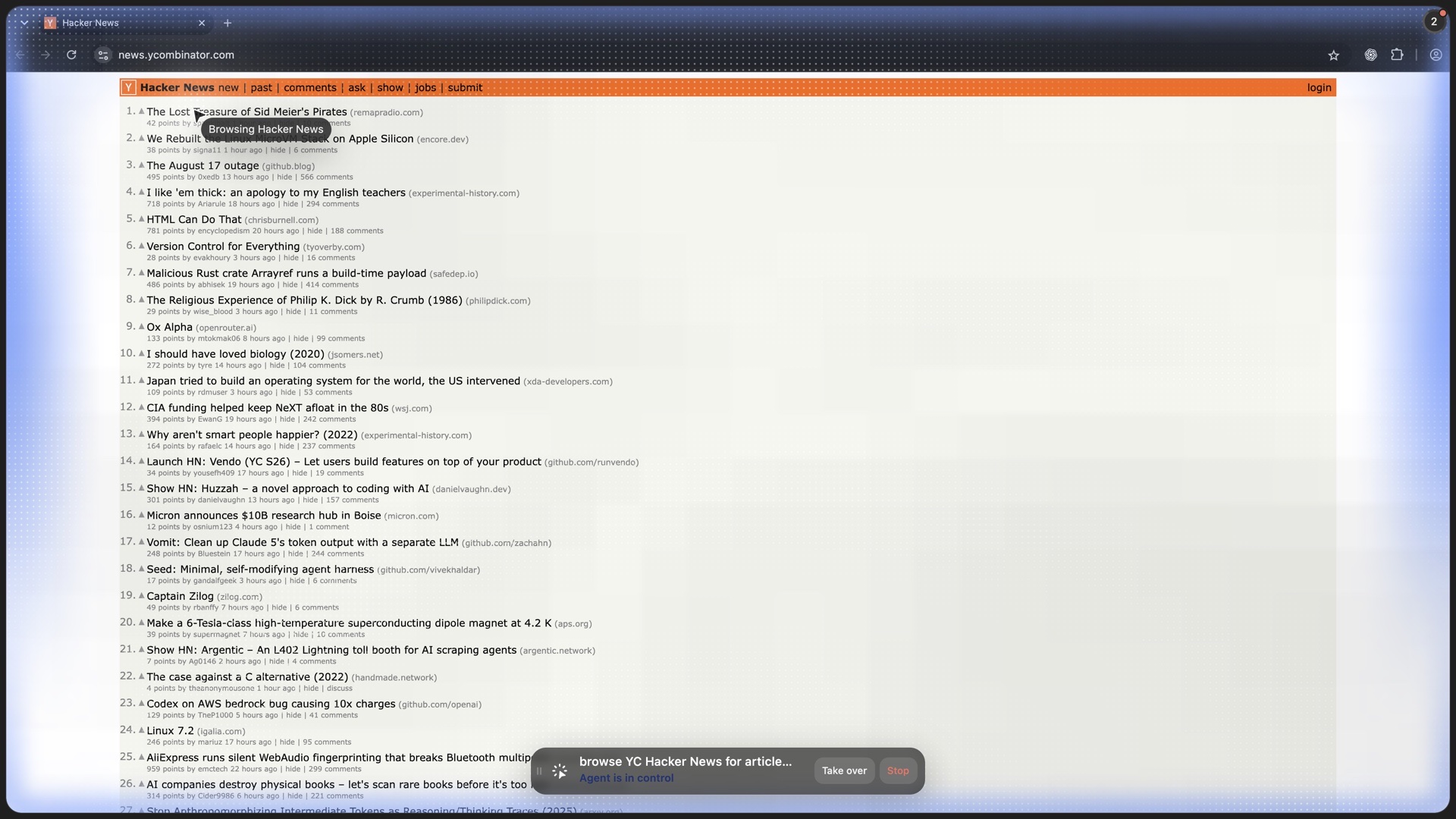
That experience also made the split between the products clearer. We would use a fresh Playwright context when a public test needs a controlled, disposable environment. When the task depends on an authorized existing session, ego (lite) skips profile recreation and lets the agent begin from the state you already prepared.
What does each cost to run?
We ran five cold starts per mode on the same M4 Mac and first-party page. Playwright 1.59.1 used Chromium 147; ego (lite) was 0.4.7.1. We recorded time, RSS, retries, and failures.
| Mode | Startup median (range) | Idle to loaded RSS | Completion median | Success |
|---|---|---|---|---|
| Default headless shell | 0.50s (0.47 to 0.73) | 238 to 263 MB | 0.64s | 5/5 |
| New headless | 0.96s (0.70 to 3.21) | 593 to 627 MB | 1.16s | 5/5 |
| Headed fresh | 1.71s (0.79 to 2.68) | 578 to 641 MB | 1.89s | 5/5 |
| ego (lite) fresh Space | 0.46s (0.43 to 0.52) | 175 to 178 MB incremental | 1.09s | 5/5 |
The default shell was the leanest full Playwright process tree at 263 MB loaded. New headless and headed reached 627 and 641 MB, only 2.2% apart. The ego (lite) Space started fastest and added 178 MB of Space processes; its row excludes the running shared app, GPU, and network processes. All 20 runs succeeded without retries.
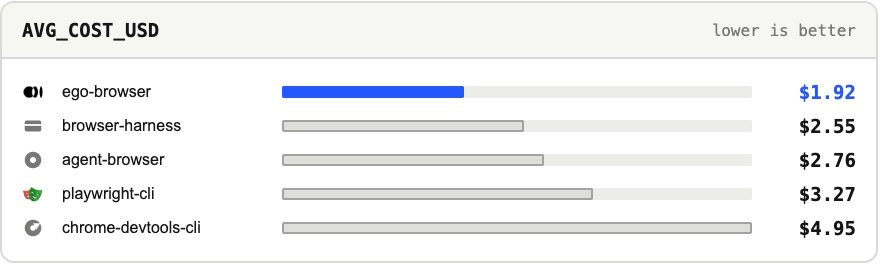
End-to-end agent cost adds another layer. In our 31-task benchmark with the same model and judge, ego-browser recorded the lowest average cost per task at $1.64. Playwright CLI recorded $3.42 and Chrome DevTools CLI recorded $4.95 under the same setup.
Which browser for which task?
The three dimensions collapse into a task lookup. Find the row that matches what you're actually doing; the pull is rarely ambiguous once the task is named honestly.
| Task | Pick | Why |
|---|---|---|
| Scraping behind your own login | Real browser | Sessions are already there; no cookie-shipping |
| Hardened anti-bot target | Real browser | Lower baseline detection surface than old headless |
| Daily agent tasks across your accounts | Real browser (ego (lite)) | Shared logins, isolated Space, window stays yours |
| Bulk crawl of public pages | Headless | No login needed; cost and parallelism dominate |
| PDF generation, CI screenshot checks | Headless | Deterministic, stateless, runs on a bare server |
The composite most real setups reach: headless for the fleet of stateless jobs, a real browser for the login-walled and defended ones, and no attempt to force one mode to do the other's job. The failure pattern is picking a mode for taste ("headless feels lighter," "a real browser feels safer") and then fighting your own choice on every task that doesn't fit it.
Why does a scraper work locally but fail in production?
Local success does not predict production access. A production deployment changes the IP reputation, TLS and browser build, display environment, timing, concurrency, cookies, and request volume that a defending site evaluates. A headless browser can be perfectly correct and still receive a challenge or an incomplete response when those signals change.
- Record browser version, launch flags, viewport, network, profile mode, response status, and timestamp for every canary run.
- Start with a low-rate, permissioned canary and compare field completeness—not only HTTP 200—to the local baseline.
- On 403, 429, CAPTCHA, consent, or challenge pages, pause, back off, request access, or use an official API or licensed feed.
Do not respond to a production block with proxy rotation, fingerprint spoofing, cookie replay, or identity cycling. Those tactics can violate terms and make diagnosis harder; the durable fix is an approved access path and a workload the target can support.
How should agents reuse login sessions?
Reuse login state only when the account owner has authorized it, and isolate that state from unrelated agents. A persistent profile or an approved storage-state file can avoid repeating SSO and MFA, but it becomes a high-value secret that needs access controls, expiration, revocation, and audit logs.
- Prefer a dedicated least-privilege account or profile for automation; never put passwords, cookies, refresh tokens, or recovery codes in prompts or source control.
- Use a password manager or human takeover for MFA and consent, and stop when the session expires instead of attempting to bypass the checkpoint.
- For headless CI, create short-lived state through the supported test flow and delete artifacts after the run; for interactive work, that authorized Chrome session can stay local and be used directly by ego (lite), without exporting it to a hosted runtime.
Session reuse improves continuity, not authorization. Recheck the target's terms, account role, data sensitivity, and current consent before each new workflow.
What can browser fingerprints and TLS signals actually prove?
A fingerprint is a collection of signals—not a verdict and not an invisibility switch. User-agent and WebGL values, plugin lists, canvas output, TLS characteristics, IP reputation, timing, navigation patterns, and account history can be combined by a site. Matching one signal to a real browser does not make an automated workflow indistinguishable or permitted.
- Use a standard, supported browser build and realistic workload limits; document what changed when a detector result changes.
- Treat stealth plugins and anti-detect browsers as unverified third-party code with their own privacy and maintenance risks.
- If a site blocks the workflow, use an API, export, or written permission rather than trying to replicate TLS, WebGL, or another user's identity.
A real browser can reduce the profile-mismatch caused by a fresh automation context, but it cannot override rate limits, account policy, or a site's risk model.
How do you isolate profiles and cookies between agents?
Give each agent a separate browser profile or isolated Space, with a named owner and a documented reset path. Sharing one profile across agents risks cross-account actions, cookie leakage, extension state collisions, and an agent reading data intended for another task.
- Use separate OS users, containers, or profile directories where the threat model requires it; do not rely on a tab name as an isolation boundary.
- Allowlist extensions and network destinations per profile, and keep downloads, local storage, caches, and traces in task-scoped directories.
- On reset, close the browser, revoke tokens, delete cookies and profile artifacts, clear logs, and verify that no process still holds a lock or debugging port.
Isolation is defense in depth. It limits accidental crossover, but it does not make a malicious page safe or remove the need for least-privilege permissions and human review.
How do you detect stale pages and false success?
Require evidence that the page is current and the requested action took effect. Check the final URL, a visible heading or record ID, a fresh timestamp, expected row or field counts, and a state change after every mutating action; an HTTP 200 or a clicked coordinate is not proof of success.
- Refresh or re-query when freshness matters, and compare the displayed period with the requested date range.
- For canvas or image-only pages, use a second signal such as OCR, accessibility metadata, or a downloaded artifact, and mark low-confidence fields unavailable.
- Save a screenshot, trace, source URL, and checked-at time at the checkpoint so a reviewer can reproduce the claim.
A trustworthy agent reports uncertainty and stops. It never fills a missing value from a previous page or claims that a task is complete because the browser stopped throwing errors.
How do you recover from headless crashes and cleanup failures?
Make browser crashes recoverable by treating the process, profile, and queue item as separate state. Set timeouts around navigation and evaluate calls, persist a checkpoint before each item, and restart with a fresh context after a crash rather than reusing a possibly corrupted session.
- On startup, detect an existing process or profile lock, confirm it belongs to the same job, and remove only a verified stale lock after the process is gone.
- Use bounded retries with backoff; classify browser crashes separately from target 5xx errors, authentication failures, and application timeouts.
- Close pages and contexts in finally blocks, cap memory and concurrent tabs, and retain the crash log and last URL for diagnosis.
A restart must be idempotent. Use a record key or checkpoint to avoid submitting a form, downloading a file, or writing a row twice after a process dies.
What does an agent see, and how do extensions affect privacy?
An agent may receive DOM or accessibility data, screenshots, network metadata, downloaded files, or only the command output you return; the browser mode does not decide this by itself. Define the observation boundary explicitly and redact secrets, personal data, payment details, and unrelated tabs before a tool response reaches the model.
- Review extension permissions and vendor data retention. Ad blockers can change page behavior, while password managers and privacy extensions may expose or modify sensitive flows.
- Use separate profiles for sensitive accounts, disable unnecessary extensions, and keep DevTools or CDP endpoints local and authenticated.
- Tell the agent which domains and fields are in scope; do not let page text grant new tools or permissions.
Local execution reduces some data transfer, but it is not a privacy guarantee. Audit logs, screenshots, model providers, extensions, and crash dumps as part of the data-flow review.
When is a real browser not the answer?
Do not use a real browser when an API, export, database query, or server-side integration is available and authorized. Headless automation is usually cheaper for high-volume public pages, deterministic CI, PDF generation, and reproducible tests; a browser is a poor substitute for a supported data interface.
- Use an API or export for stable, structured data and clear quotas; use a headless test runner for repeatable assertions and CI.
- Use a real browser for user-authorized interactive sessions, visual checks, or workflows that genuinely require the desktop environment, not for account creation or access-control bypass. Native Open and Save sheets stay outside the page; the upload path that never clicks them is in how to automate native file dialogs.
- Consider a native browser engine or HTTP client only after verifying support for JavaScript, authentication, rendering, and the site's contract; smaller engines may lack those capabilities.
The right architecture minimizes both risk and maintenance. Choose the narrowest supported interface that can produce the evidence your workflow needs, then keep a browser fallback for the cases that truly require it.
FAQ
What is the best headless browser for AI agents?
For most agent work it's headless Chromium driven by Playwright, because it has broad tooling, four official language families, and access to modern Chromium headless modes; Puppeteer is the leaner pick for Chrome-only jobs, and agent-browser is the CLI built for agents specifically. Firefox and WebKit headless matter when you need cross-engine coverage.
"Best" is task-shaped: the right headless browser for CI checks and the right one for evading a hardened target can differ, and for the hardened target the better answer is often a real browser.
Is a browser like ego (lite) called a headed browser or a real browser?
Both descriptions are useful, but real browser is not a formal industry category. Headed only says a window is rendered, and a Playwright-launched headed Chromium can still use a fresh automation profile. In this article, real browser means the ordinary persistent browser environment a person uses: an installed profile, live sessions, and the surrounding desktop environment. ego (lite) fits that practical definition because it can inherit authorized Chrome sessions inside an isolated Space.
Can websites detect a headless browser?
Yes, but less easily than before. Chrome's new headless mode removed the obvious tells (the HeadlessChrome user-agent token, missing plugin arrays), so detection now leans on automation flags, environment signals like the absence of a display, and behavioral patterns. It's a scoring stack, not one check, which is why a well-configured headless setup passes on public pages while a careless one still gets caught.
Should Browser Use run headless or not?
It depends on the task, and the toggle exists for exactly that. Run it headless for stateless scraping and CI-style jobs where cost and speed win. Run it headed (or on a real-browser setup) when the target is login-walled or heavily defended, where a visible, session-carrying browser is worth the resource cost. The framework supports both; the task should decide which.
Is a real browser always safer from bans?
No. A real browser lowers the baseline detection surface, but bans track behavior: volume, speed, and access patterns no human produces get flagged in any browser. A real browser driven abusively is more detectable than a careful headless crawler on public data. The browser sets the floor; how you behave decides whether you stay on it.
Does headless mean faster?
Usually per-instance and at scale, yes, because there's no window to render and instances pack densely for parallel work. For a single interactive task the difference is marginal, and any speed edge disappears if the site blocks the headless instance and you have to retry. Headless is faster where its economics apply (many stateless jobs), not universally.
Can I share my logins with a headless browser?
Yes. Playwright can load a saved authentication state, add cookies, or launch a persistent context, but that state must be created, protected, refreshed, and debugged as it expires. If an existing authorized login is the point, a real-browser tool that inherits the user's session inside an isolated Space can remove the injection step, at the cost of being a desktop browser rather than a CI-friendly headless one.
Do AI agents need persistent computers instead of sandboxes?
They need the right combination for the job. An ephemeral sandbox is valuable for isolating untrusted, one-off code; a persistent computer is valuable when the agent must keep files, installed tools, memory, or a browser session between runs. The strongest design layers the two: isolate the workspace, persist only the state the workflow needs, and give the user a clear way to inspect, reset, revoke, or take over.
What is the difference between a headless browser and a real browser?
A headless browser runs without a visible window and is well suited to scripted, parallel work on servers. In this article, a real browser means an ordinary persistent desktop browser environment with a user-authorized profile and live sessions. The practical divide is often state management: fresh automation contexts begin empty, while an existing persistent session is already prepared.
Do stealth plugins make a headless browser undetectable?
No. Plugins like puppeteer-extra-plugin-stealth or forks like Camoufox and Patchright suppress known signals, but detection is a moving target and practitioners report cases where a stealth fork got blocked while default Playwright passed. Stealth changes a few signals; it does not buy invisibility, permission, or reliability. When a legitimate task depends on an authorized session, a real browser can reduce profile-mismatch without promising access through a control.
Choose the next step
If your choice is between a fresh Playwright workflow and an isolated session-carrying browser, read the ego (lite) vs Playwright comparison. If the task needs an existing authorized login, download ego (lite) and start in a separate Space rather than handing an agent your active browser window.