We benchmarked Claude Opus 5.5's browser use with five browser automation tools on 20 UI tasks


For Claude Code browser use with Claude Opus 5.5, we'd pick ego-browser for UI tasks like the 20 we ran: fastest of five tools on average, but pricier per task than three. We ran each tool on the same 20 UI tasks on public practice apps, twice per task, so every tool made 40 attempts. ego-browser, agent-browser, Playwright CLI, Browser Use CLI and Chrome DevTools CLI each passed 40 of 40. ego-browser averaged 83.8 seconds per task, Playwright CLI 95.2, Browser Use CLI 97.5, agent-browser 106.7 and Chrome DevTools CLI 113.8. agent-browser was the cheapest at $0.187 per task, then Playwright CLI at $0.200, Browser Use CLI at $0.250, ego-browser at $0.299 and Chrome DevTools CLI at $0.329.
ego-browser's time came off running browser commands, not off the model. Its commands ran in 37.8 seconds per task, against 51.7 to 64.7 for the other four tools. Opus 5.5 sent fewer of them, 9.3 per task against 10.2 to 11.4, and each finished sooner, 4.1 seconds against 5.1 to 5.9.
With every tool, Opus 5.5 put two or more browser calls into most commands, from 57% of commands with Chrome DevTools CLI to 90% with ego-browser. How it read the page differed: with agent-browser, Playwright CLI and Chrome DevTools CLI, 28% to 48% of its commands read a page snapshot, against 15% with ego-browser.
Against agent-browser, the cheapest, ego-browser cost 11.2 cents more per task and averaged 22.9 seconds less. Against Playwright CLI it cost about 10 cents more and averaged 11.4 seconds less. The model and its price are the same in every tool, so the gap is usage.
Sorting tables and lists is where ego-browser's lead was widest. On the 7 sorting tasks it averaged 73.3 seconds per task, about 20 seconds less than Browser Use CLI, the next lowest, at 93.2.
| Tool | Success rate | Average time per task | Average cost per task |
|---|---|---|---|
| agent-browser | 100% (40/40) | 106.7 s | $0.187 |
| Browser Use CLI | 100% (40/40) | 97.5 s | $0.250 |
| Chrome DevTools CLI | 100% (40/40) | 113.8 s | $0.329 |
| ego-browser | 100% (40/40) | 83.8 s | $0.299 |
| Playwright CLI | 100% (40/40) | 95.2 s | $0.200 |
Each tool ran each of the 20 tasks twice, so the success rate counts 40 attempts per tool. Time and cost per task are the average of a task's two attempts over all 20 tasks. Time is waiting on Opus 5.5 plus running browser commands, and cost is what Claude Code computed for each attempt.
Speed
ego-browser had the lowest average time of the five with Opus 5.5, and it was quicker than each other tool on 15 or 16 of the 20 tasks. The time came off running browser commands:
| Tool | Average time per task | Running browser commands | Browser commands per task |
|---|---|---|---|
| agent-browser | 106.7 s | 64.7 s | 10.9 |
| Browser Use CLI | 97.5 s | 51.7 s | 10.2 |
| Chrome DevTools CLI | 113.8 s | 63.2 s | 11.4 |
| ego-browser | 83.8 s | 37.8 s | 9.3 |
| Playwright CLI | 95.2 s | 57.8 s | 10.4 |
The model isn't where ego-browser saved time. Waiting on Opus 5.5 took 37.4 to 50.5 seconds per task across the five tools, and 45.9 with ego-browser, more than with Playwright CLI or agent-browser. Command speed mattered more than command count. Opus 5.5 sent 9.3 commands per task with ego-browser against 10.2 to 11.4, but each ego-browser command took 4.1 seconds on average against 5.1 to 5.9. Command time includes page loads in the browser each tool drives, so these numbers describe each tool together with its browser.
The DEMOQA pickers task shows the per-command difference. Opus 5.5 opens DEMOQA's select-menu page, records the options of two of its pickers, then records the categories of matching products in a practice shop. It sent 9.5 commands per task with ego-browser, in the middle of the other four's 8.0 to 10.5. Those commands ran in 30.2 seconds per task with ego-browser, against 48.8 to 56.3 with the other four, and the task took 75.9 seconds against 87.0 to 100.0.

In our runs, ego-browser took 12% less time per task than Playwright CLI, which had the next lowest average, and 26% less than Chrome DevTools CLI. For an agent that works through UI flows like these one after another, we'd take that.
How Opus 5.5 works in each tool
Every tool got Opus 5.5 to the right answer in all 40 attempts on these 20 practice-app tasks. No attempt came near the 100-step limit; the longest took 35 steps. What the tool changed was how Opus 5.5 used each round trip to the browser.
With every tool, Opus 5.5 put two or more browser calls into most commands: a shell line of CLI calls, or a JavaScript or Python program. It also ran its own page JavaScript with all five, through agent-browser's eval, Playwright CLI's eval, Chrome DevTools CLI's evaluate_script or the programs. agent-browser, Playwright CLI and Chrome DevTools CLI also return accessibility snapshots, and with them Opus 5.5 read snapshots more often:
| Tool | Browser commands per task | Commands with two or more browser calls | Commands that read a page snapshot |
|---|---|---|---|
| agent-browser | 10.9 | 82% | 28% |
| Browser Use CLI | 10.2 | 88% | 1% |
| Chrome DevTools CLI | 11.4 | 57% | 42% |
| ego-browser | 9.3 | 90% | 15% |
| Playwright CLI | 10.4 | 75% | 48% |
The two program tools, ego-browser and Browser Use CLI, let Opus 5.5 pack the most into one command. With ego-browser it mostly read the page through its own JavaScript, and it sent the fewest commands of the five, 9.3 per task.
On the Selenium mouse task, the difference starts at the second command. The agent has to click a text field, double-click it, right-click it and drag a box onto a target, recording the status the page shows after each action. In the first ego-browser attempt, the second command did all four with mouse input at each element's position and read the status after each one.

Across both attempts, Opus 5.5 finished the four mouse actions by command 2 or 3 with ego-browser and Browser Use CLI. It got there by command 4 or 5 with Playwright CLI, command 6 with agent-browser and command 7 with Chrome DevTools CLI. The whole task took 4.5 commands per task with ego-browser, 5.5 with Browser Use CLI and 7.5 to 11.5 with the other three.
For tasks like this one, with several actions on one page, ego-browser and Browser Use CLI got Opus 5.5 there in the fewest round trips in our runs.
Cost
agent-browser was the cheapest of the five at $0.187 per task, and ego-browser was fourth at $0.299. Opus 5.5 has the same price in every tool, so the whole gap is how many tokens each tool's runs used. Anthropic lists Claude Opus 5.5 at $4 per million input tokens, $8 per million one-hour cache writes, $0.20 per million cache reads and $20 per million output tokens.
Most of ego-browser's extra cost is context written to the prompt cache, the new context each step adds, such as the command Opus 5.5 wrote and what the tool printed back. Of the 11.2 cents it cost over agent-browser, 7.3 cents were cache writes, 2.2 cents output and 1.7 cents cache reads. With ego-browser, Opus 5.5 wrote 22,019 tokens per task to the cache, against 12,835 with agent-browser, and it wrote the most output tokens of the five:
| Tool | Average cost per task | Cache writes per task | Output tokens per task |
|---|---|---|---|
| agent-browser | $0.187 | 12,835 | 2,522 |
| Browser Use CLI | $0.250 | 18,011 | 3,137 |
| Chrome DevTools CLI | $0.329 | 24,633 | 3,549 |
| ego-browser | $0.299 | 22,019 | 3,637 |
| Playwright CLI | $0.200 | 14,920 | 2,349 |
In our runs, the extra 11.2 cents over agent-browser came with 22.9 seconds less per task, and about 10 cents over Playwright CLI with 11.4 seconds less. If an agent's waiting time matters more to you than that difference in tokens, we'd pay it. If spend per task is the number you watch, agent-browser at $0.187 and Playwright CLI at $0.200 are the cheaper picks.
Sorting tables and lists
Sorting is where ego-browser's lead was widest, about 20 seconds per task against 11.4 over all 20 tasks. On the 7 tasks that ask for a sorted table or list or work with a sortable table, it averaged 73.3 seconds per task. Browser Use CLI was next at 93.2. ego-browser had the lowest time on 4 of the 7 and was quicker than each other tool on 5 to 7 of them.
The lead came from command speed, not command count:
| Tool | Average time per task | Running browser commands | Browser commands per task | Average cost per task |
|---|---|---|---|---|
| agent-browser | 93.9 s | 53.8 s | 11.0 | $0.181 |
| Browser Use CLI | 93.2 s | 50.1 s | 8.9 | $0.240 |
| Chrome DevTools CLI | 130.8 s | 76.0 s | 11.9 | $0.394 |
| ego-browser | 73.3 s | 26.6 s | 9.7 | $0.313 |
| Playwright CLI | 93.9 s | 55.3 s | 10.4 | $0.208 |
Opus 5.5 sent 8.9 to 11.9 commands per task with every tool, and Browser Use CLI needed fewer than ego-browser. ego-browser's commands took 2.7 seconds each on these tasks, against 4.9 to 6.4 with the other four.
One task collects the categories of Cotton products in a practice shop and sorts the DEMOQA Book Store by title from A to Z. It then opens the book whose position comes from the shop results and reads a Selenium JavaScript page. In the first ego-browser attempt, the fifth command read the book list, clicked the Title header and read the list again in its new order. Opus 5.5 sent 8 commands per attempt with ego-browser and 7 to 12 with the others. The task took 71.5 seconds on average with ego-browser and 74.0 to 100.5 with the other four.

If your agent's UI work is mostly sorting and re-reading tables, this is where ego-browser saved the most time in our runs.
Which tool to use with Claude Opus 5.5
For UI tasks like the 20 we ran with Claude Opus 5.5, we'd pick ego-browser. All five tools passed every attempt, so on these tasks they differed only in time and cost. ego-browser had the lowest average time, 83.8 seconds per task. Its lead was widest on sorting tables and lists, about 20 seconds per task.
If spend per task matters more than time, pick agent-browser at $0.187 or Playwright CLI at $0.200. Between those two, Playwright CLI had the lower average, 95.2 seconds per task against 106.7, and agent-browser was faster on 12 of the 20 tasks. Browser Use CLI was close to Playwright CLI on time, at 97.5 seconds per task, and cost more, $0.250.
The setup we tested is Claude Opus 5.5 (claude-opus-5-5) at high reasoning effort in Claude Code. It had the Bash, Read, Write, Edit and Skill tools, with the browser tool's skill file offered as a Claude Code skill. ego-browser comes with ego(lite).
How ego(lite) fits this comparison
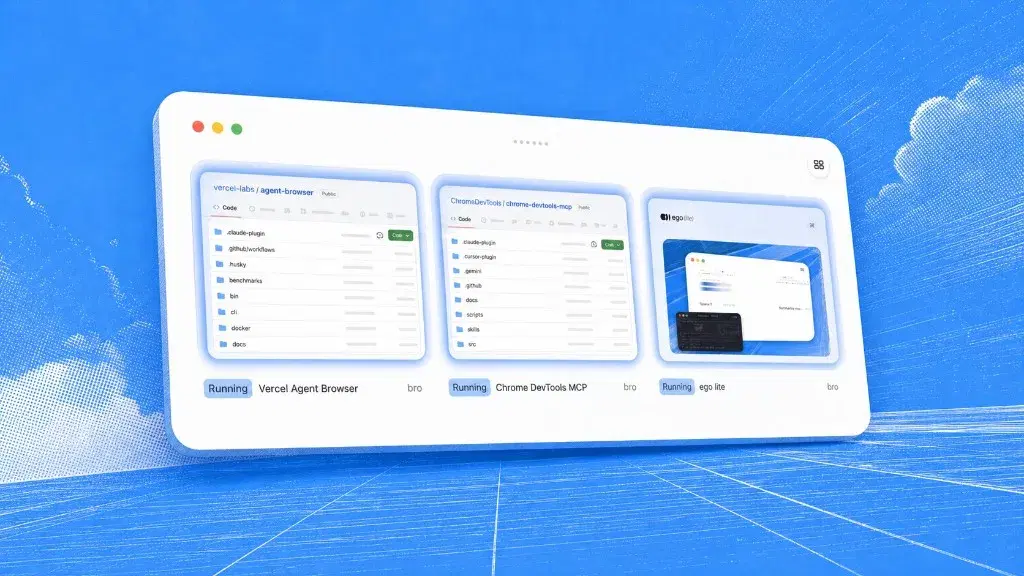
ego(lite) was the browser driven by ego-browser in this Claude Code comparison; the other four tools drove Chrome. The ego-browser integration guide explains how that browser connects to an Agent. The dollar figures compare model token costs in those configurations, rather than the price of a browser subscription.
For this choice, keep Claude Opus 5.5, Claude Code, the task inputs and the tool guidance aligned with the tested setup. All five tools passed the 20 UI tasks, so the decision is the measured time-versus-model-cost trade-off. These results do not rank other models or establish outcomes for different kinds of work.
FAQ
Which browser automation tool is fastest with Claude Opus 5.5?
ego-browser had the lowest average time in our runs, 83.8 seconds per task across 20 UI tasks on practice apps in Claude Code. Playwright CLI took 95.2, Browser Use CLI 97.5, agent-browser 106.7 and Chrome DevTools CLI 113.8. All five passed 40 of 40 attempts.
Which browser tool is cheapest with Claude Opus 5.5?
agent-browser was the cheapest, at $0.187 per task on our 20 UI tasks in Claude Code. Playwright CLI cost $0.200, Browser Use CLI $0.250, ego-browser $0.299 and Chrome DevTools CLI $0.329. The model's price is the same in every tool, so the gap comes from how many tokens each tool's runs used.
Does the browser tool change whether Claude Opus 5.5 completes UI tasks?
Not on our 20 practice-app UI tasks: Claude Opus 5.5 passed 40 of 40 attempts with each of the five tools. The tasks cover pickers, sortable tables, forms and drag and drop. The tools differed in time and cost instead, from 83.8 to 113.8 seconds and $0.187 to $0.329 per task.
Is agent-browser better than Playwright CLI for Claude Code?
agent-browser was cheaper than Playwright CLI with Claude Opus 5.5, $0.187 per task against $0.200, and faster on 12 of our 20 UI tasks. Playwright CLI had the lower average time, 95.2 seconds per task against 106.7. Both passed 40 of 40 attempts.
Is Browser Use CLI better than Playwright CLI?
They were even on speed: with Claude Opus 5.5, each was faster on 10 of our 20 UI tasks. The averages were 97.5 seconds per task for Browser Use CLI and 95.2 for Playwright CLI. Playwright CLI cost less, $0.200 per task against $0.250, and both passed 40 of 40 attempts.
Is ego-browser faster than Playwright CLI with Claude Opus 5.5?
ego-browser averaged 83.8 seconds per task on our 20 UI tasks and Playwright CLI 95.2, so ego-browser took 12% less time. Playwright CLI cost about 10 cents less per task, $0.200 against $0.299. Both passed 40 of 40 attempts.
Which browser tool is fastest for mouse actions and drag and drop with Claude Opus 5.5?
ego-browser had the lowest average, 72.1 seconds per task, on our 4 tasks with drag and drop, double-clicks, right-clicks or hovering. Playwright CLI took 85.8, agent-browser 89.4, Browser Use CLI 104.5 and Chrome DevTools CLI 118.1.
Which browser tool is fastest for dropdowns and pickers with Claude Opus 5.5?
ego-browser had the lowest average, 84.9 seconds per task, on our 8 tasks that choose from dropdowns or open pickers. Playwright CLI was next at 91.9 seconds per task.
How many browser commands does Claude Opus 5.5 need per UI task?
Between 9.3 and 11.4 per task on our 20 UI tasks, depending on the tool. It sent the fewest with ego-browser, 9.3, then Browser Use CLI at 10.2, Playwright CLI at 10.4, agent-browser at 10.9 and Chrome DevTools CLI at 11.4. With every tool, most of those commands ran two or more browser calls.
Does Claude Opus 5.5 read page snapshots with these browser tools?
In 28% to 48% of its commands with agent-browser, Playwright CLI and Chrome DevTools CLI on our 20 UI tasks. With ego-browser 15% of its commands read a page snapshot, and with Browser Use CLI 1% did. The rest of the time it read the page through command output or its own page JavaScript.
How we tested
We ran Claude Opus 5.5 (claude-opus-5-5) at high reasoning effort in Claude Code 2.1.293 on one Apple silicon Mac running macOS 26. The runs took place on October 15, 2026 and October 16, 2026.
The agent had the same tools in every run, Bash, Read, Write, Edit and Skill, with the browser tool's skill file offered as a Claude Code skill. The versions were agent-browser 0.39.1, Browser Use CLI 0.1.13, Chrome DevTools CLI 1.10.1 and Playwright CLI 0.1.22, all driving Google Chrome 155. Chrome DevTools CLI is the chrome-devtools command that ships with chrome-devtools-mcp. ego-browser 1.2.3 drove ego(lite).
The tools hand the page to the model in two ways. agent-browser, Playwright CLI and Chrome DevTools CLI return accessibility snapshots with element references when asked, plus each command's output. ego-browser and Browser Use CLI run a JavaScript or Python program and return what it prints; ego-browser can also print a text snapshot.
The 20 tasks run on public practice apps built for UI automation testing, and each task names the sites it uses. The sites are UI Test Automation Playground, the-internet, Expand Testing, Test Pages, DEMOQA, Selenium's test pages and the Automation Exercise practice shop. Each task spans two or three of them.
The kinds of work are rules over each task's own text and its recorded interaction counts, and a task can count in several. Sorting tables and lists, 7 tasks: the task asks for a sorted table or list or works with a sortable table, such as the Cotton products, sorted book list and Selenium JavaScript page task. Mouse actions and drag and drop, 4 tasks: the task text asks for drag and drop, a double-click, a right-click or a hover. Dropdowns and pickers, 8 tasks: the task has select or expand interactions. Forms and text fields, 7 tasks: the task has typing interactions.
The 20 tasks come with 81 scored items, written before any run. Each scored item is checked against the attempt's final answer, and an attempt passes only when every item for its task is right. An attempt is one run of one task from start to final answer. A step is one reply from Opus 5.5; each attempt allowed 100 steps and 60 minutes at most.
A browser command is one shell command the agent ran with the browser tool: one ego-browser program, one Browser Use CLI program, or one shell line of agent-browser, Playwright CLI or Chrome DevTools CLI calls. A browser call is one call into the tool inside a command, either one CLI call or one function call that acts on or reads the page. A command that read a page snapshot called agent-browser's snapshot, Playwright CLI's snapshot, Chrome DevTools CLI's take_snapshot, ego-browser's snapshotText or the accessibility tree through Browser Use CLI's cdp call. We counted all three in all 40 attempts per tool from the logged commands.
An attempt's time is the time spent waiting on Opus 5.5, including the Anthropic API, plus the time running browser commands, page loads included, and nothing else. Seconds per browser command is the time running browser commands divided by the number of commands. Cost is the cost Claude Code computed for each attempt at Anthropic's list prices. The cache-write, cache-read and output split comes from the token counts in each attempt's session log at the same prices, with one-hour cache writes as the logs show. Time and cost per task are the averages of a task's two attempts.
Full results
Each cell shows the attempts passed out of 2, then the task's average time and average cost over its two attempts. Time includes waiting on the Anthropic API. The kinds of work are the four defined in How we tested.
| Task | Kinds of work | agent-browser | Browser Use CLI | Chrome DevTools CLI | ego-browser | Playwright CLI |
|---|---|---|---|---|---|---|
| Key presses and delayed labels on two practice sites | None of the four | 2/2, 60.9 s, $0.083 | 2/2, 86.3 s, $0.199 | 2/2, 117.2 s, $0.192 | 2/2, 57.6 s, $0.152 | 2/2, 87.4 s, $0.087 |
| Student roster, then a practice app's name form | Sorting tables and lists; Dropdowns and pickers; Forms and text fields | 2/2, 89.4 s, $0.180 | 2/2, 61.1 s, $0.194 | 2/2, 112.5 s, $0.420 | 2/2, 73.4 s, $0.334 | 2/2, 91.7 s, $0.280 |
| Student roster, store pages and dynamic controls | Forms and text fields | 2/2, 148.9 s, $0.189 | 2/2, 106.3 s, $0.274 | 2/2, 118.7 s, $0.332 | 2/2, 109.4 s, $0.393 | 2/2, 175.0 s, $0.226 |
| Student roster, data tables and store detail pages | Sorting tables and lists; Dropdowns and pickers | 2/2, 84.3 s, $0.212 | 2/2, 80.3 s, $0.239 | 2/2, 119.7 s, $0.285 | 2/2, 67.5 s, $0.309 | 2/2, 90.3 s, $0.193 |
| Dropdowns, country autocomplete and store paging | Dropdowns and pickers; Forms and text fields | 2/2, 116.3 s, $0.289 | 2/2, 107.3 s, $0.358 | 2/2, 103.6 s, $0.394 | 2/2, 105.9 s, $0.488 | 2/2, 90.4 s, $0.309 |
| Store paging and country autocomplete | Forms and text fields | 2/2, 117.4 s, $0.216 | 2/2, 96.2 s, $0.319 | 2/2, 78.9 s, $0.301 | 2/2, 98.5 s, $0.379 | 2/2, 64.4 s, $0.317 |
| Synchronisation exercises on three practice sites | None of the four | 2/2, 82.9 s, $0.129 | 2/2, 103.7 s, $0.213 | 2/2, 123.9 s, $0.307 | 2/2, 99.2 s, $0.295 | 2/2, 109.7 s, $0.171 |
| Sortable table, autocomplete and a scroll-and-hover click challenge | Sorting tables and lists; Mouse actions and drag and drop; Forms and text fields | 2/2, 91.2 s, $0.230 | 2/2, 149.5 s, $0.359 | 2/2, 148.5 s, $0.380 | 2/2, 96.2 s, $0.416 | 2/2, 96.3 s, $0.252 |
| Sortable table, student roster and a ticket form | Sorting tables and lists; Dropdowns and pickers; Forms and text fields | 2/2, 89.4 s, $0.152 | 2/2, 84.8 s, $0.238 | 2/2, 159.9 s, $0.480 | 2/2, 61.7 s, $0.316 | 2/2, 86.3 s, $0.235 |
| Dropdown codes and a dependent AJAX form | Dropdowns and pickers | 2/2, 36.8 s, $0.147 | 2/2, 61.4 s, $0.166 | 2/2, 82.6 s, $0.261 | 2/2, 47.2 s, $0.234 | 2/2, 55.4 s, $0.154 |
| Pink products' categories and a sorted book list | Sorting tables and lists | 2/2, 91.1 s, $0.160 | 2/2, 120.9 s, $0.250 | 2/2, 167.2 s, $0.492 | 2/2, 59.4 s, $0.232 | 2/2, 130.4 s, $0.214 |
| Madame brand categories and a sorted book list | Sorting tables and lists | 2/2, 138.2 s, $0.163 | 2/2, 72.3 s, $0.166 | 2/2, 107.2 s, $0.265 | 2/2, 83.1 s, $0.265 | 2/2, 69.6 s, $0.124 |
| Cotton products, a sorted book list and a Selenium JavaScript page | Sorting tables and lists | 2/2, 74.0 s, $0.168 | 2/2, 83.7 s, $0.236 | 2/2, 100.5 s, $0.434 | 2/2, 71.5 s, $0.316 | 2/2, 92.8 s, $0.158 |
| Biba brand, Selenium alerts and a book store | None of the four | 2/2, 80.9 s, $0.168 | 2/2, 119.6 s, $0.336 | 2/2, 97.3 s, $0.429 | 2/2, 147.5 s, $0.311 | 2/2, 87.1 s, $0.164 |
| Polo brand, Selenium selectable list and drag and drop | Mouse actions and drag and drop | 2/2, 95.5 s, $0.135 | 2/2, 93.3 s, $0.210 | 2/2, 116.1 s, $0.255 | 2/2, 59.6 s, $0.220 | 2/2, 91.9 s, $0.189 |
| No Starch Press books, a shop brand and Selenium alerts | Dropdowns and pickers | 2/2, 413.0 s, $0.441 | 2/2, 161.9 s, $0.341 | 2/2, 119.0 s, $0.262 | 2/2, 155.5 s, $0.309 | 2/2, 131.4 s, $0.224 |
| DEMOQA autocomplete and matching shop products | Forms and text fields | 2/2, 65.7 s, $0.166 | 2/2, 85.7 s, $0.197 | 2/2, 99.6 s, $0.239 | 2/2, 73.5 s, $0.214 | 2/2, 103.2 s, $0.159 |
| DEMOQA pickers and matching shop categories | Dropdowns and pickers | 2/2, 87.0 s, $0.152 | 2/2, 100.0 s, $0.231 | 2/2, 95.1 s, $0.257 | 2/2, 75.9 s, $0.292 | 2/2, 95.5 s, $0.180 |
| DEMOQA grouped picker, a shop brand and a Selenium page | Mouse actions and drag and drop; Dropdowns and pickers | 2/2, 107.6 s, $0.227 | 2/2, 116.2 s, $0.296 | 2/2, 132.7 s, $0.359 | 2/2, 92.5 s, $0.325 | 2/2, 94.5 s, $0.217 |
| Selenium mouse interactions and a book store page | Mouse actions and drag and drop | 2/2, 63.5 s, $0.135 | 2/2, 58.8 s, $0.176 | 2/2, 75.0 s, $0.235 | 2/2, 40.1 s, $0.187 | 2/2, 60.7 s, $0.135 |